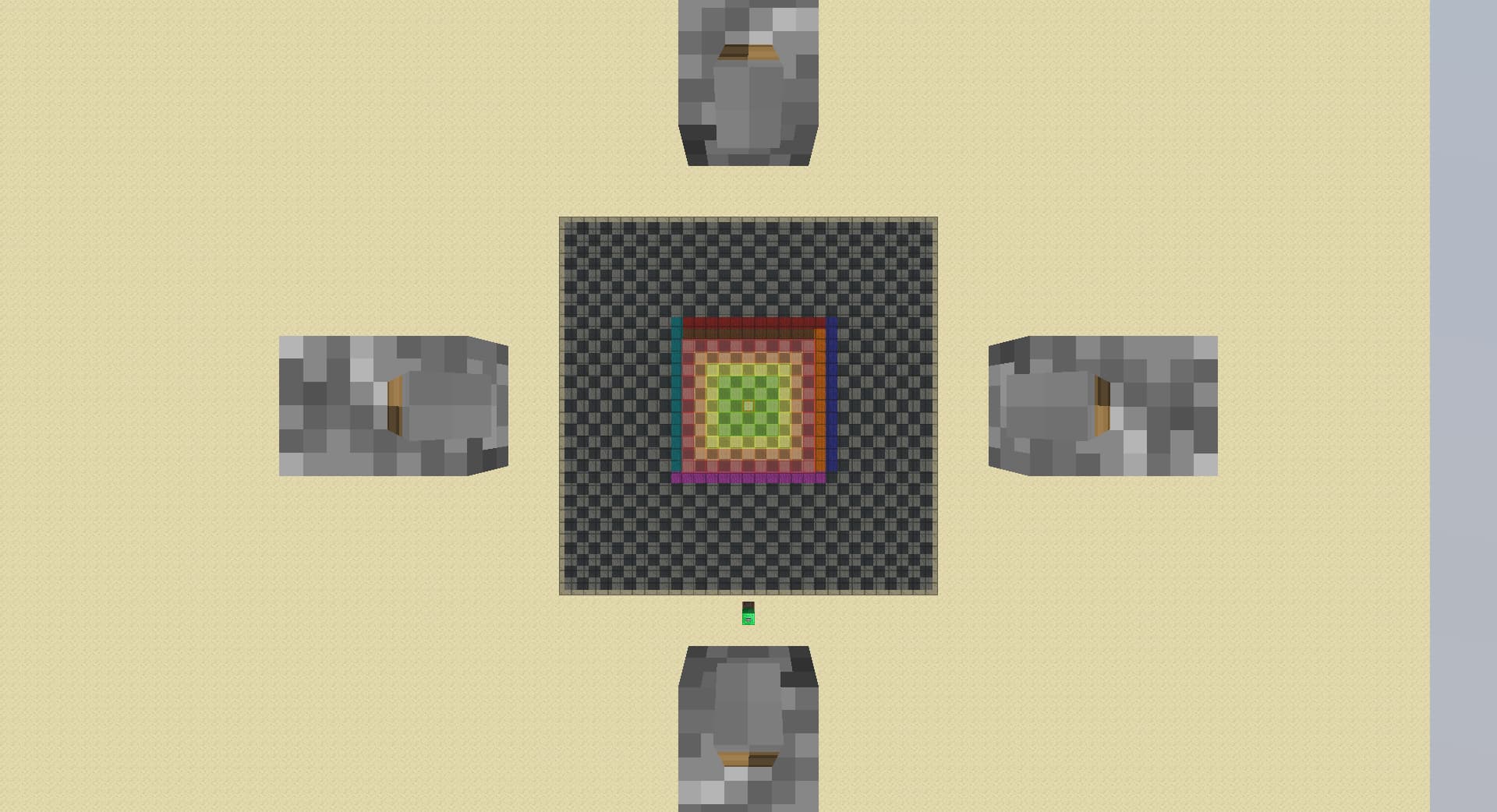
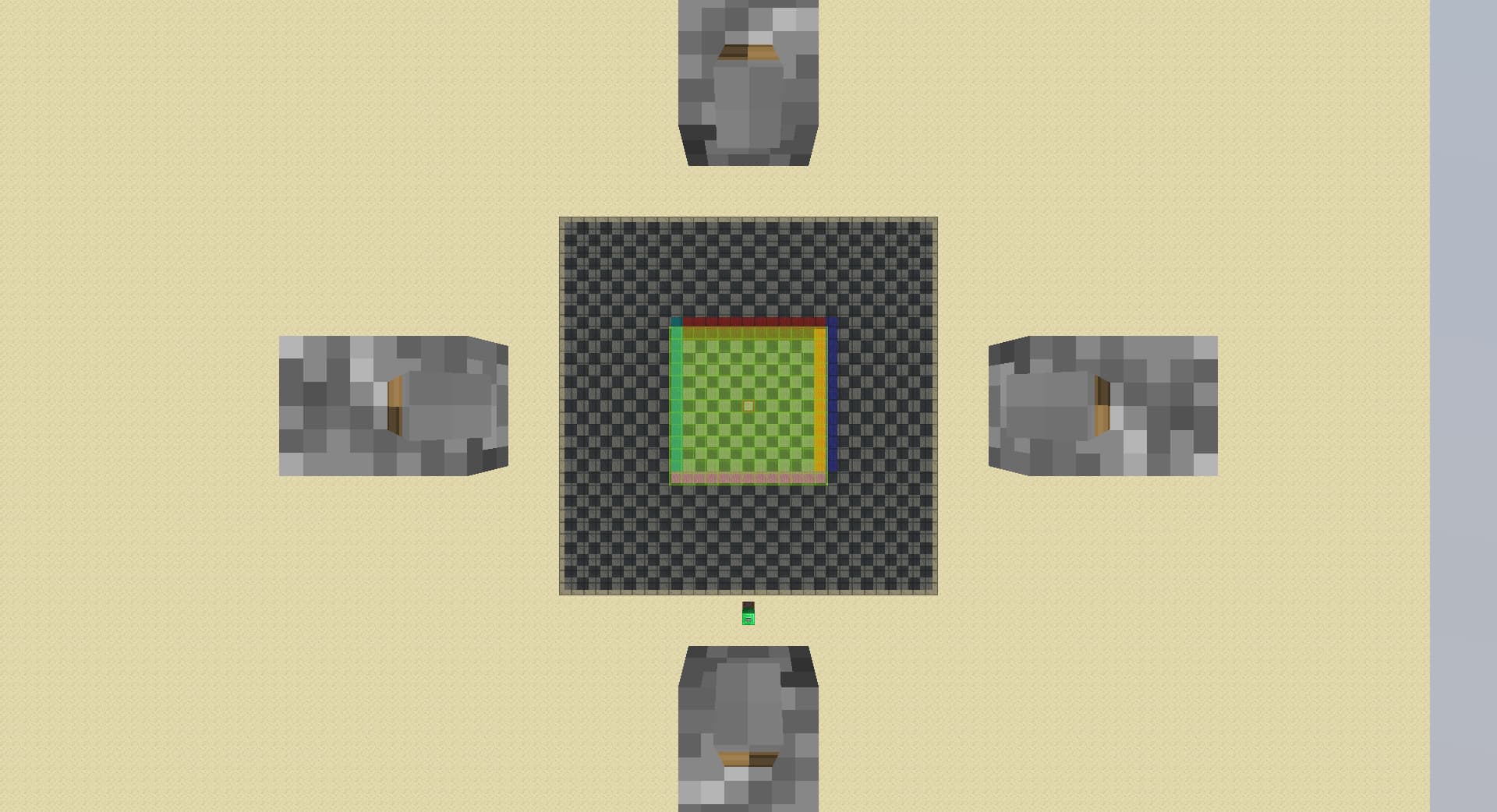
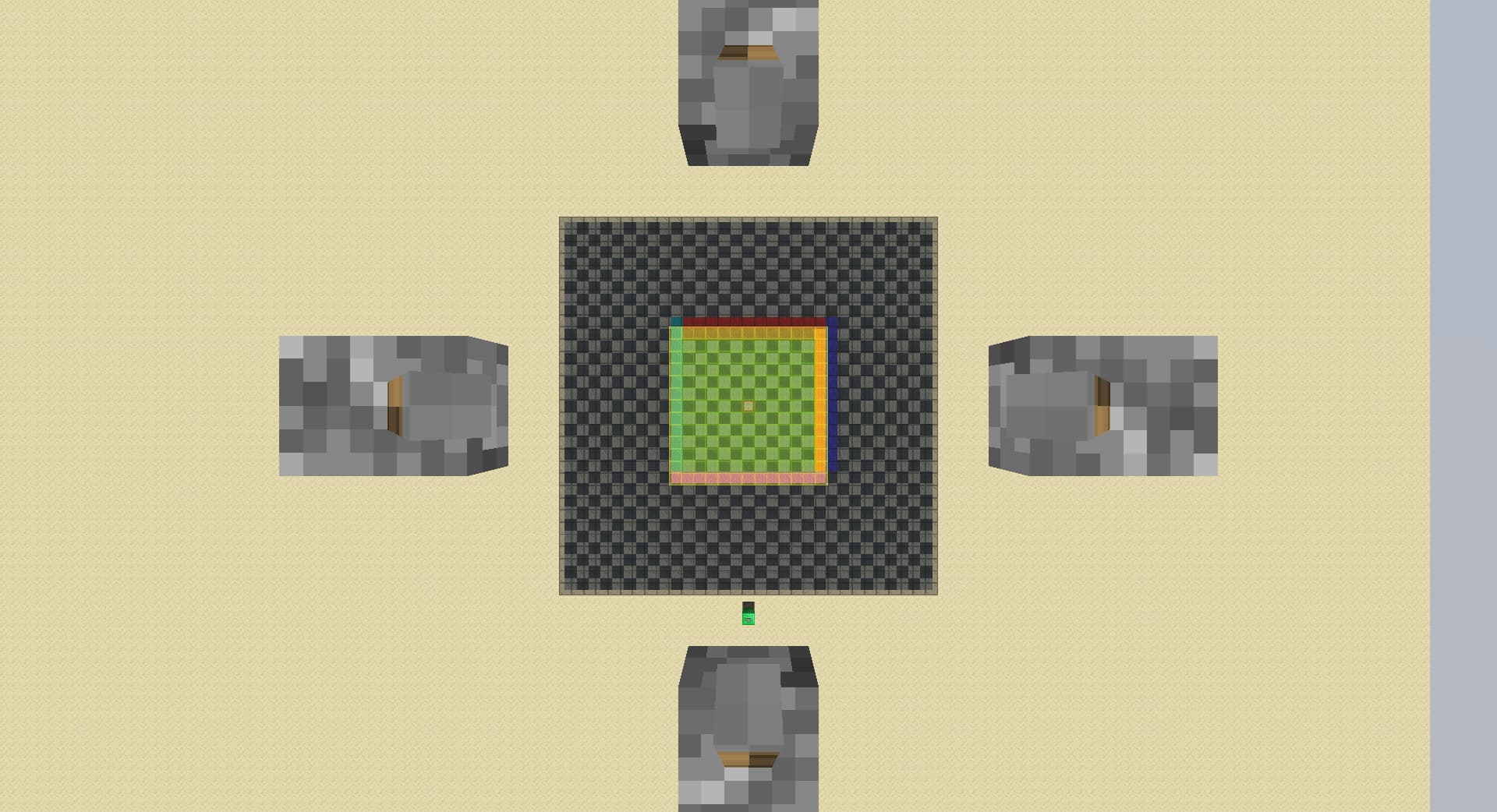
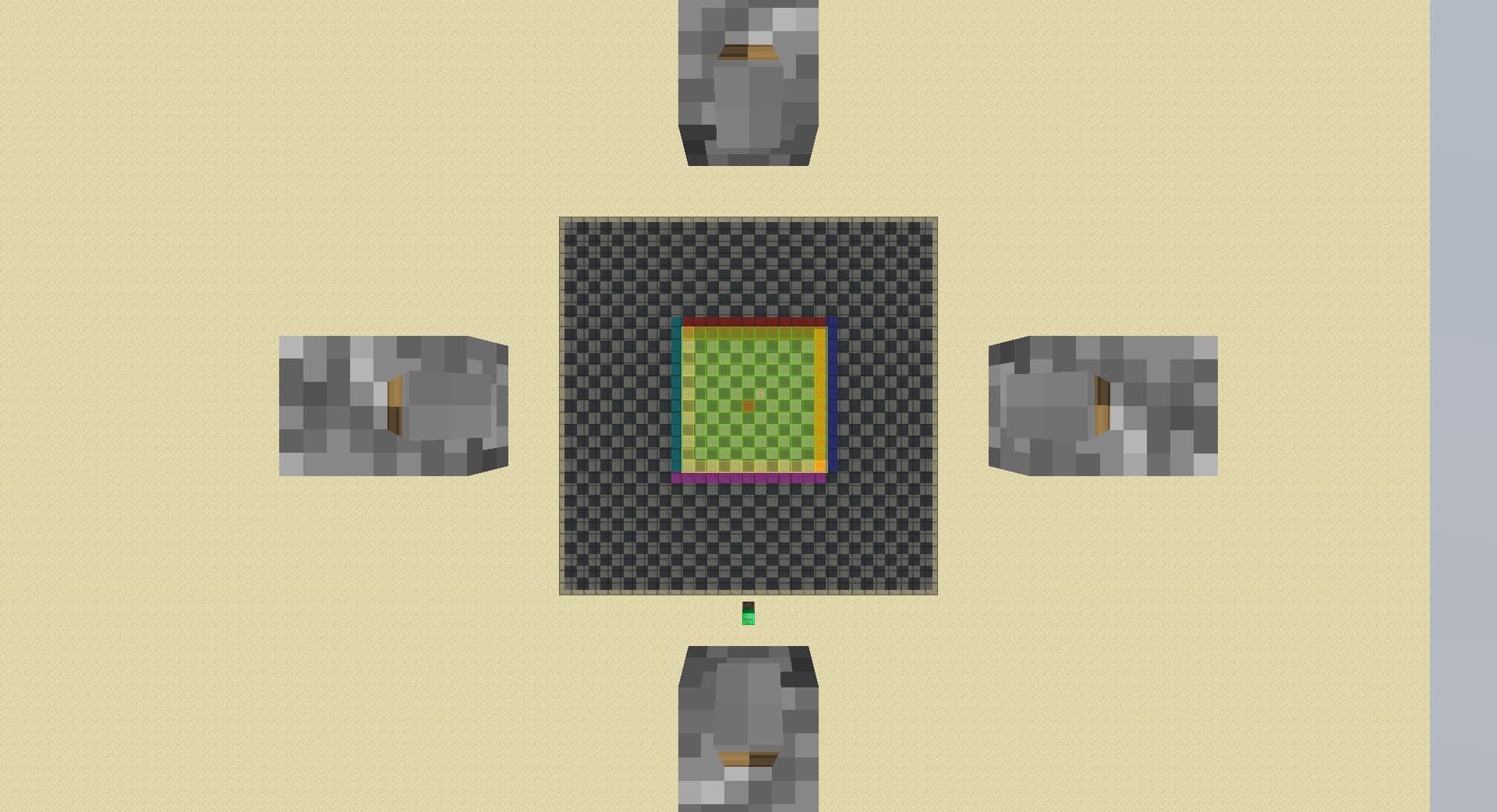
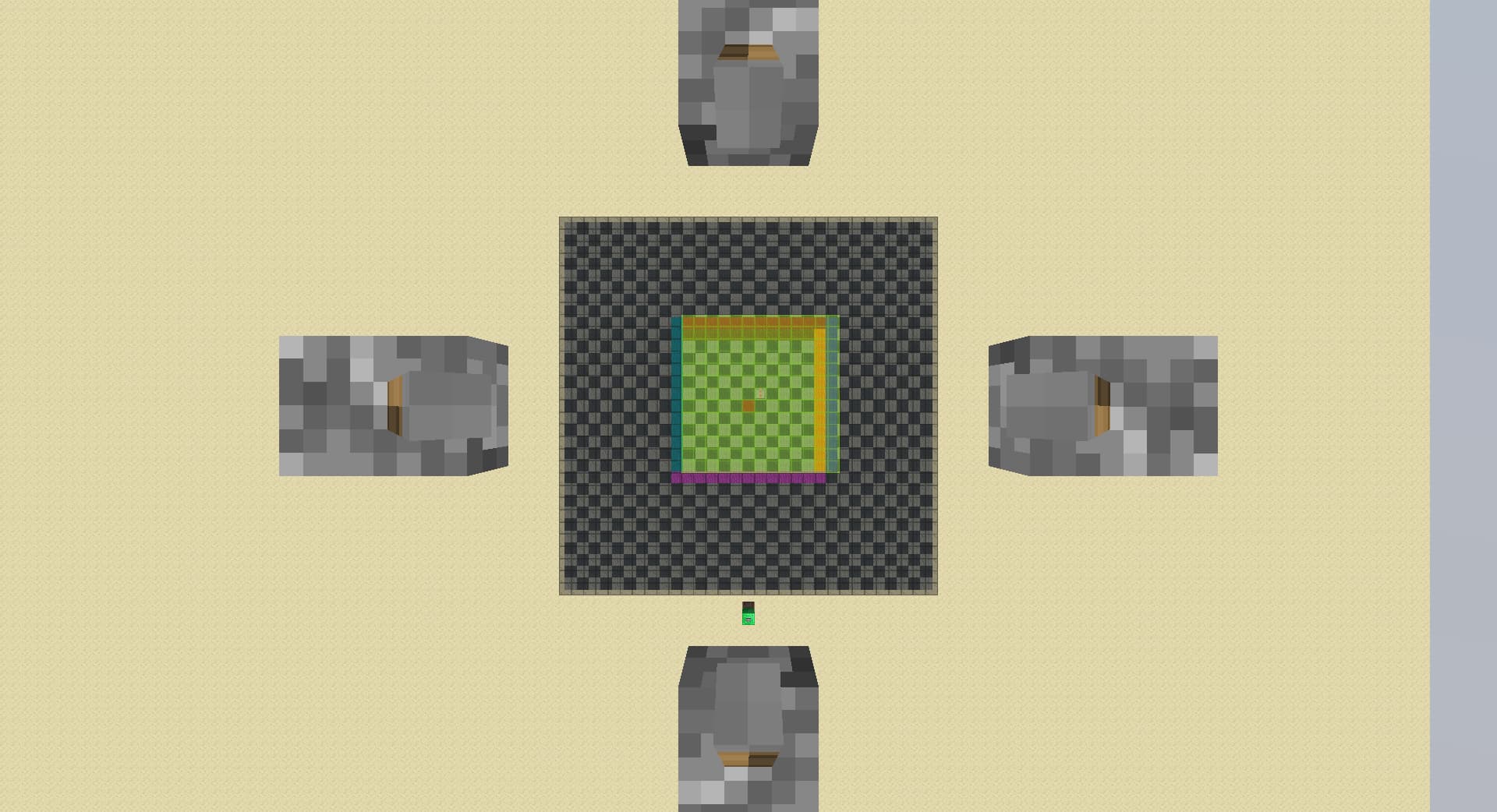
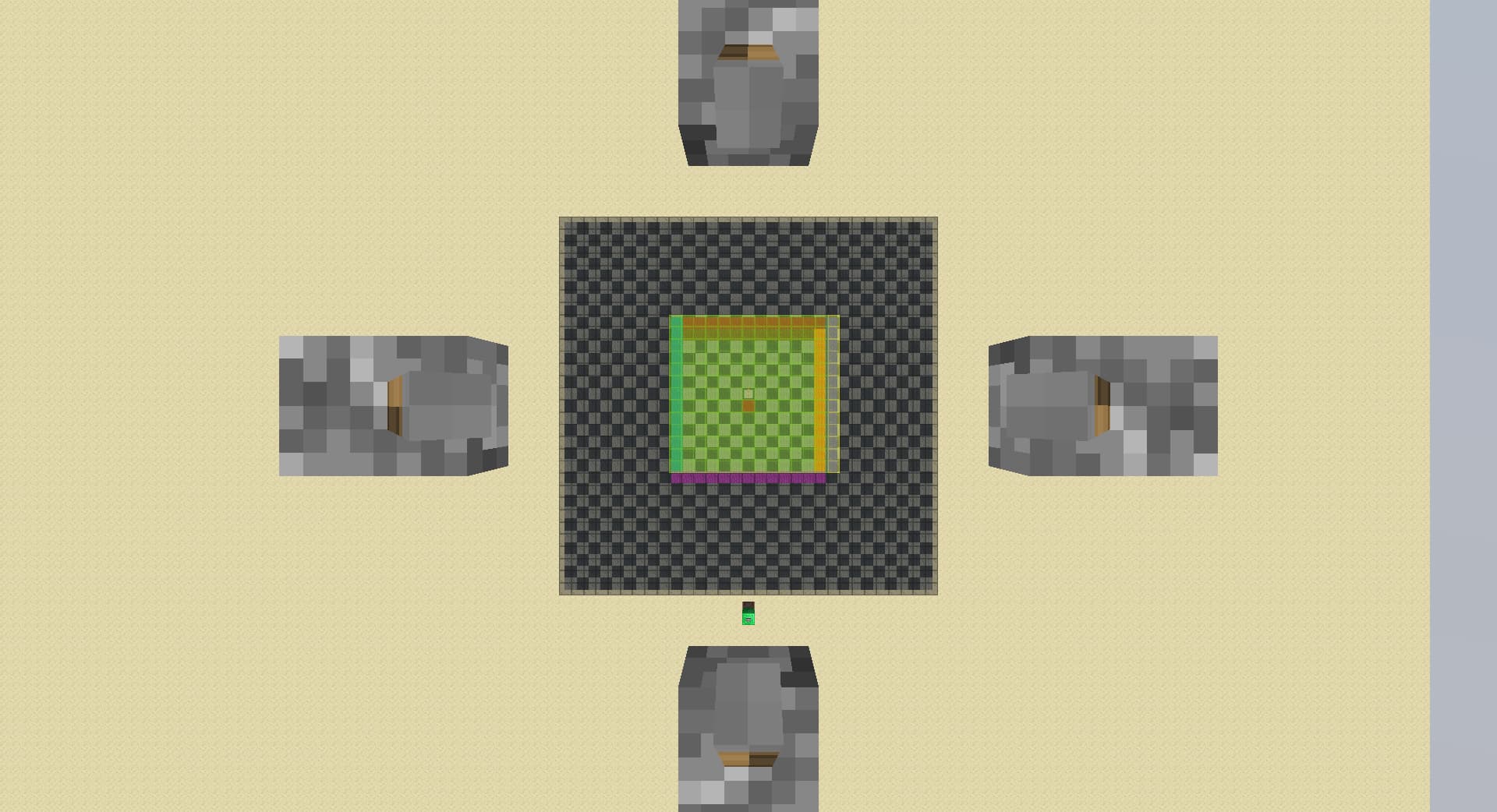
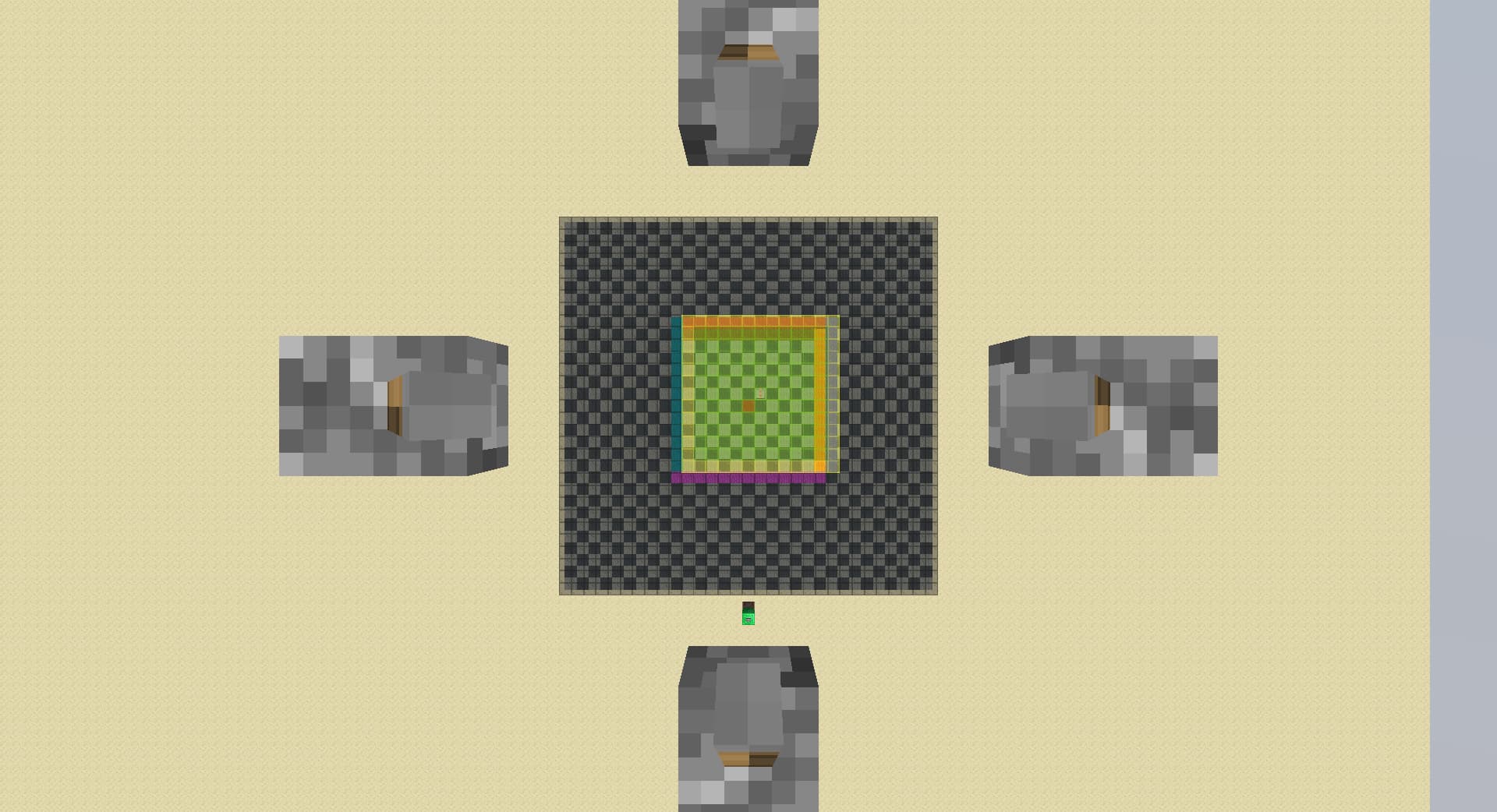
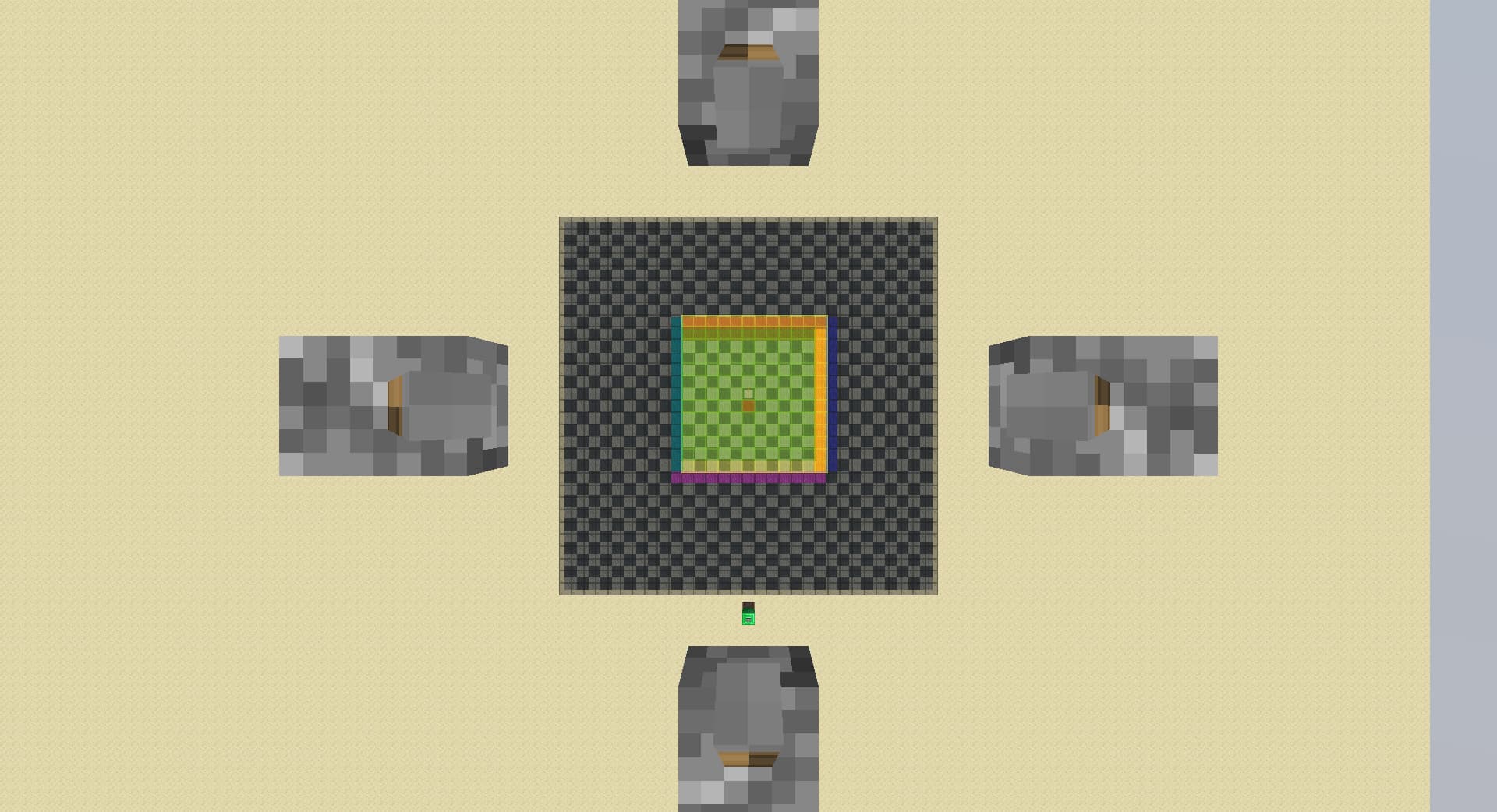
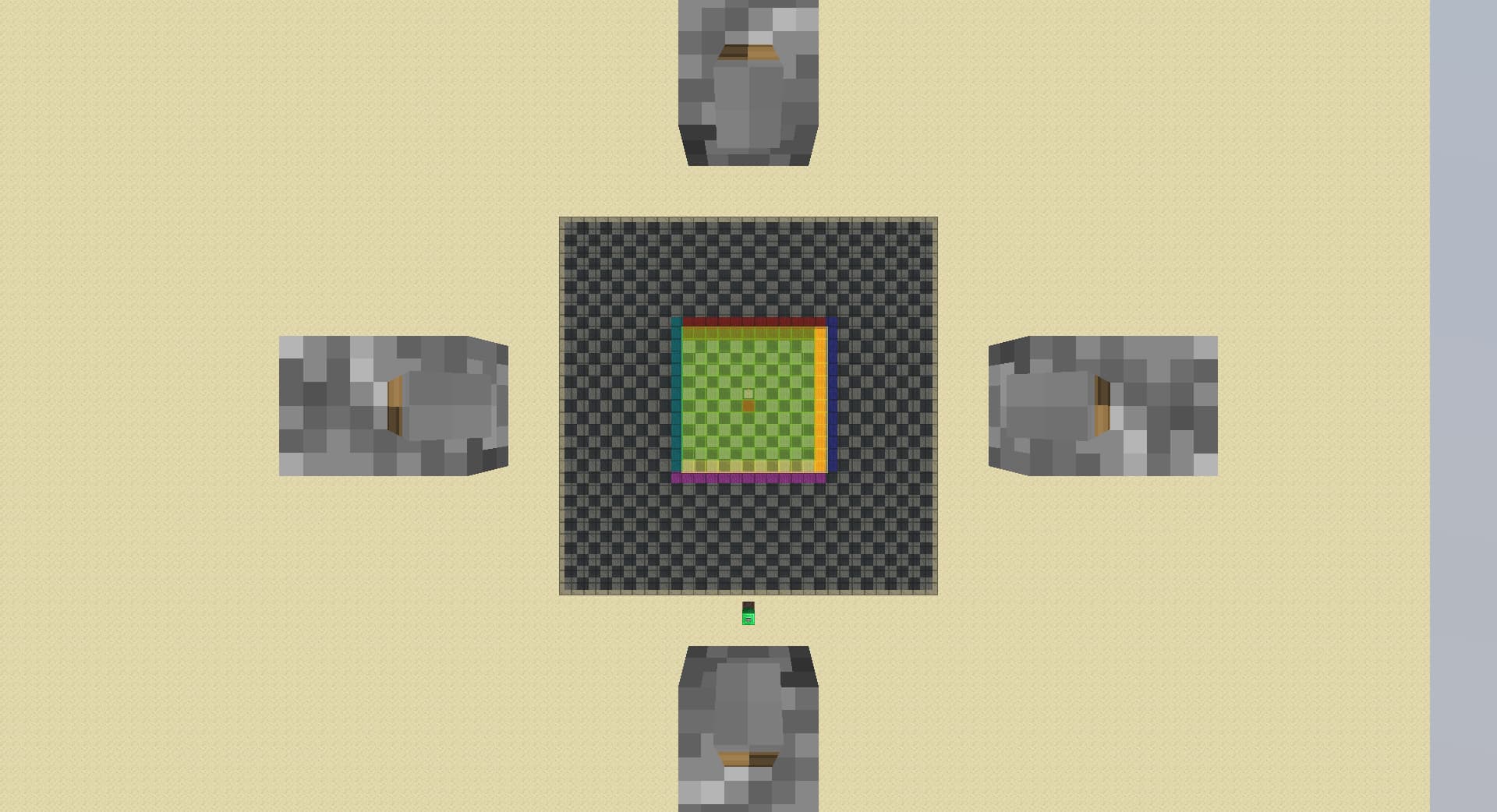
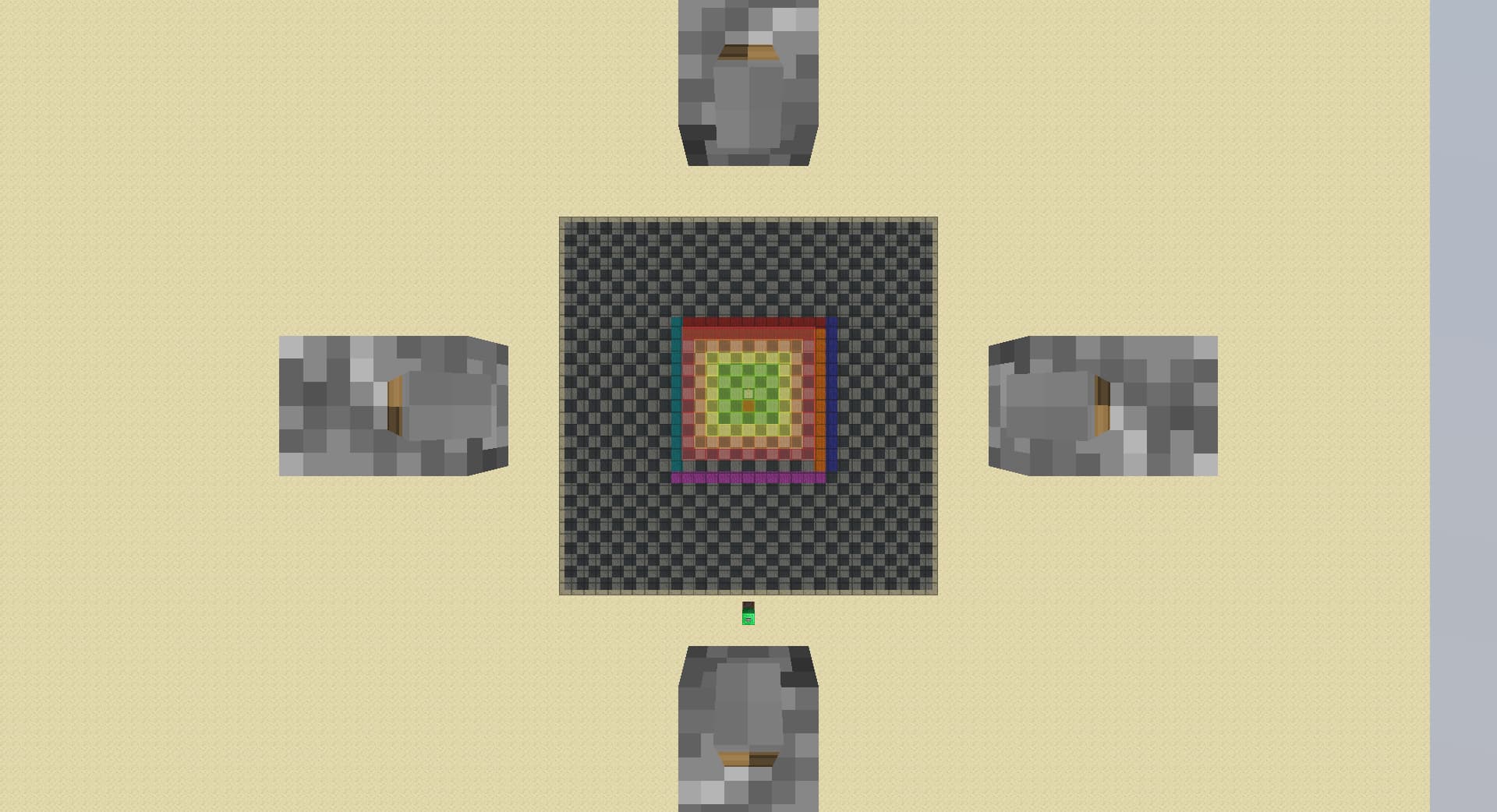
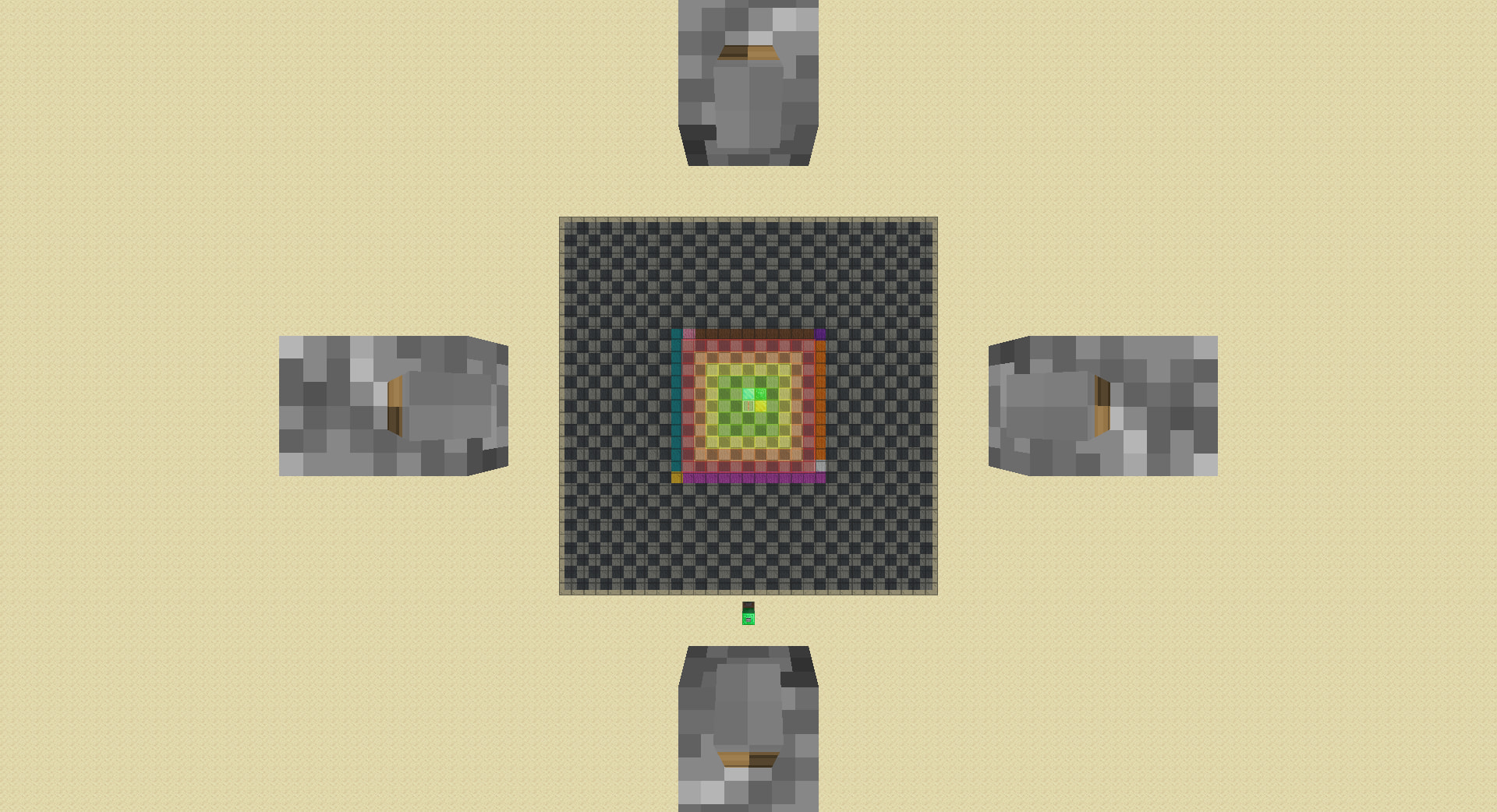
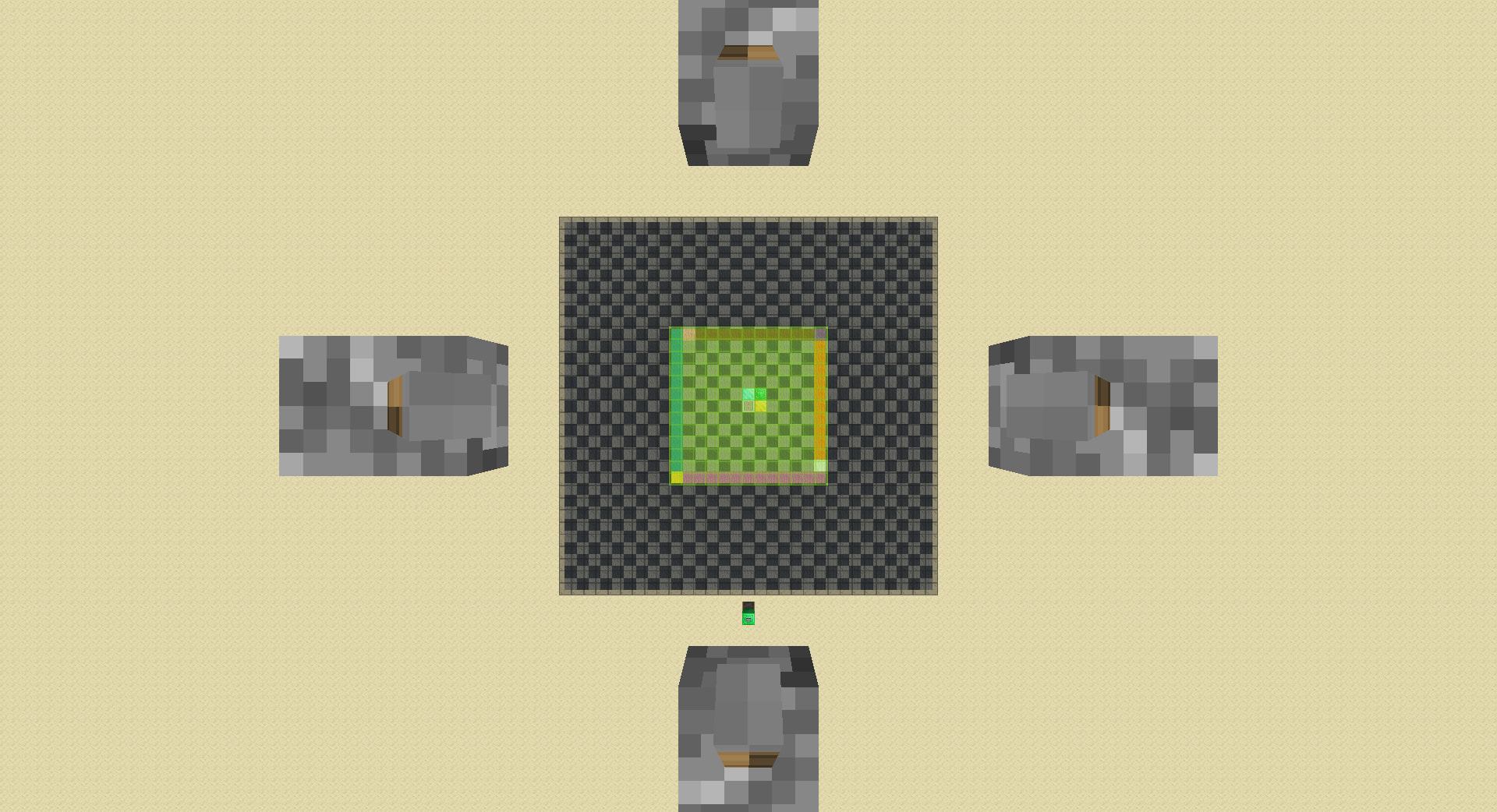
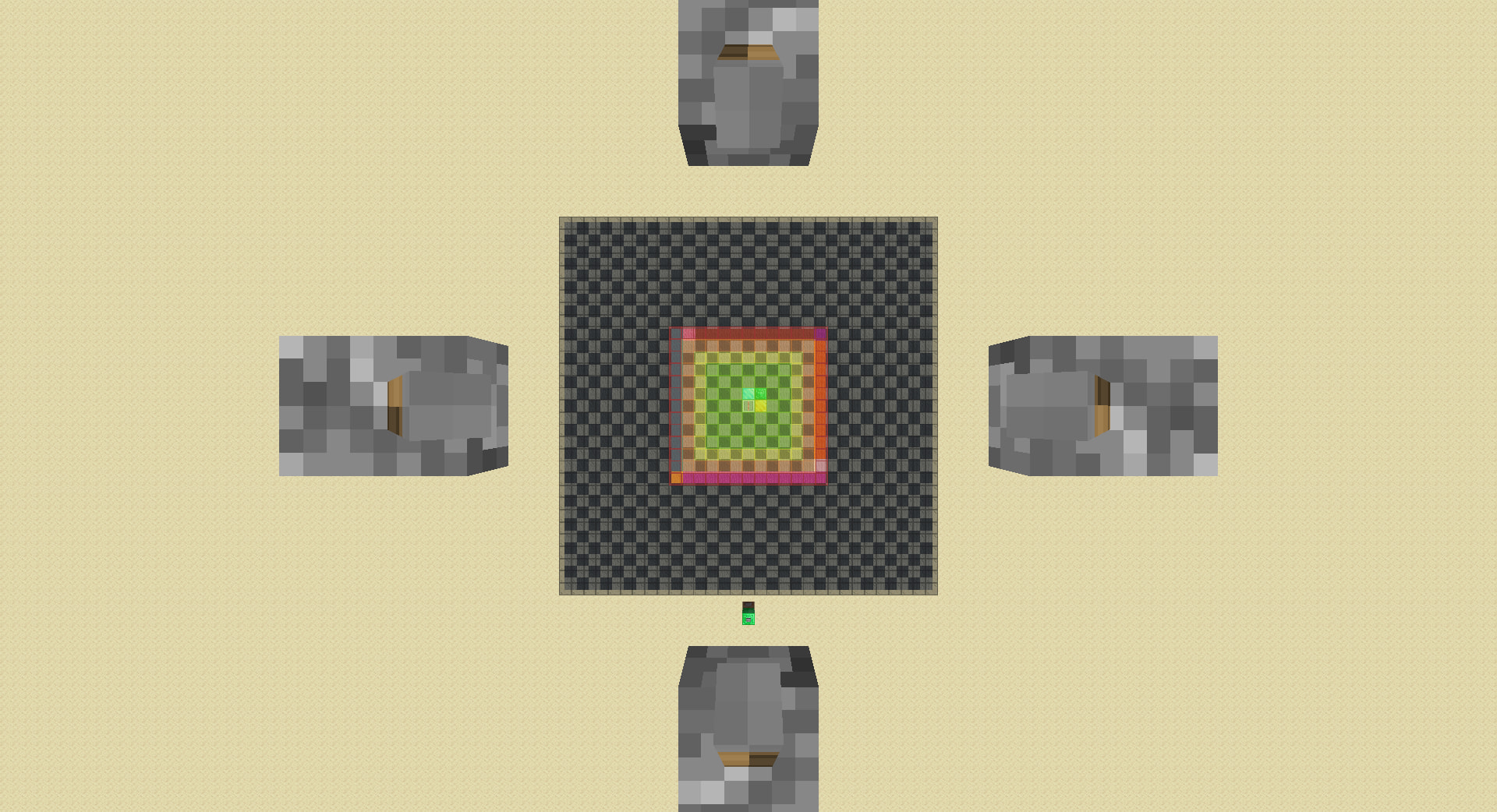
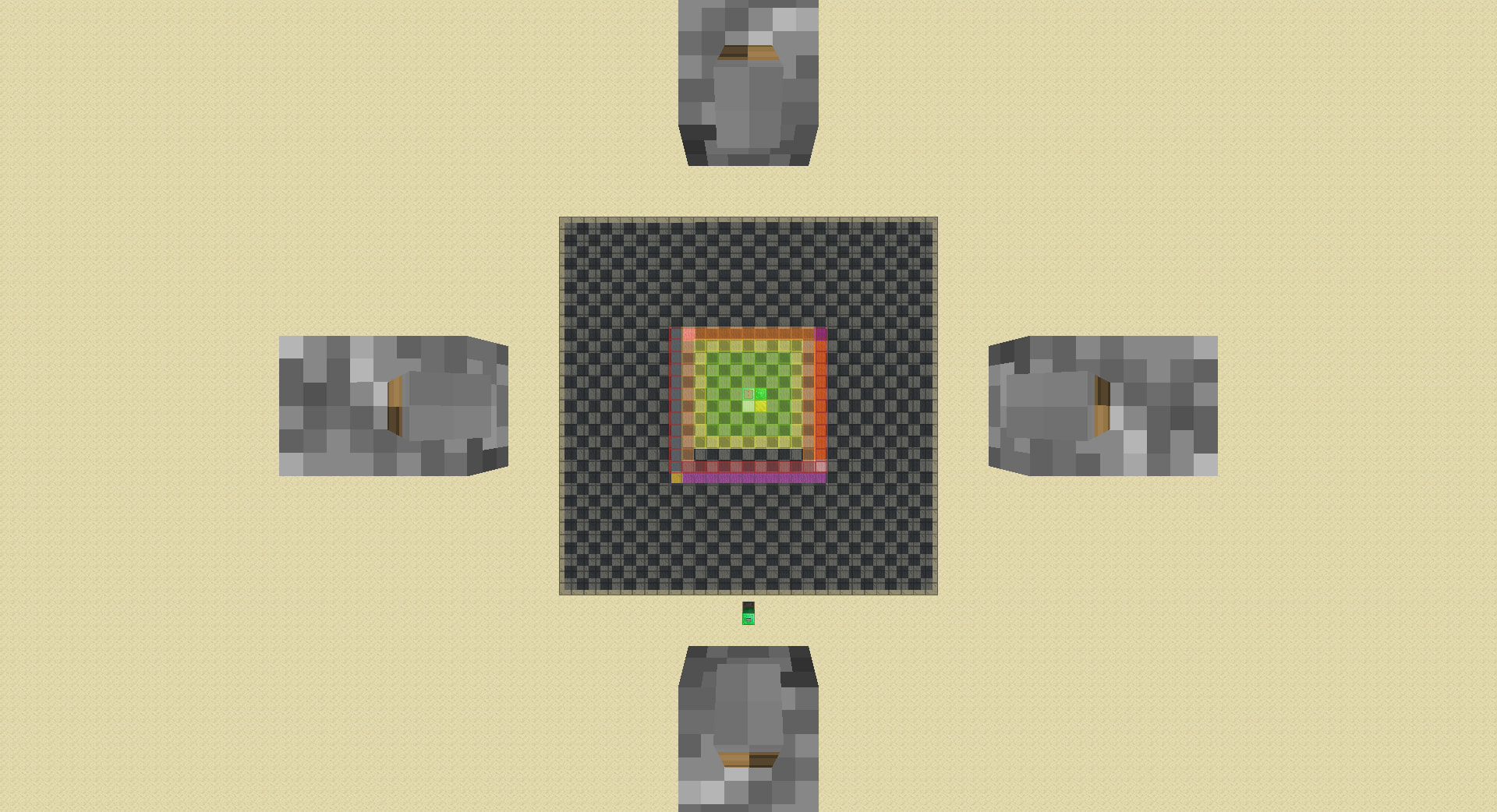
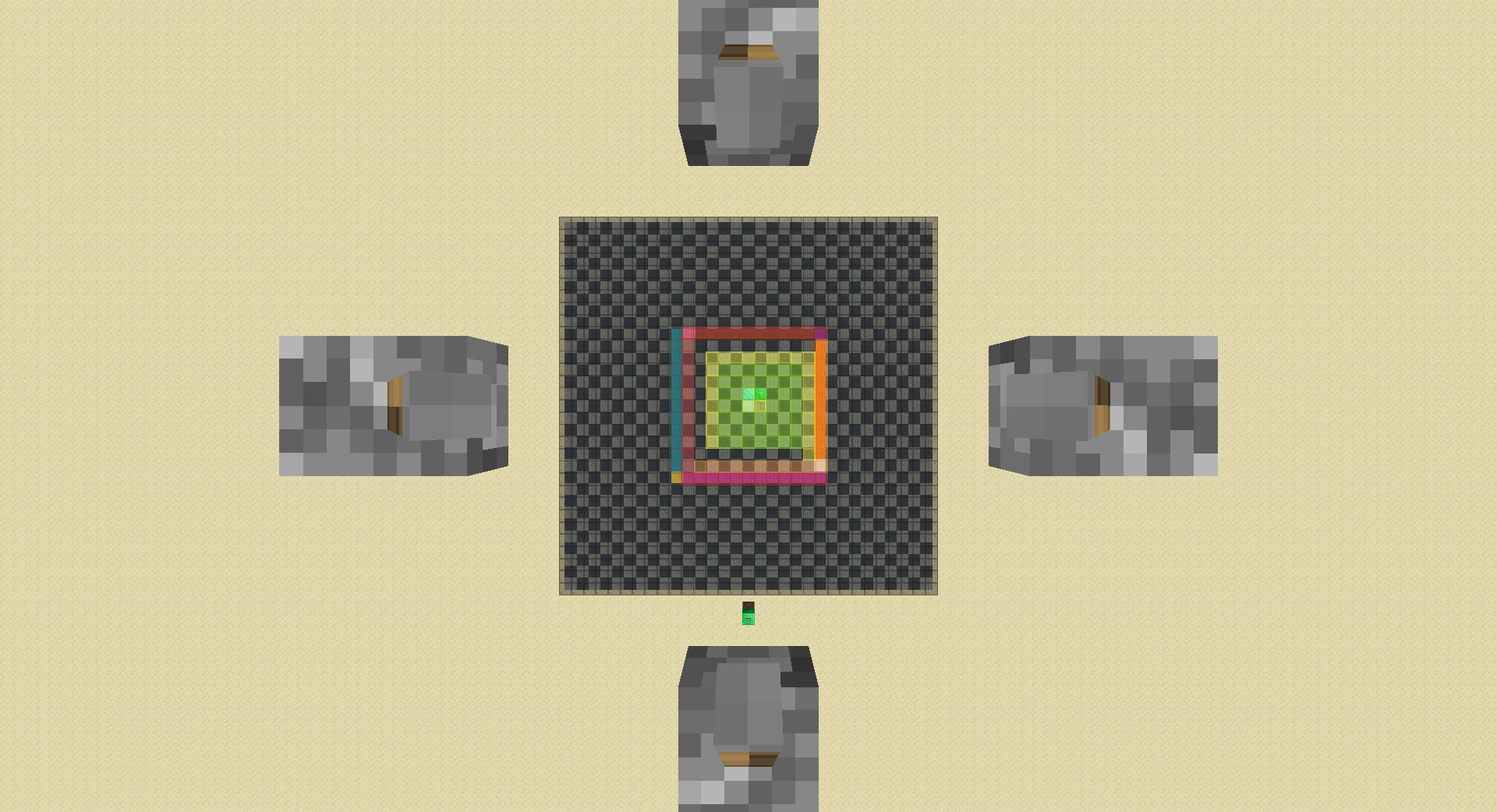
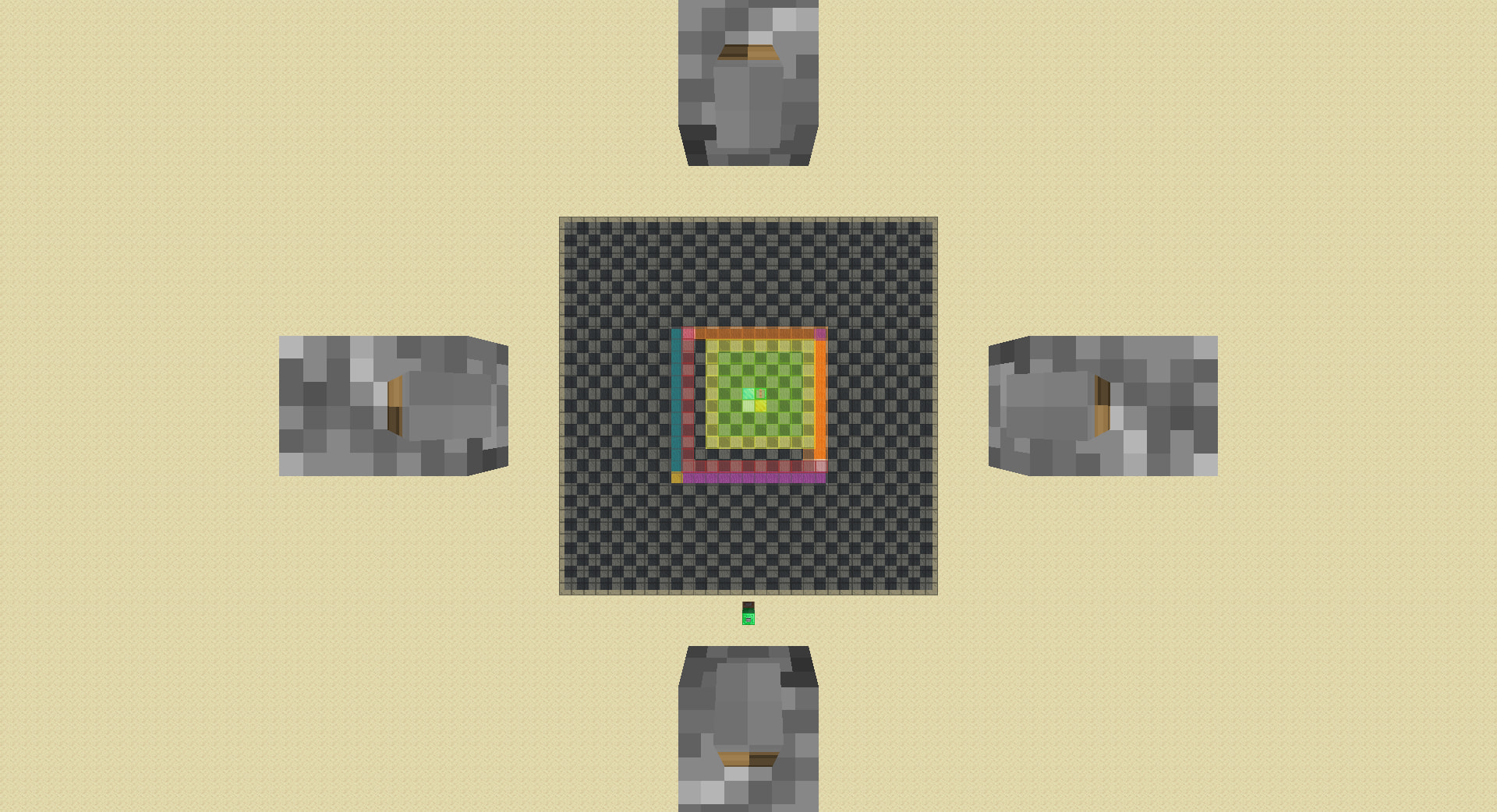
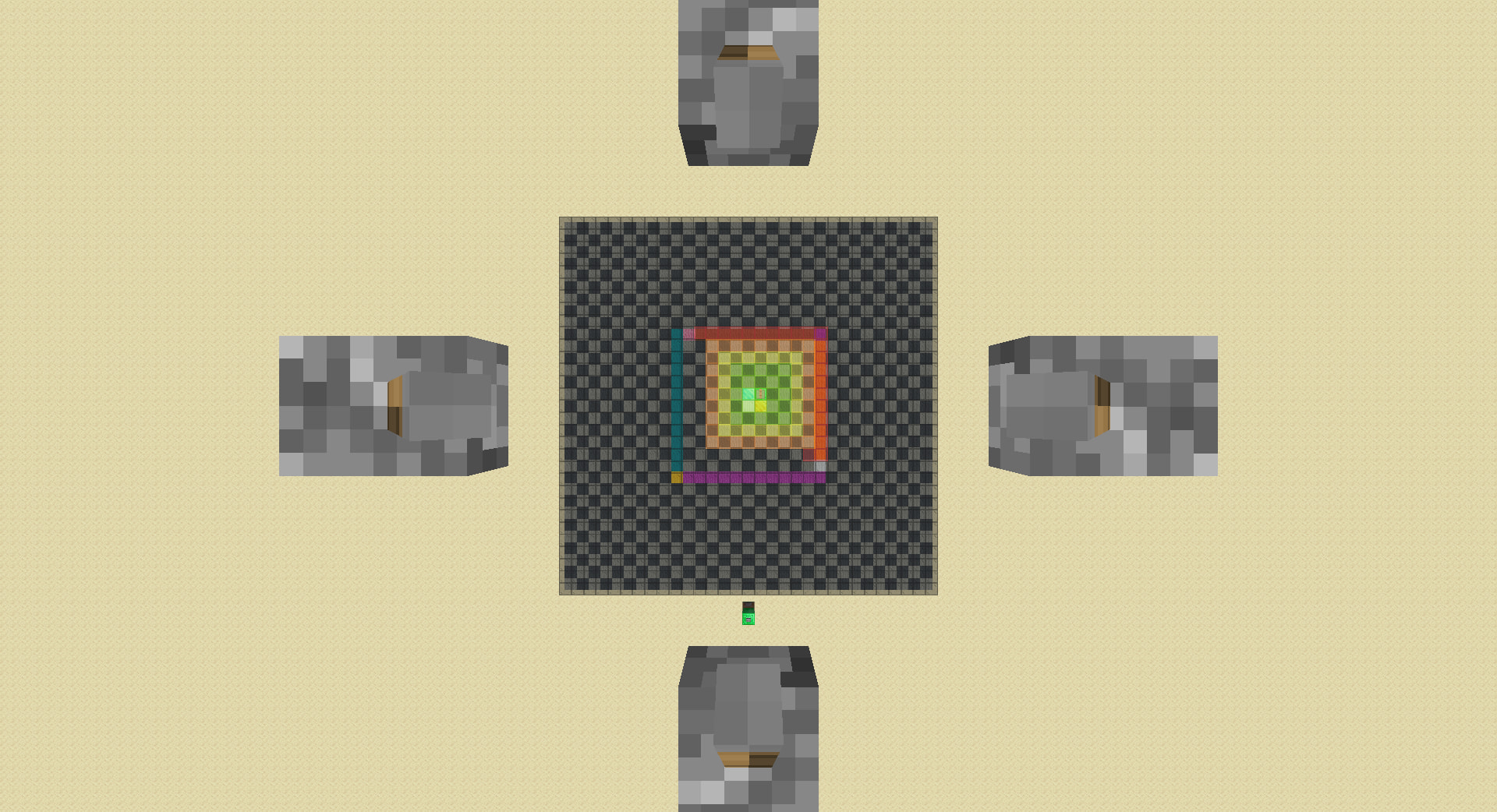
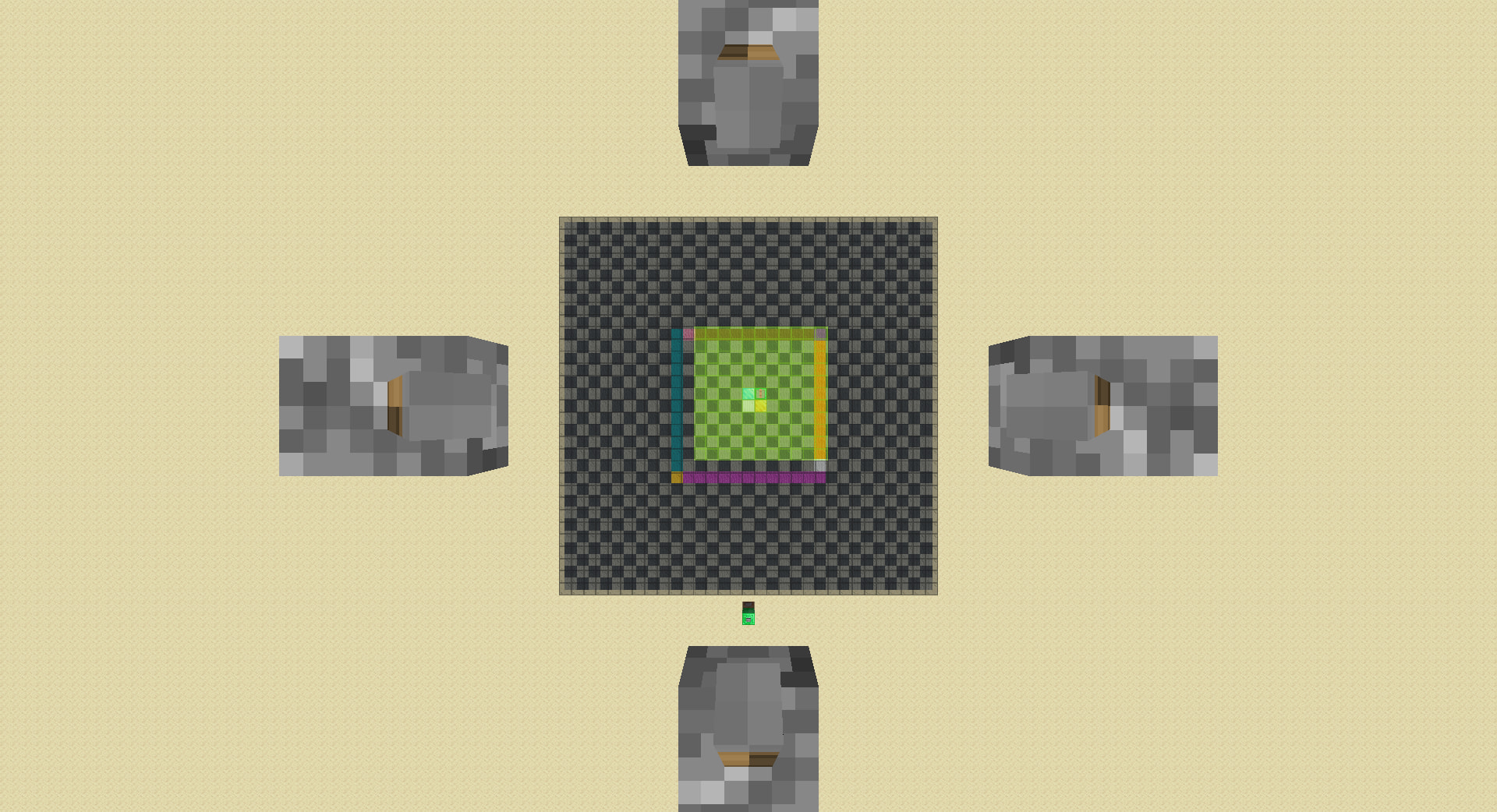
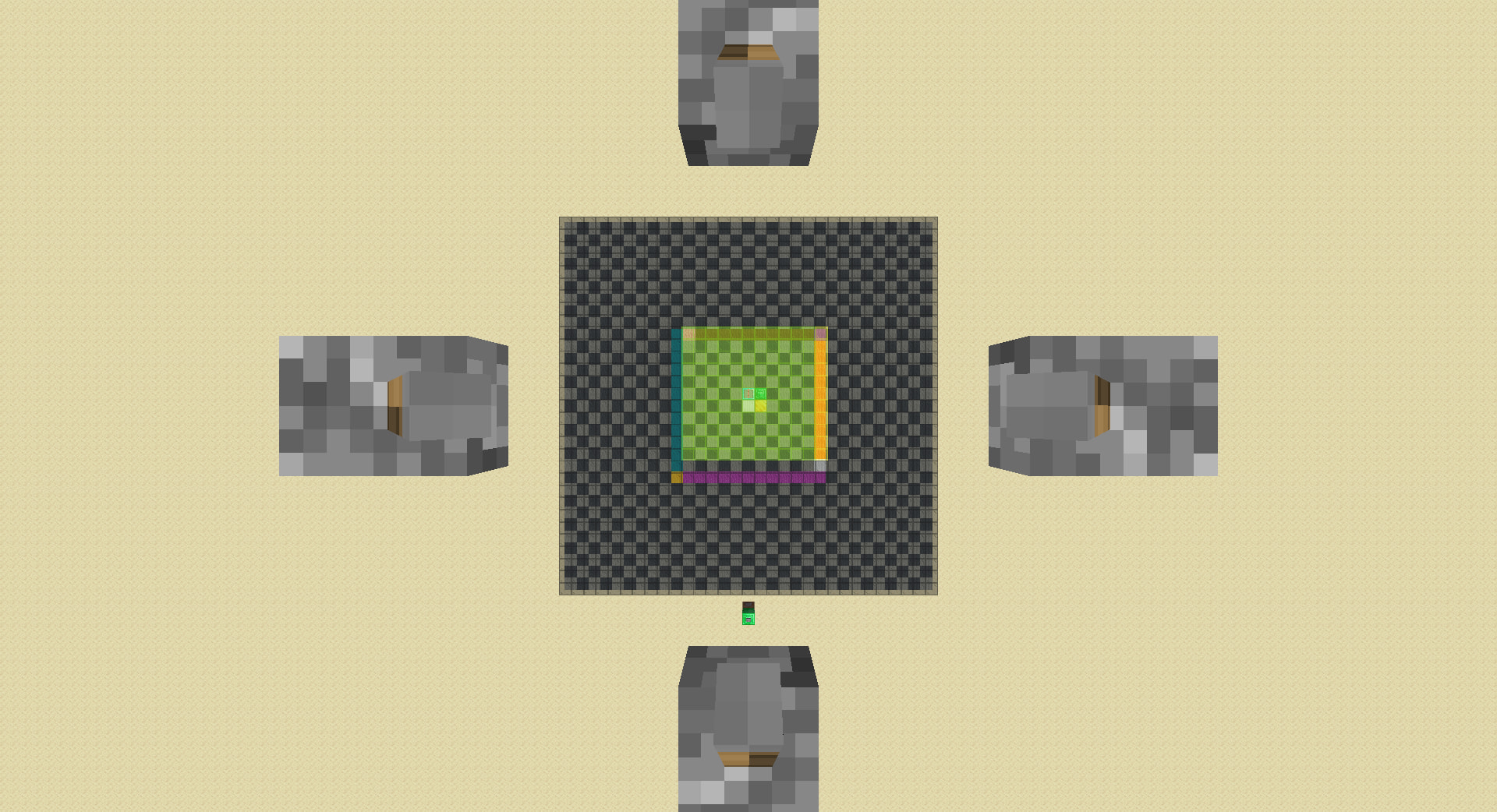
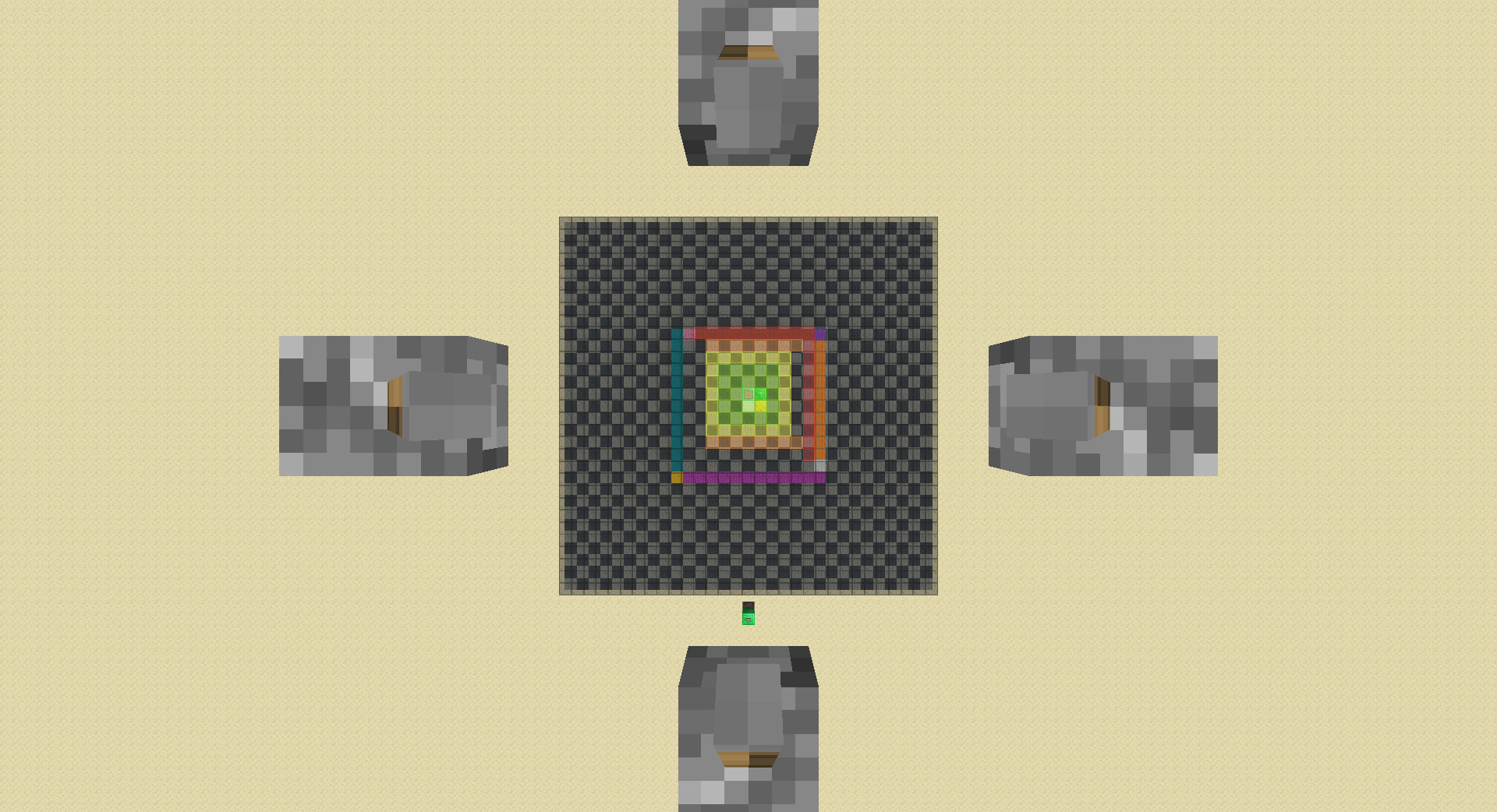
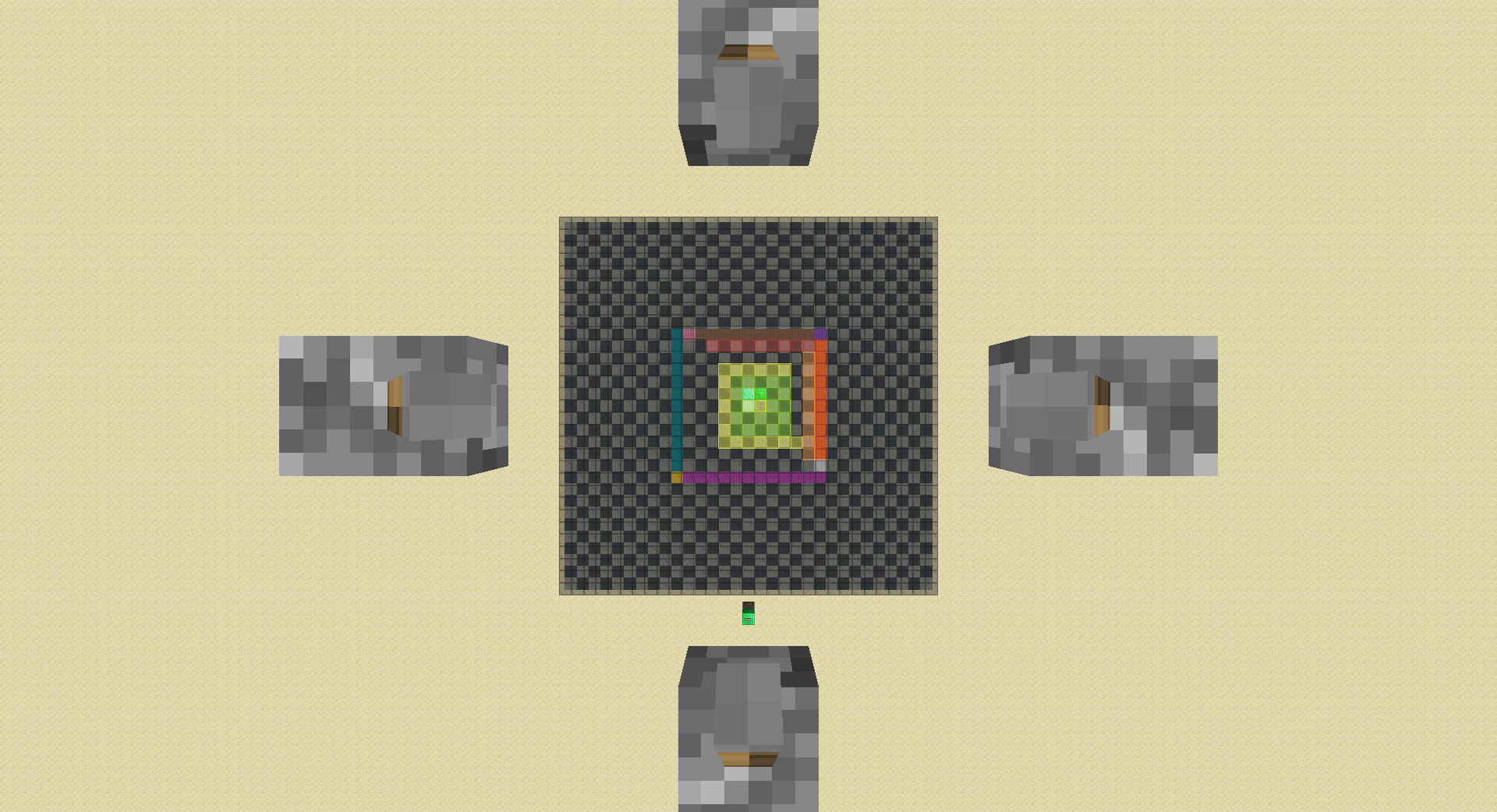
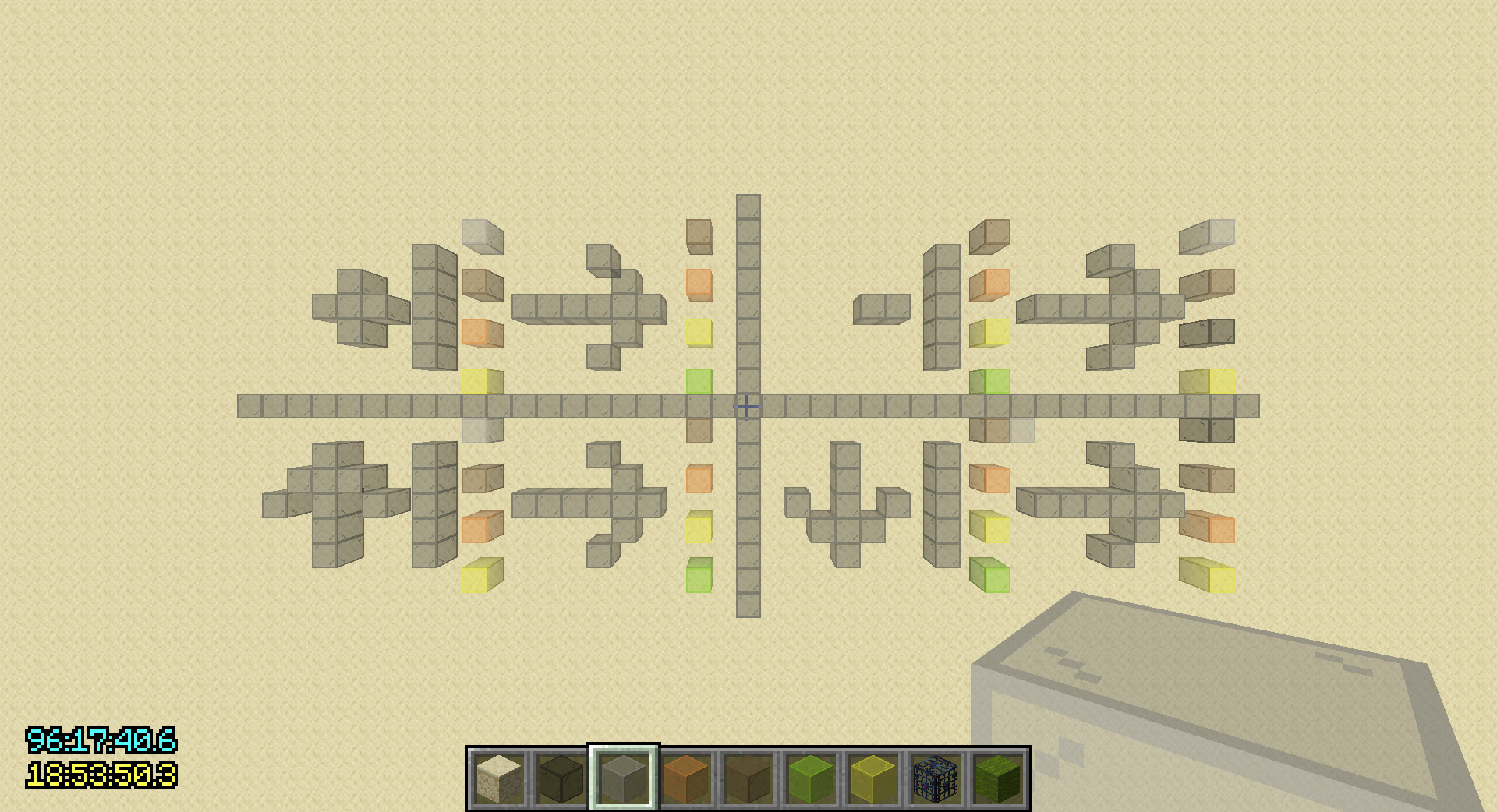
Hyper Enhanced Negative Pie-Ray (shown under map v2.0.1)
-
lower rd to 3(2 works too):
-
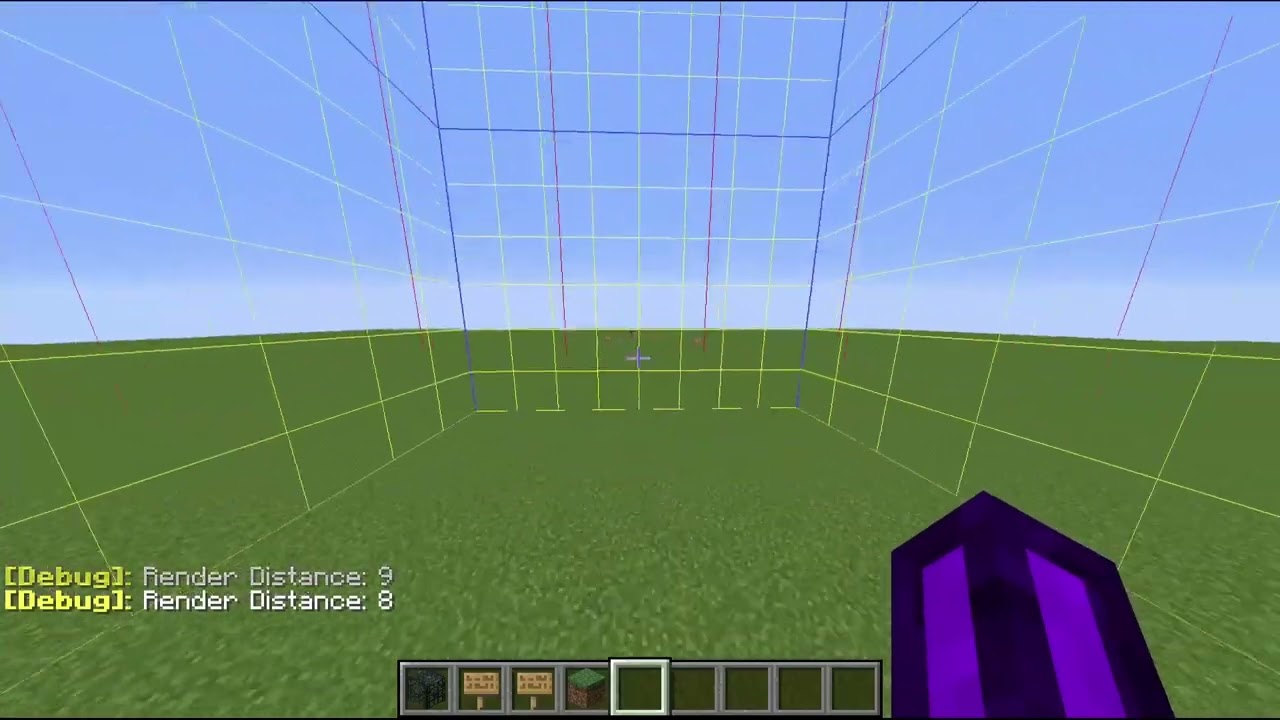
raise rd till spawner loads(do not overshoot):
-
lower rd by 1:
-
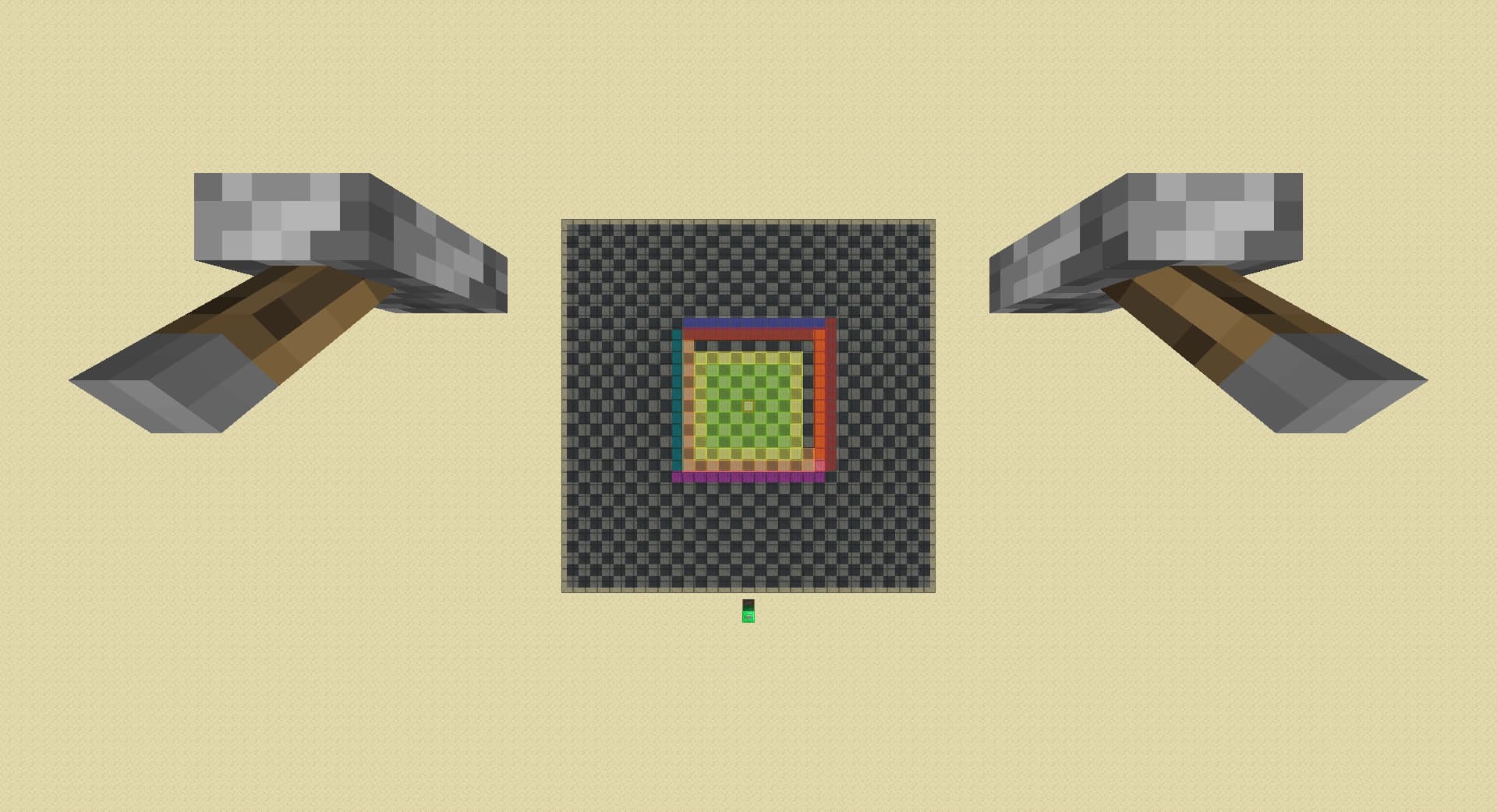
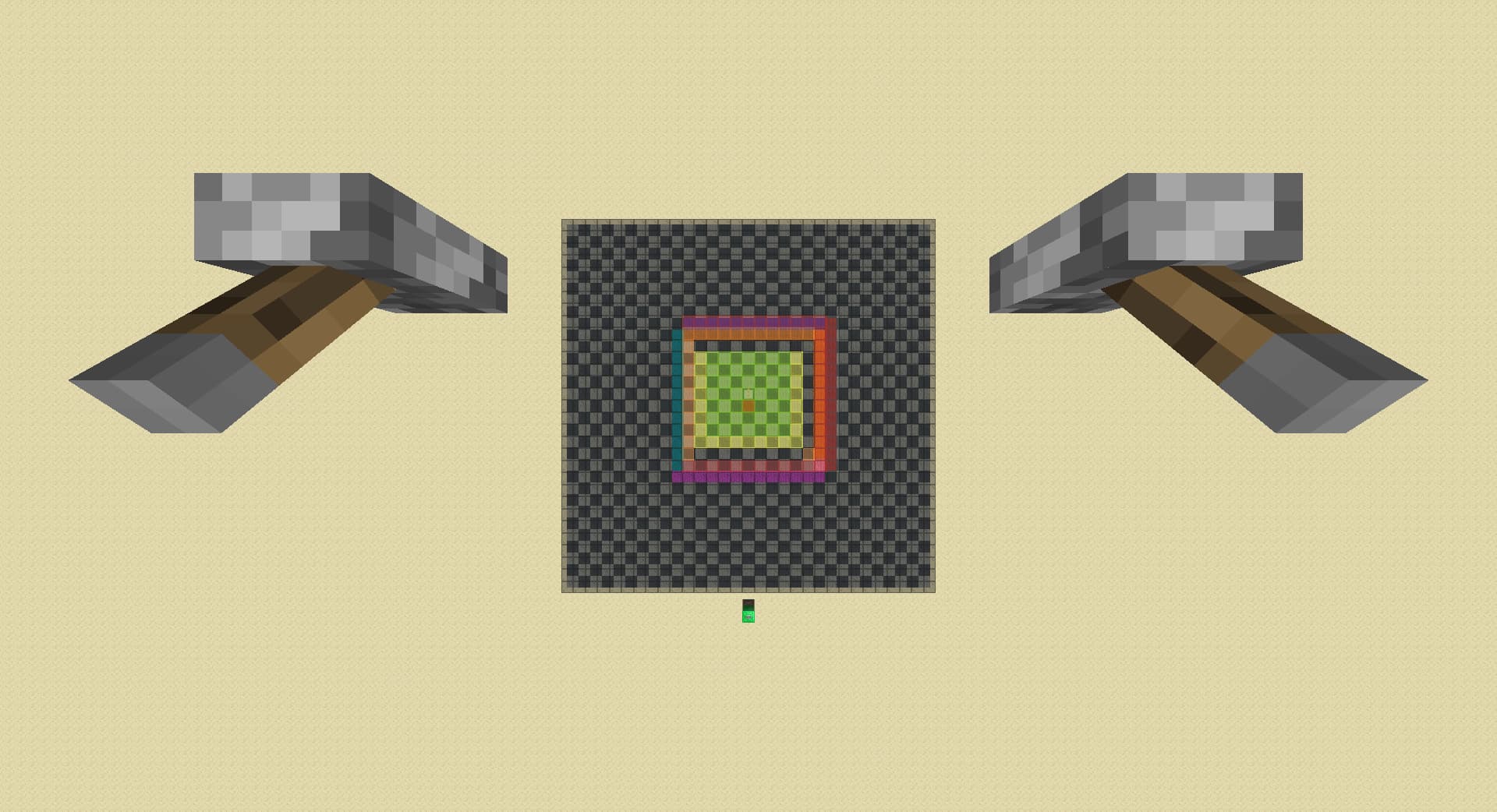
move forward by 1 chunk, detects spawner in magenta if spawner unloads:
-
move right by 1 chunk, detects spawner in cyan if spawner unloads:
-
lower rd by 1:
-
move left by 1 chunk, detects spawner in orange if spawner unloads:
-
move back by 1 chunk, detects spawner in red if spawner unloads,
otherwise detects diagonal spawner in pink:
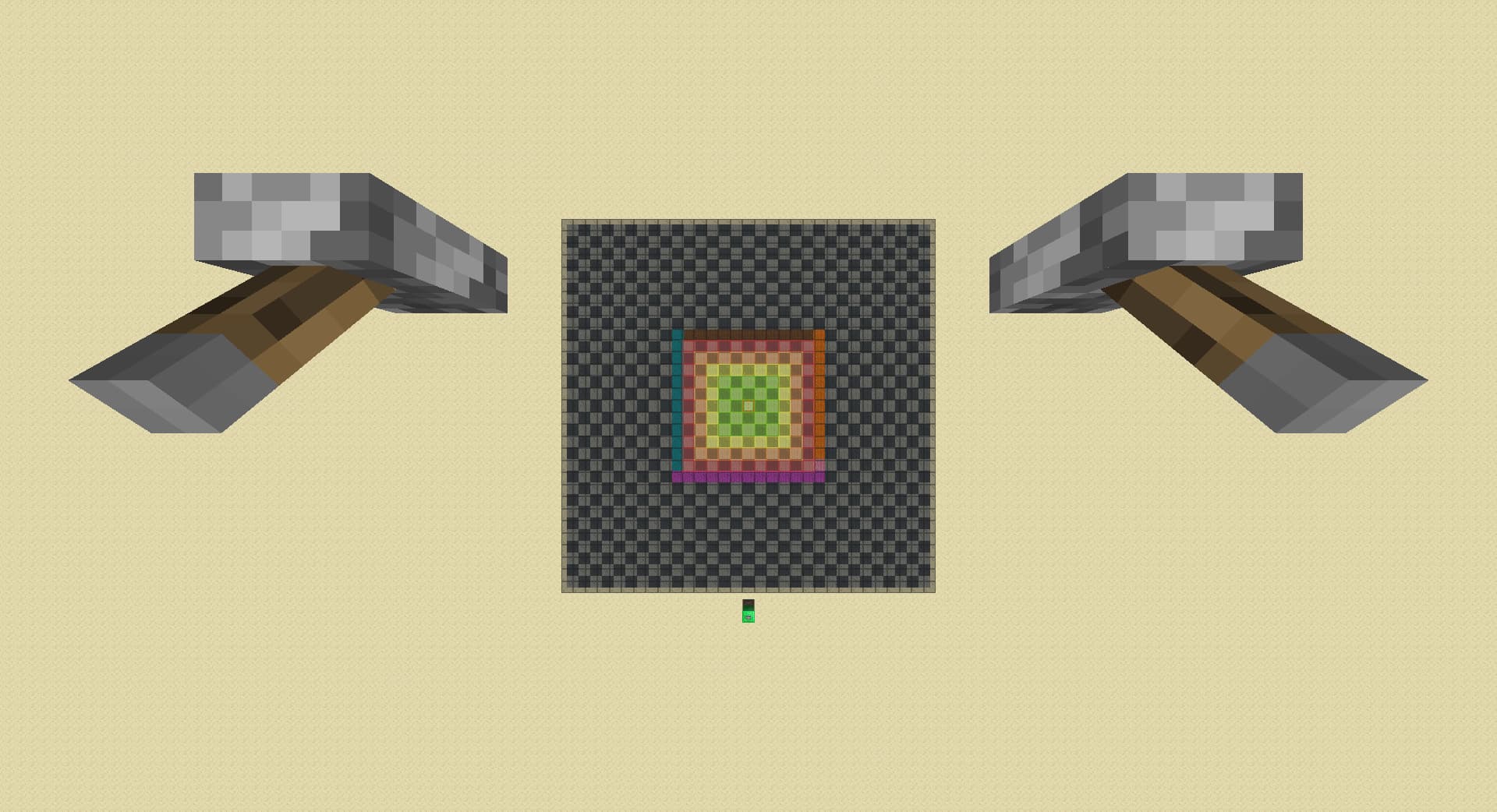
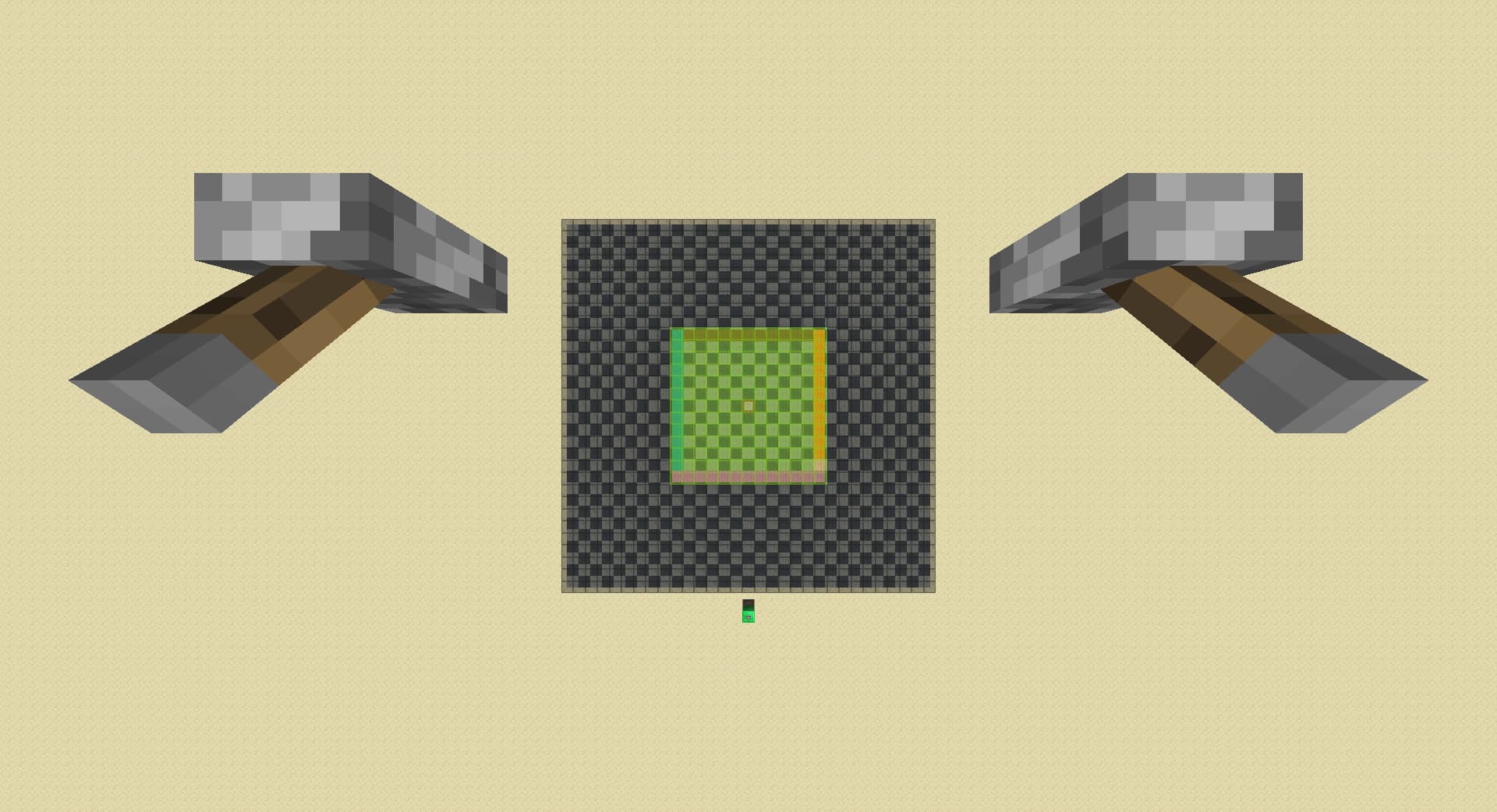
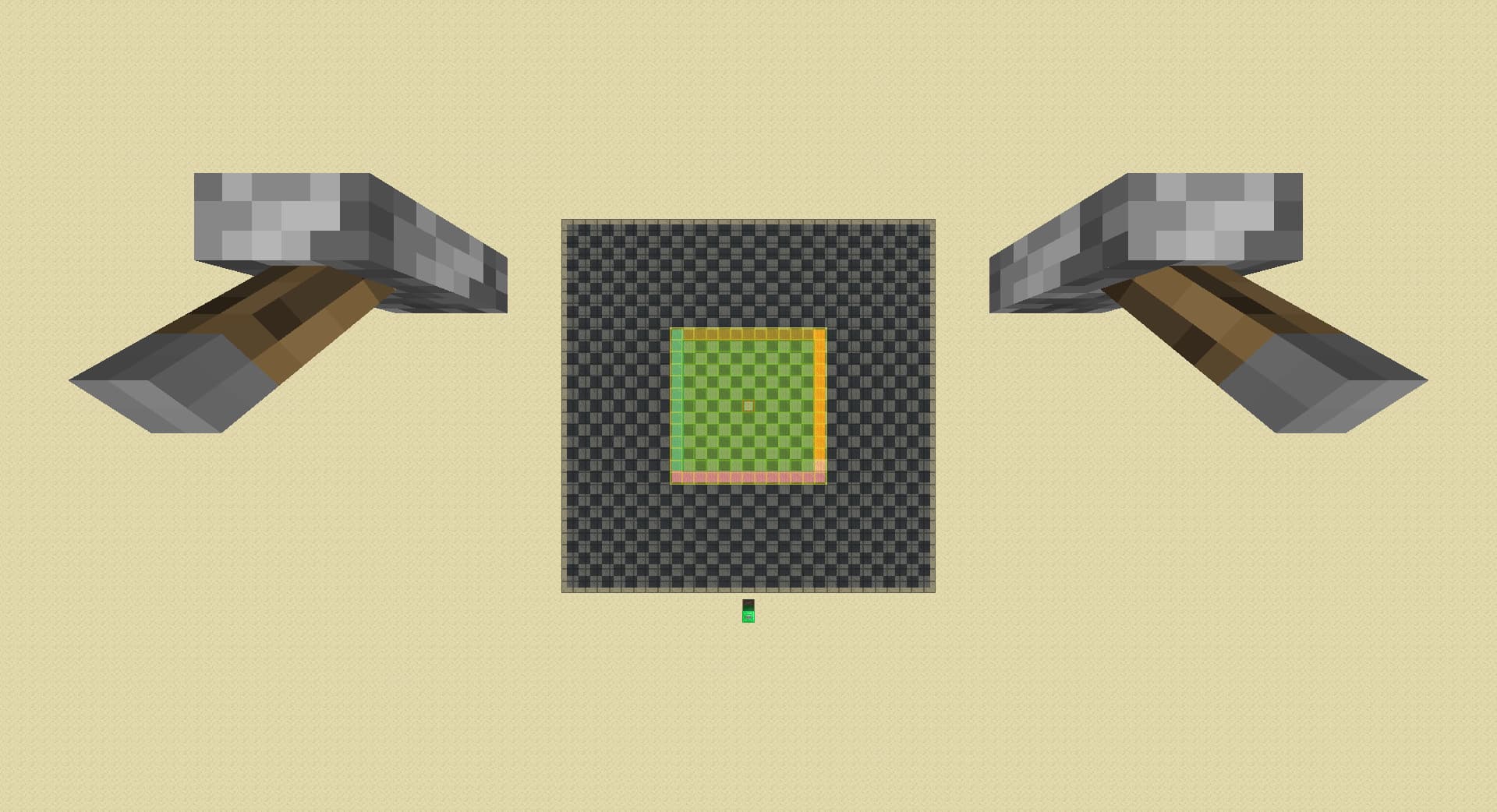
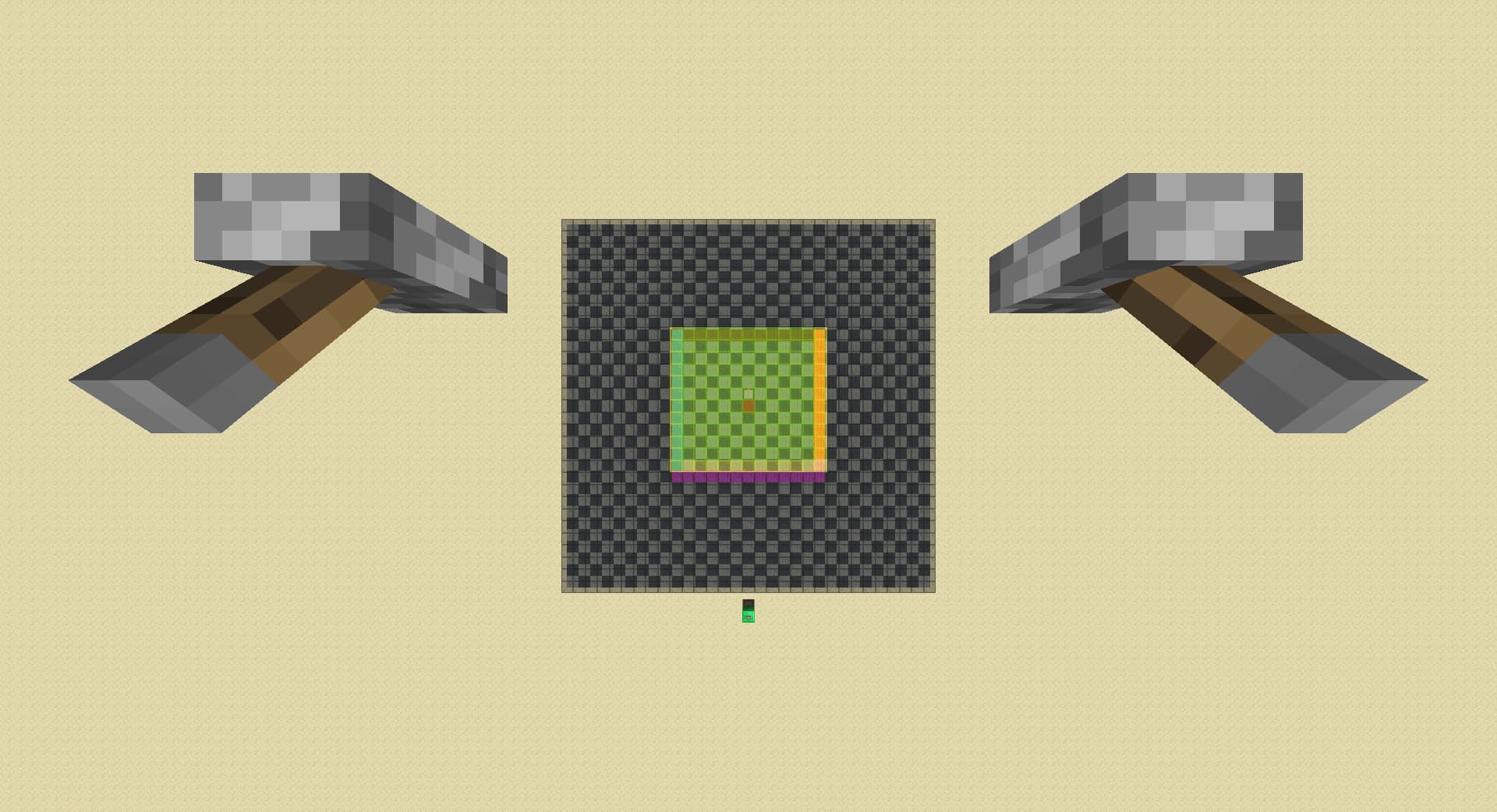
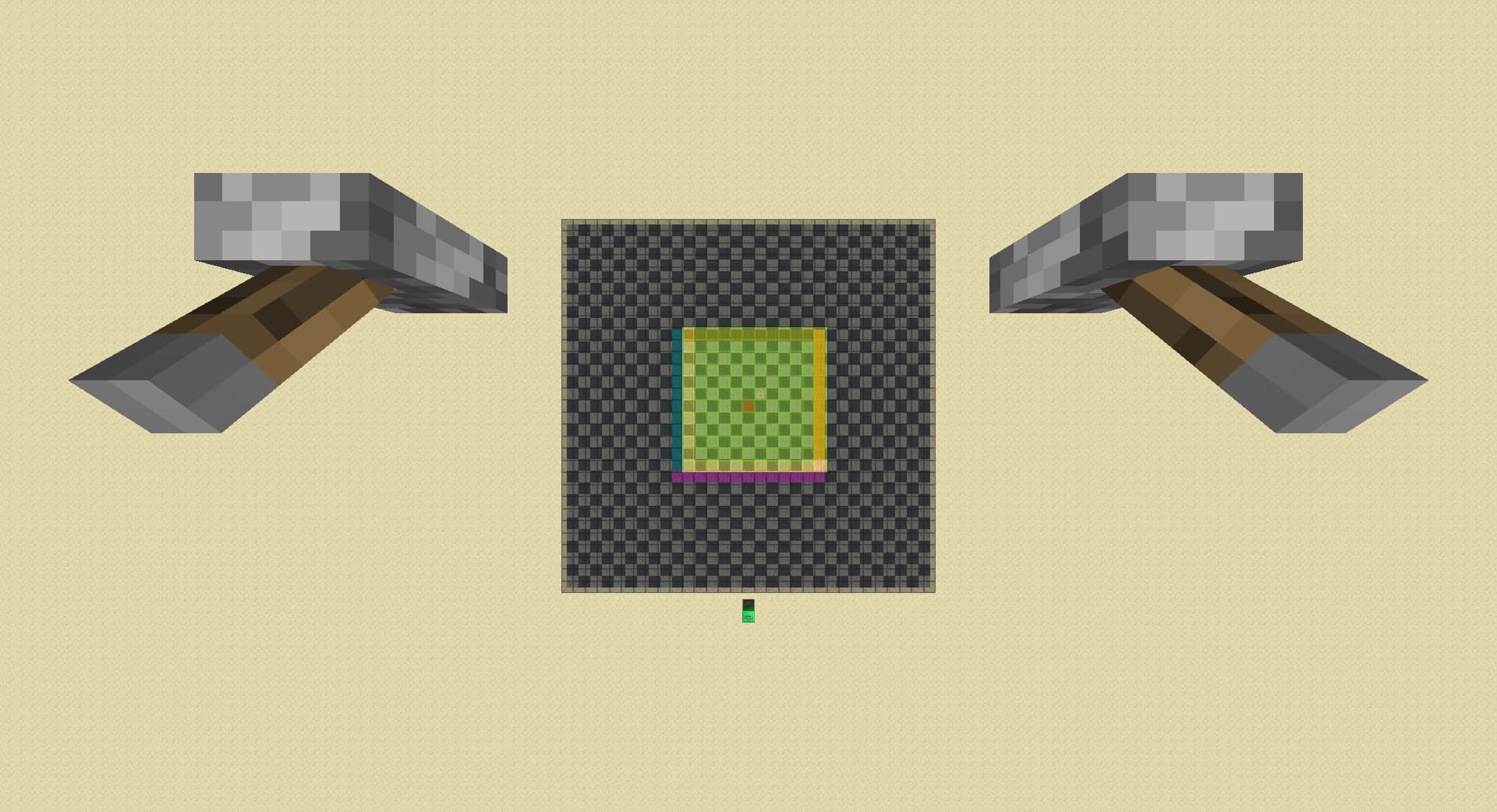
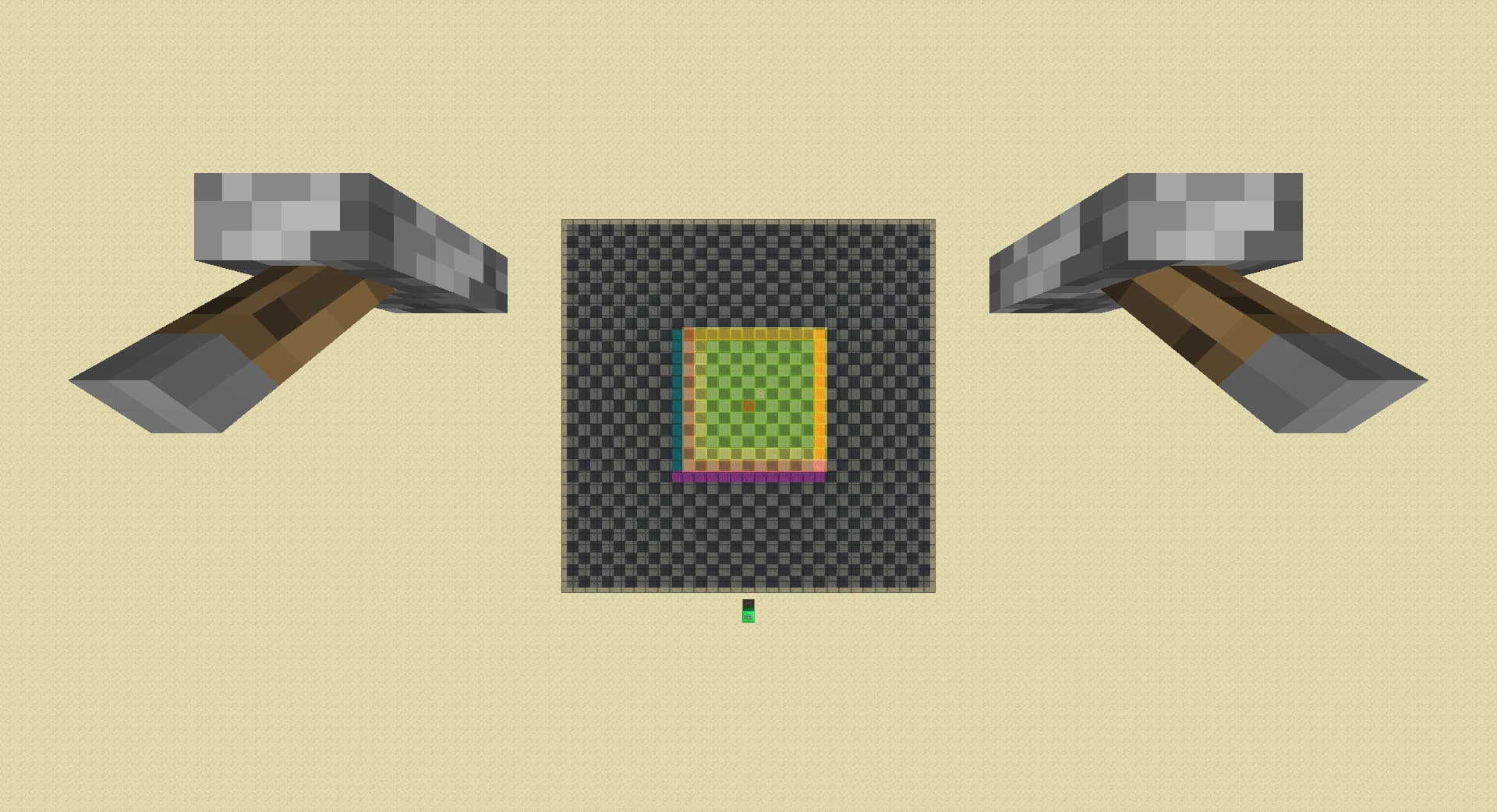
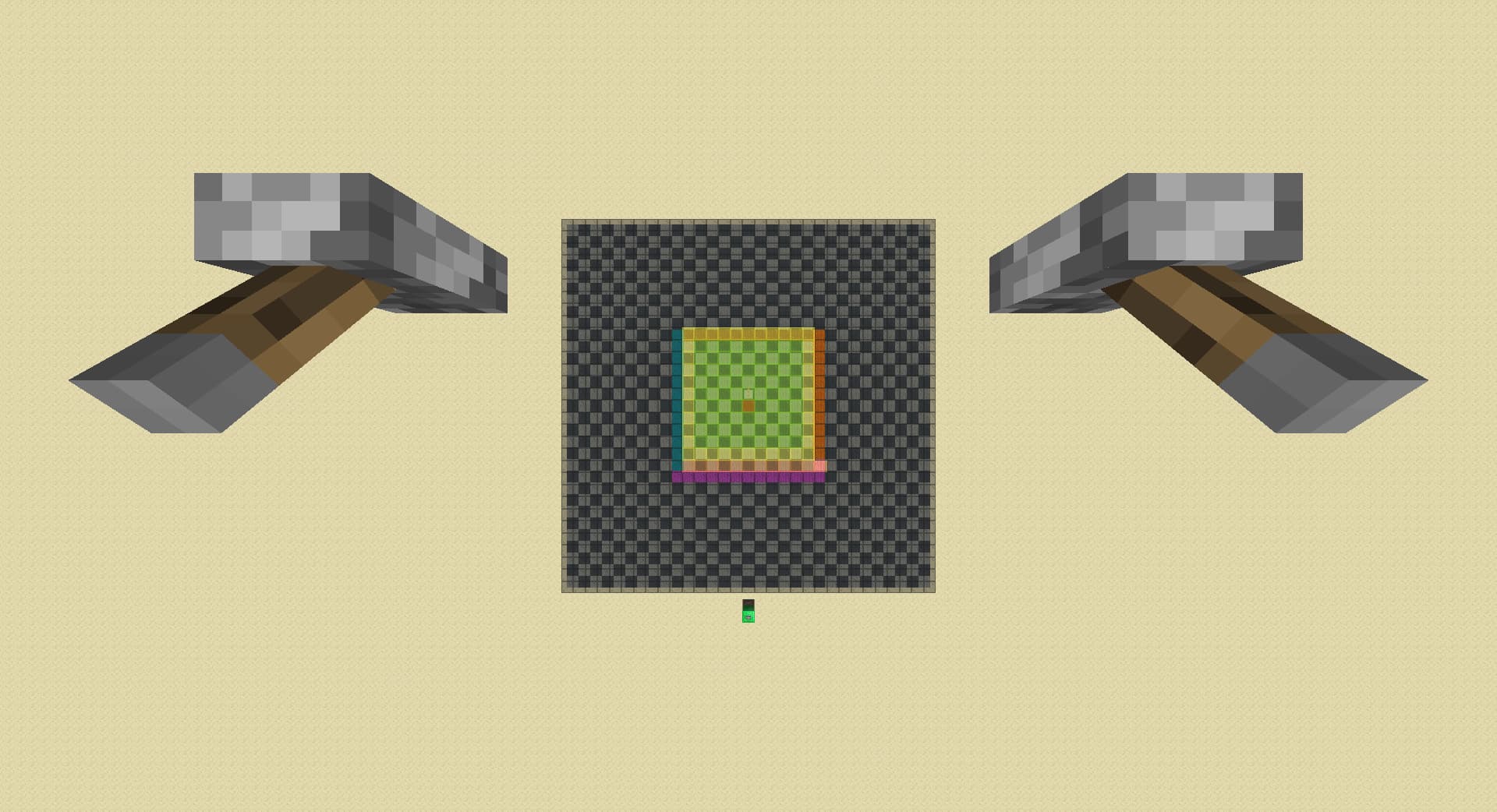
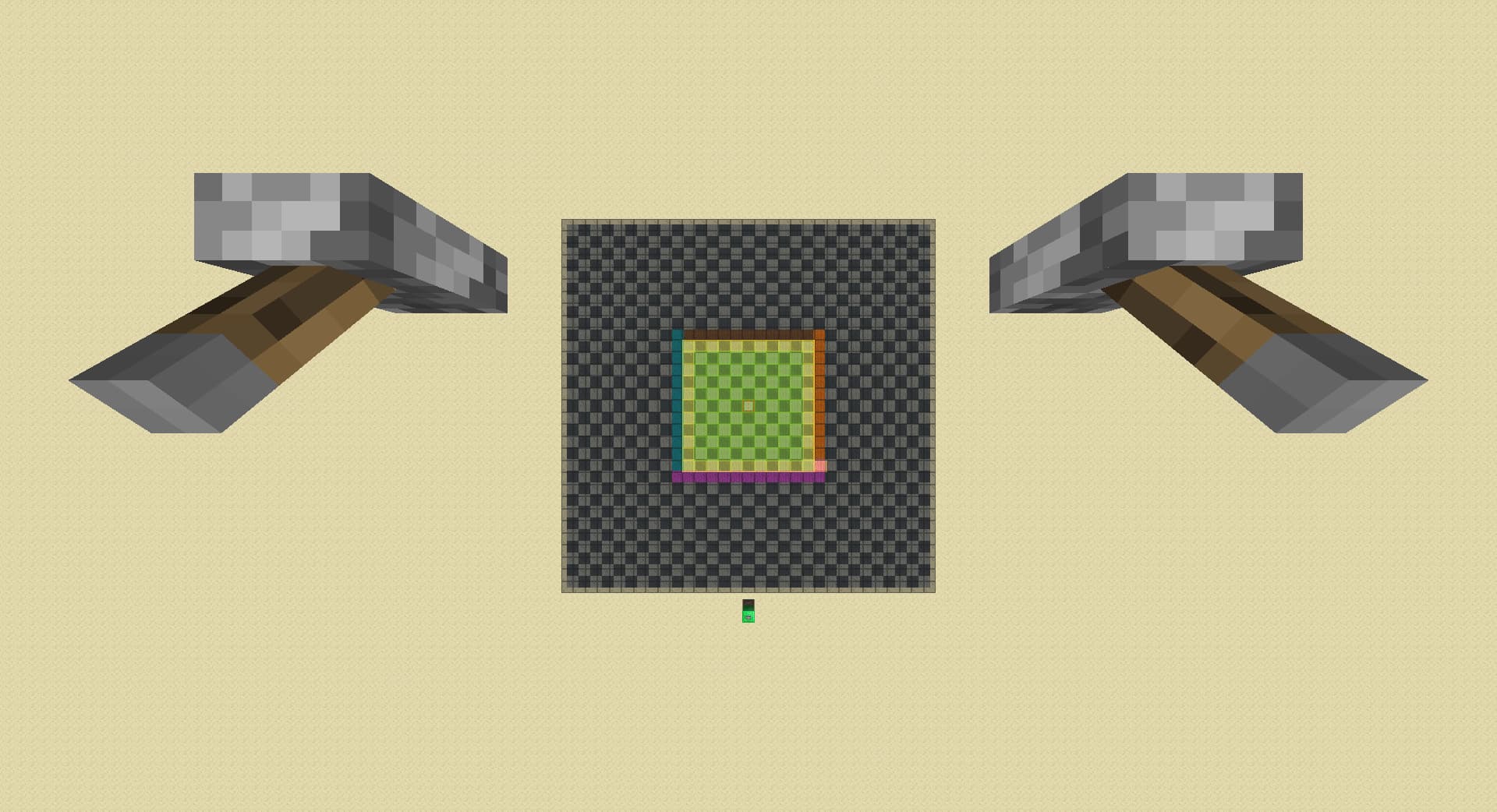
alternatively, after step 5:
- instead of lowering rd by 1, move left by 1 chunk:
- lower rd by 3, detect spawner in orange if spawner unloads, otherwise detect spawner in brown:
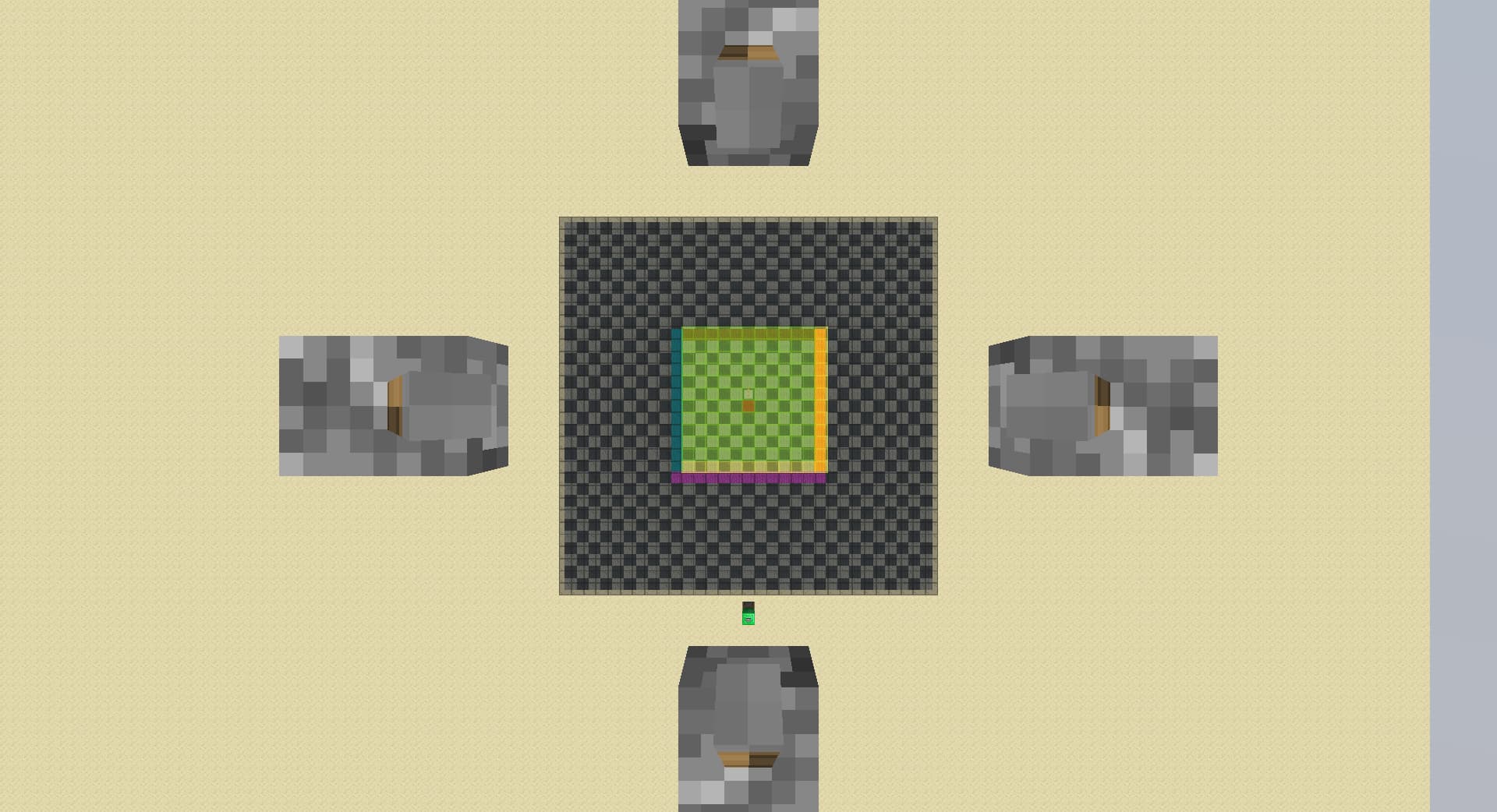
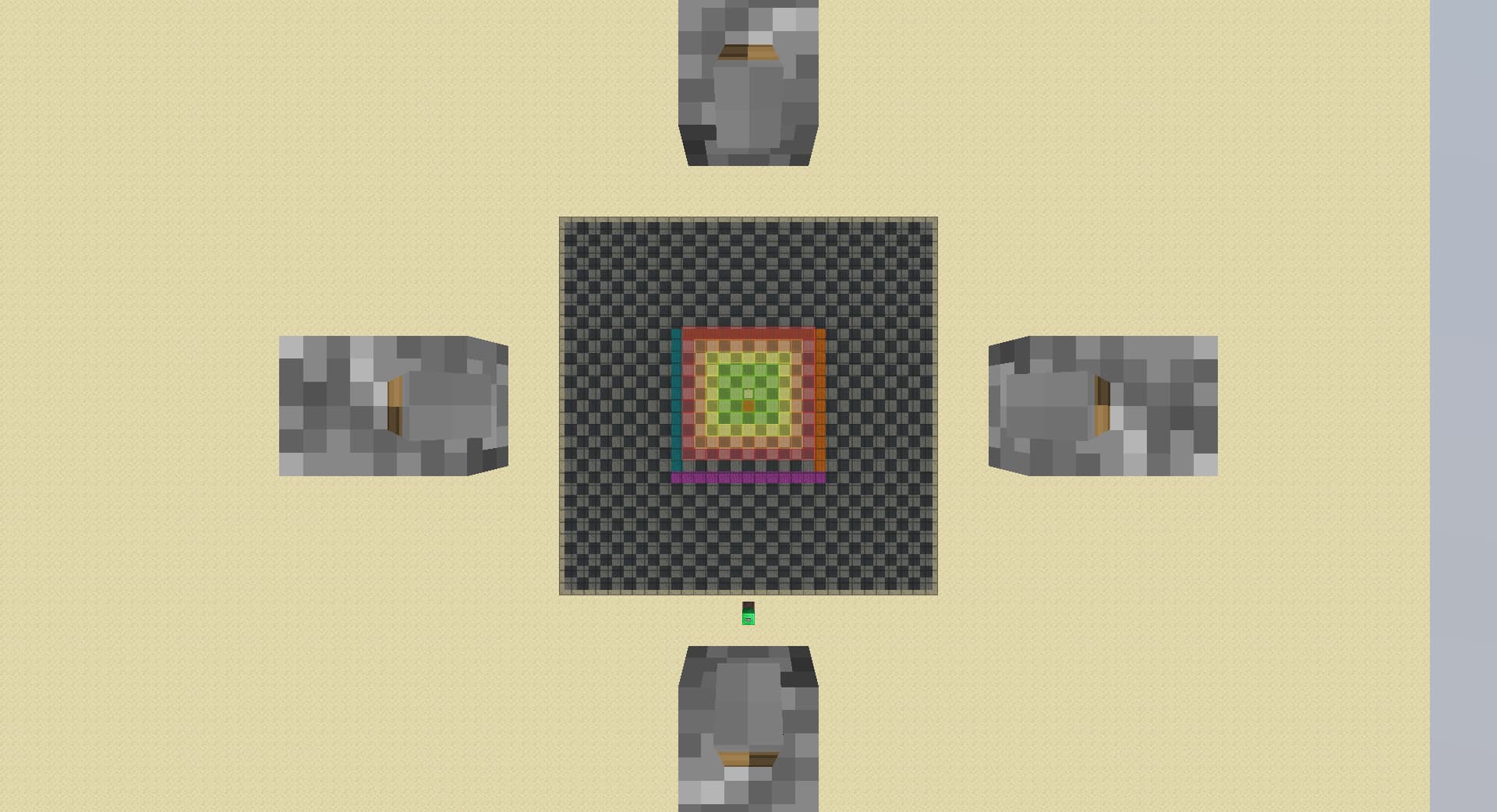
Pie Ray Simulator Map
map v2.1
Added a simple practice feature for practicing any pie ray method, every time the lever is flicked 2 spawners spawn in the pie-ray-able region within 16 chunks.
map v2.0.1
There are coloured wool placed around the map at corresponding chunks of the example shown below for verifying cases. To verify a case, place a spawner on top of a wool block and break all other spawners, do the same actions both with the levers and yourself, and see if a spawner is on pie when the map shows a chunk have (red,orange,yellow and lime) stained glass above.
map v1.1
Capable of explaining basic pie-ray we know and loved, not capable of explaining the ‘Hyper Enhanced Negative Pie Ray’ shown below.
Note that in all pie ray case examples shown, you have to stand in the chunk with the levers, face towards the render distance levers, walk explicitly front then right, then left then back, doing anything wrong will result in inconsistency with the example.
(you can do other direction sequences, its just the directionality of cases will change)
The hyper enhanced negative pie-ray compared to the basic negative pie-ray, removes confusing and time consuming far spawner situations, takes (arguably)less time to setup, is easy to switch to(you can tell comparing both showcase in the map that the colors to show which chunk belongs to which case didn’t change).
According to my test, the basic pie ray is actually ~0.2s faster on average in the case of a 13 chunk(roughly cuts all spawners in half) diagonal spawner. I came up with a couple micro improvements over the new pie ray which the basic one couldn’t benefit from, which likely makes it faster, but haven’t tested:
- Instead of going all the way down to 2 rd without checking, go down to ~9 rd and check if spawner is unloaded.
- After the spawner is unloaded, the first 3 rd raised cannot load in spawner so can be spammed.
- Faster key repeat can speed up the process of dropping rd.
If you have a micro improvement that you are not sure if it works, try it with the map and see if the behavior are the same(no extra chunks loaded, no extra chunks cached, etc.)
Information below have less time put into tidying up, I mostly just re-ordered them:
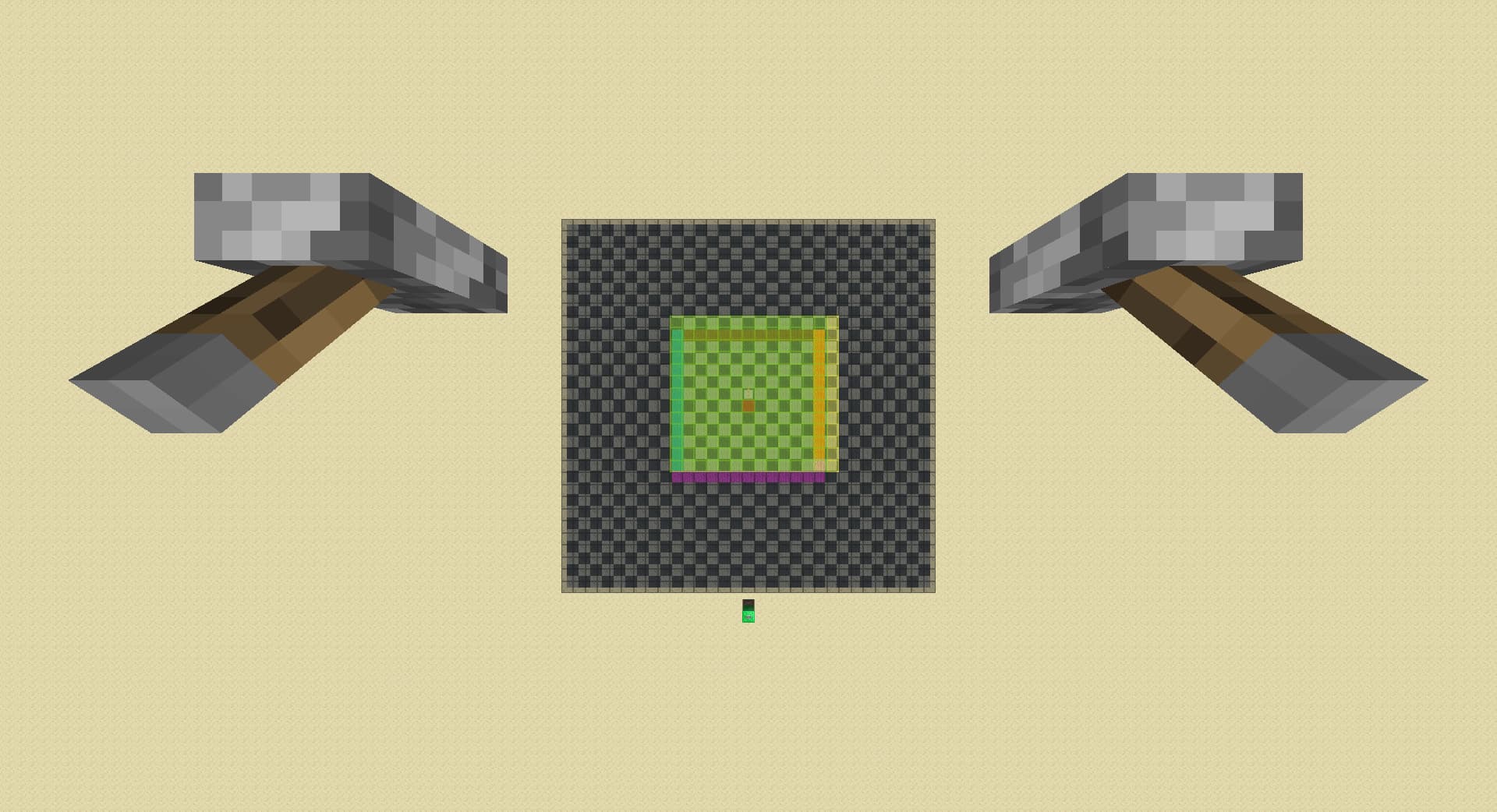
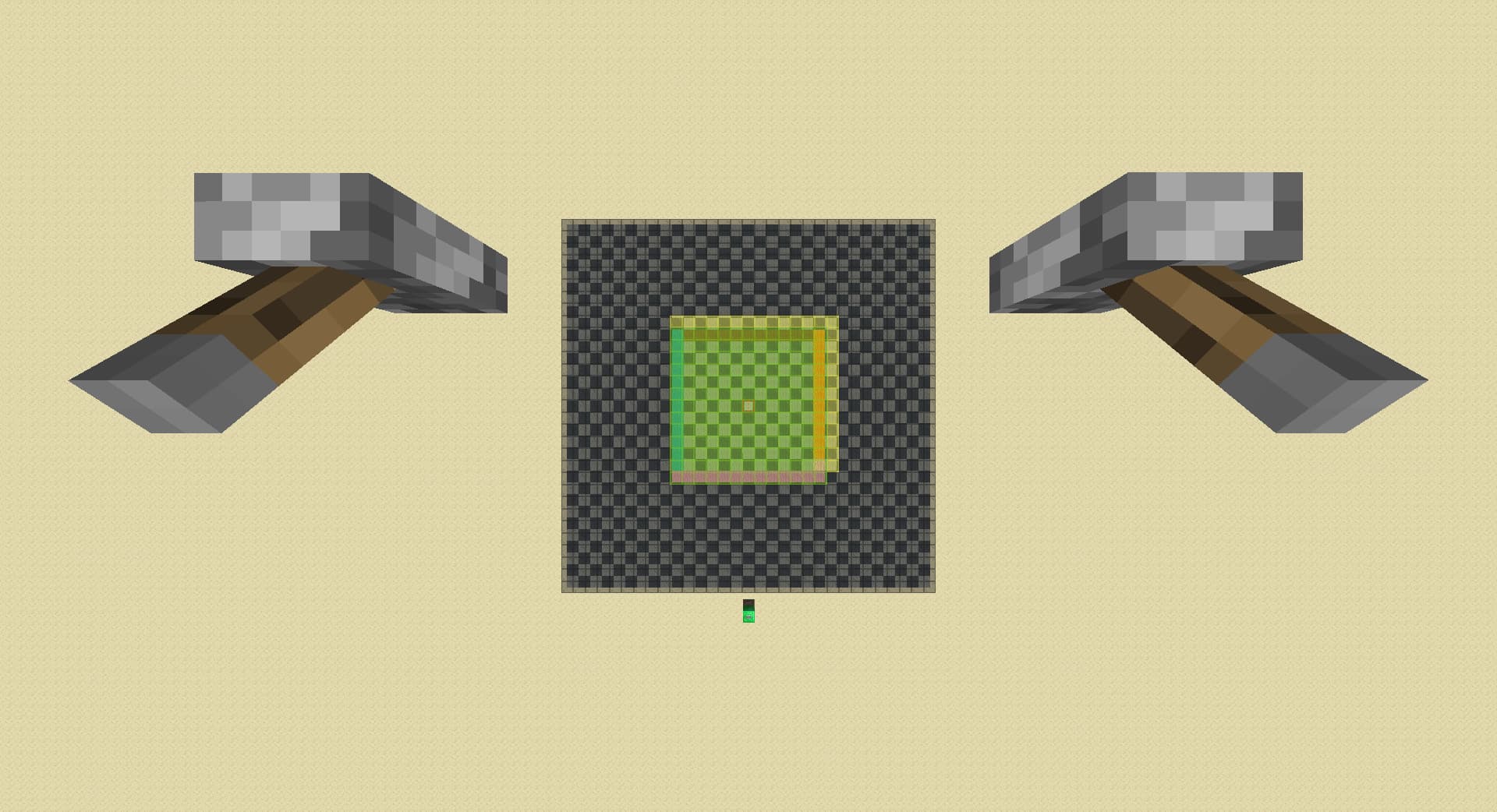
Basic negative pie-ray:
-
lower rd till spawner unloads:
-
raise rd by 3:
-
move forward by 1 chunk, detects spawner in brown if spawner loads:
-
move right by 1 chunk, detects spawner in orange if spawner loads:
-
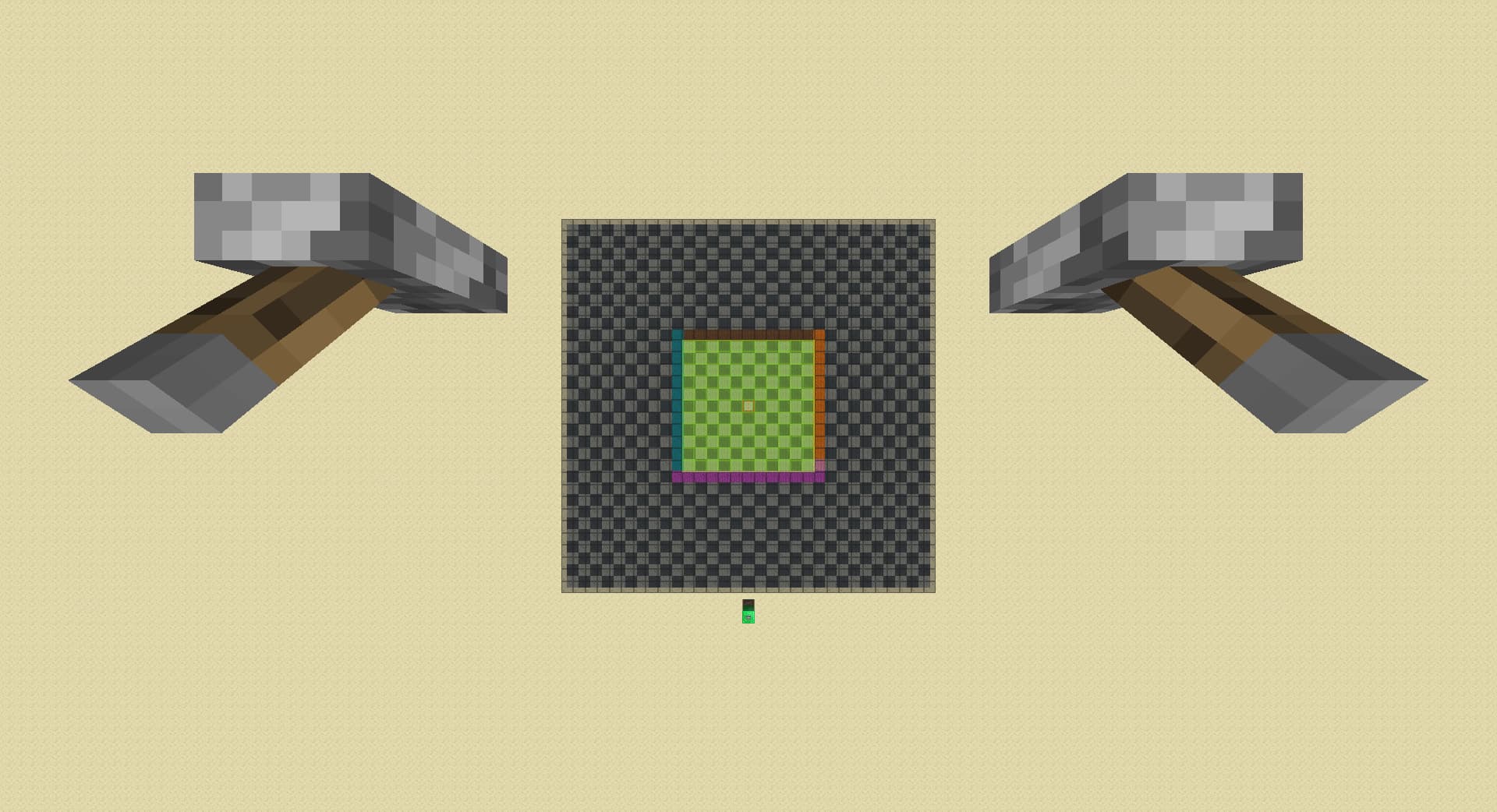
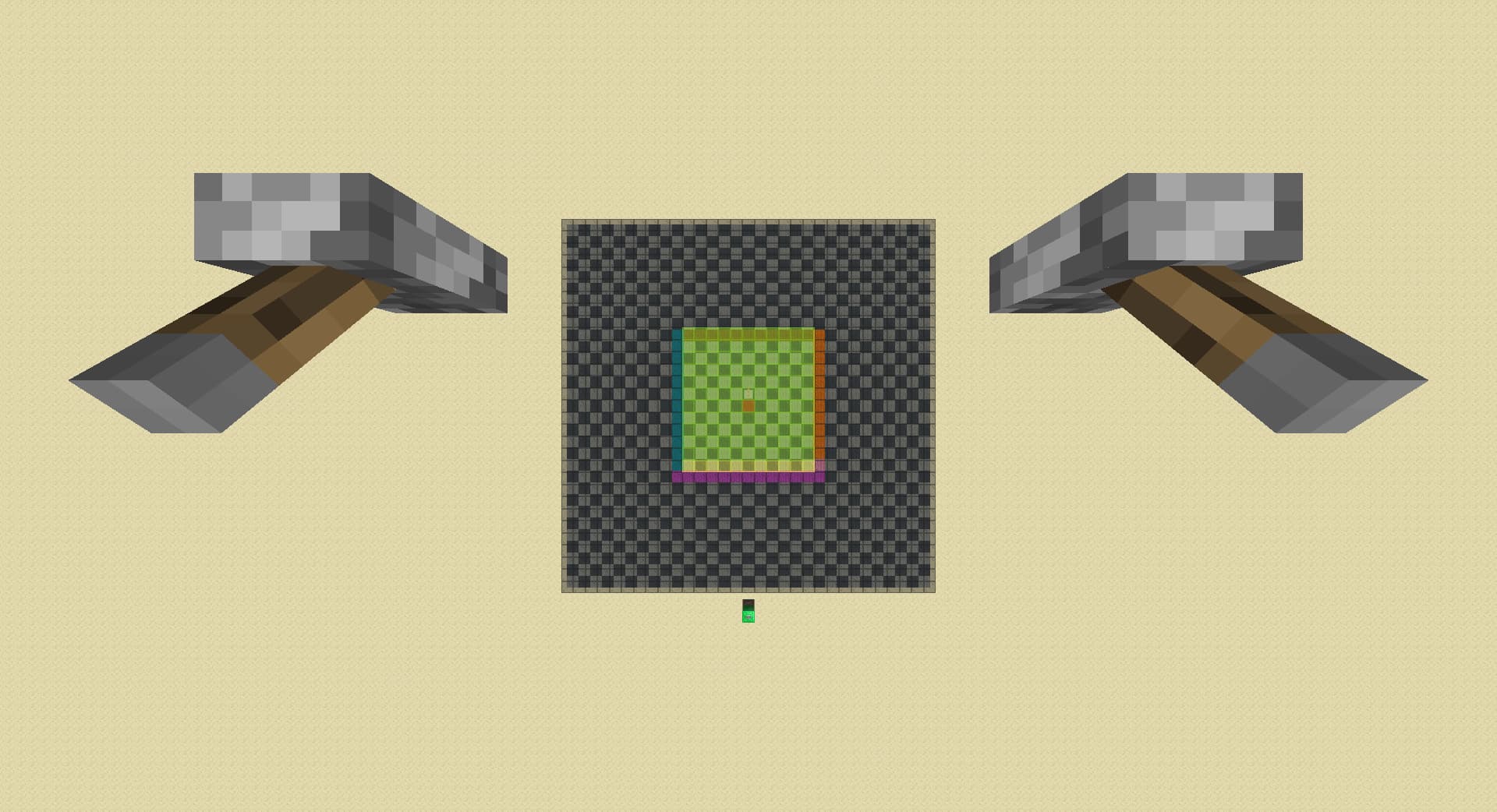
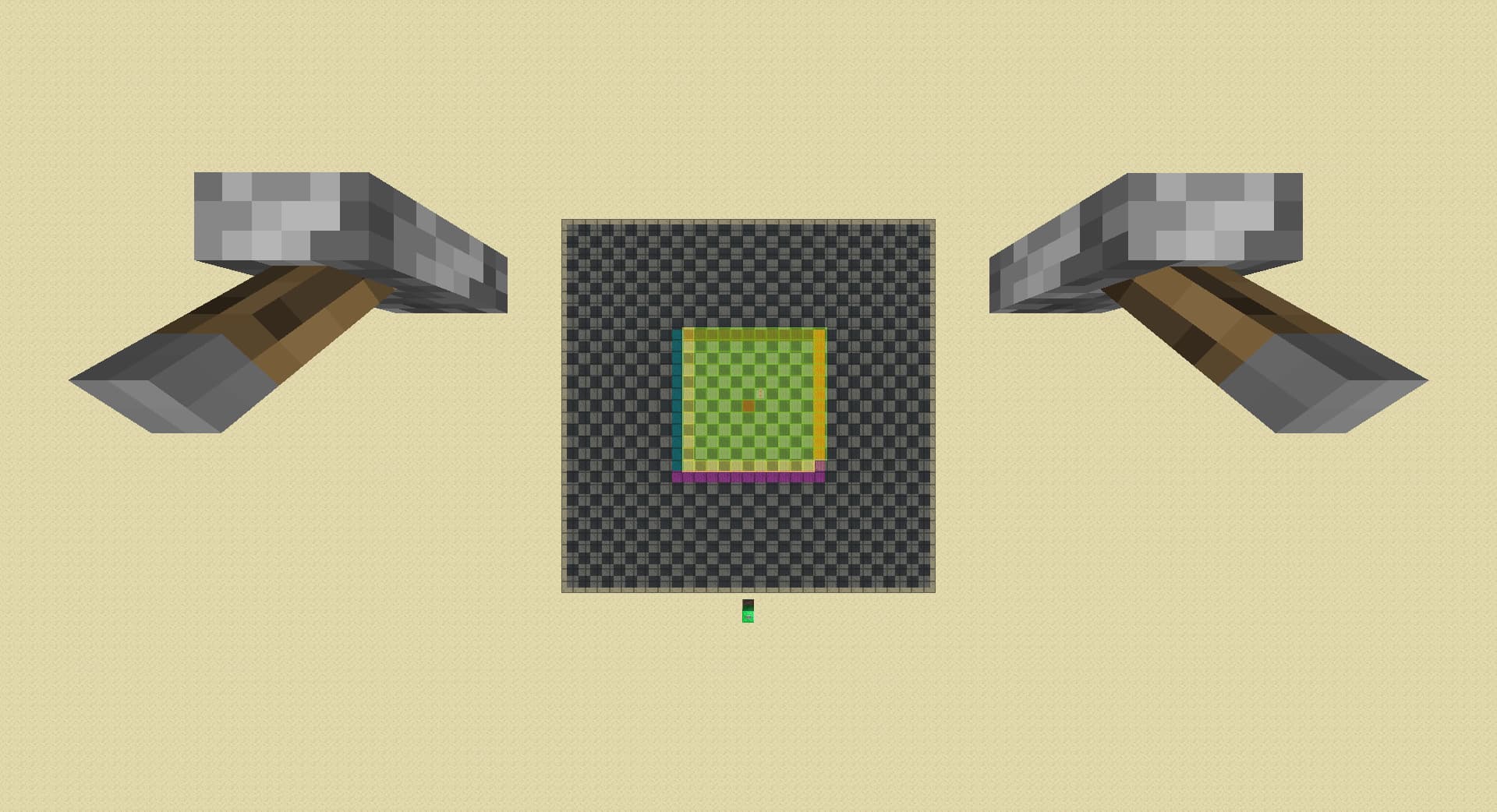
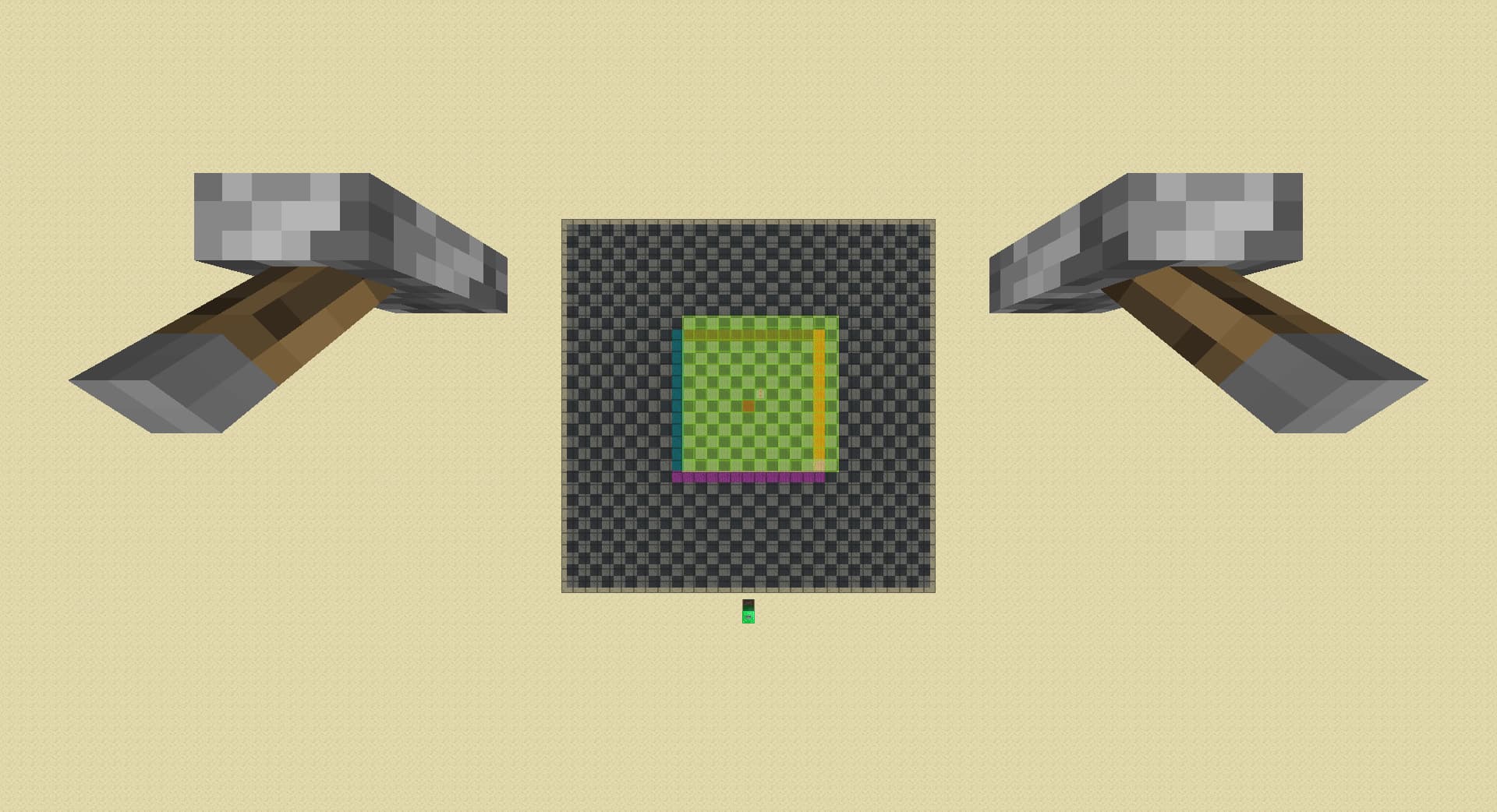
raise rd by 1, known as ‘diagonal spike’ if spawner loads:
-
A1. in case no spawner load in the previous step, move left by 1 chunk, detects spawner in cyan if spawner loads:
-
A2. move back by 1 chunk, detects spawner in magenta if spawner loads:
-
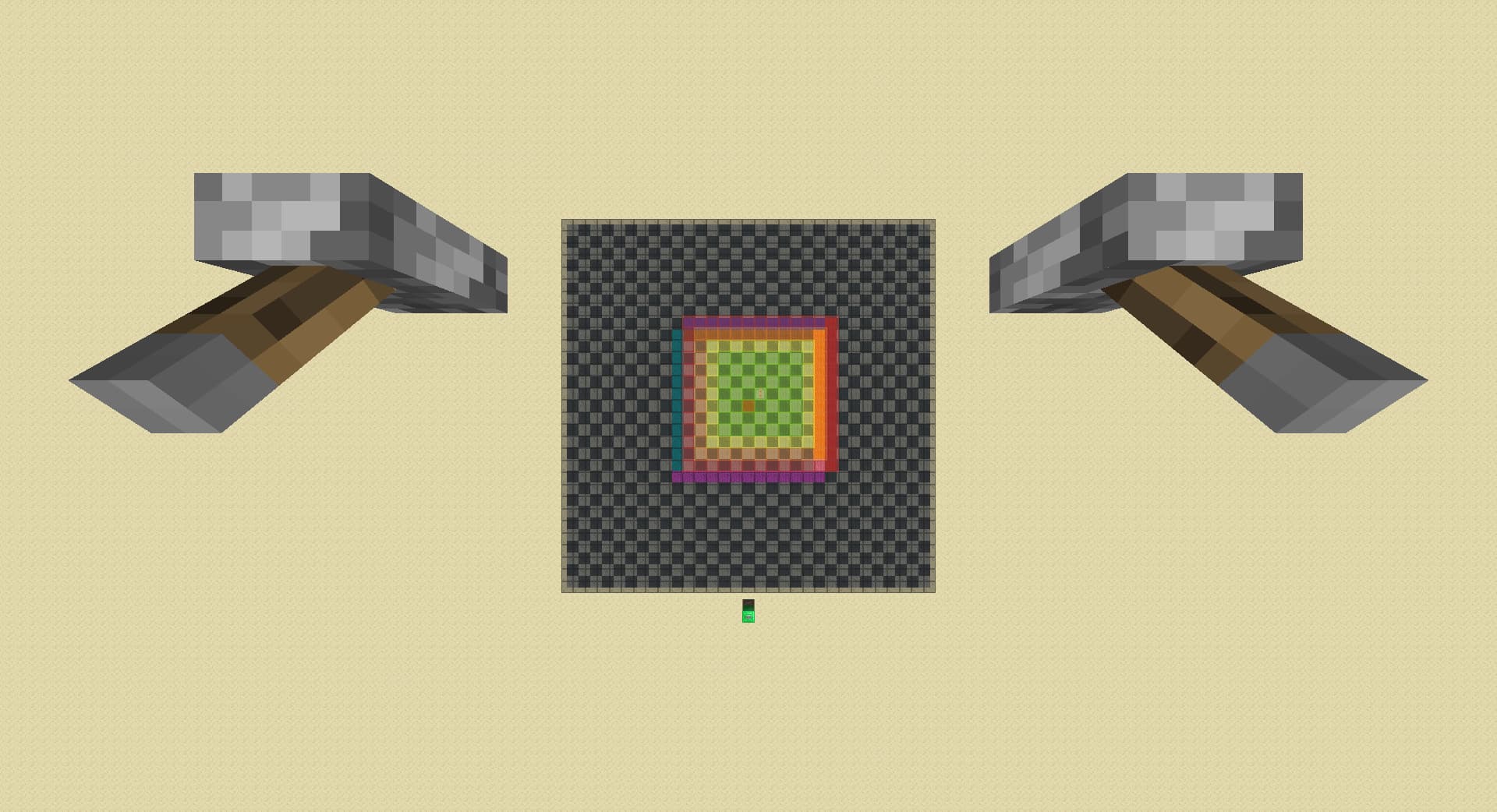
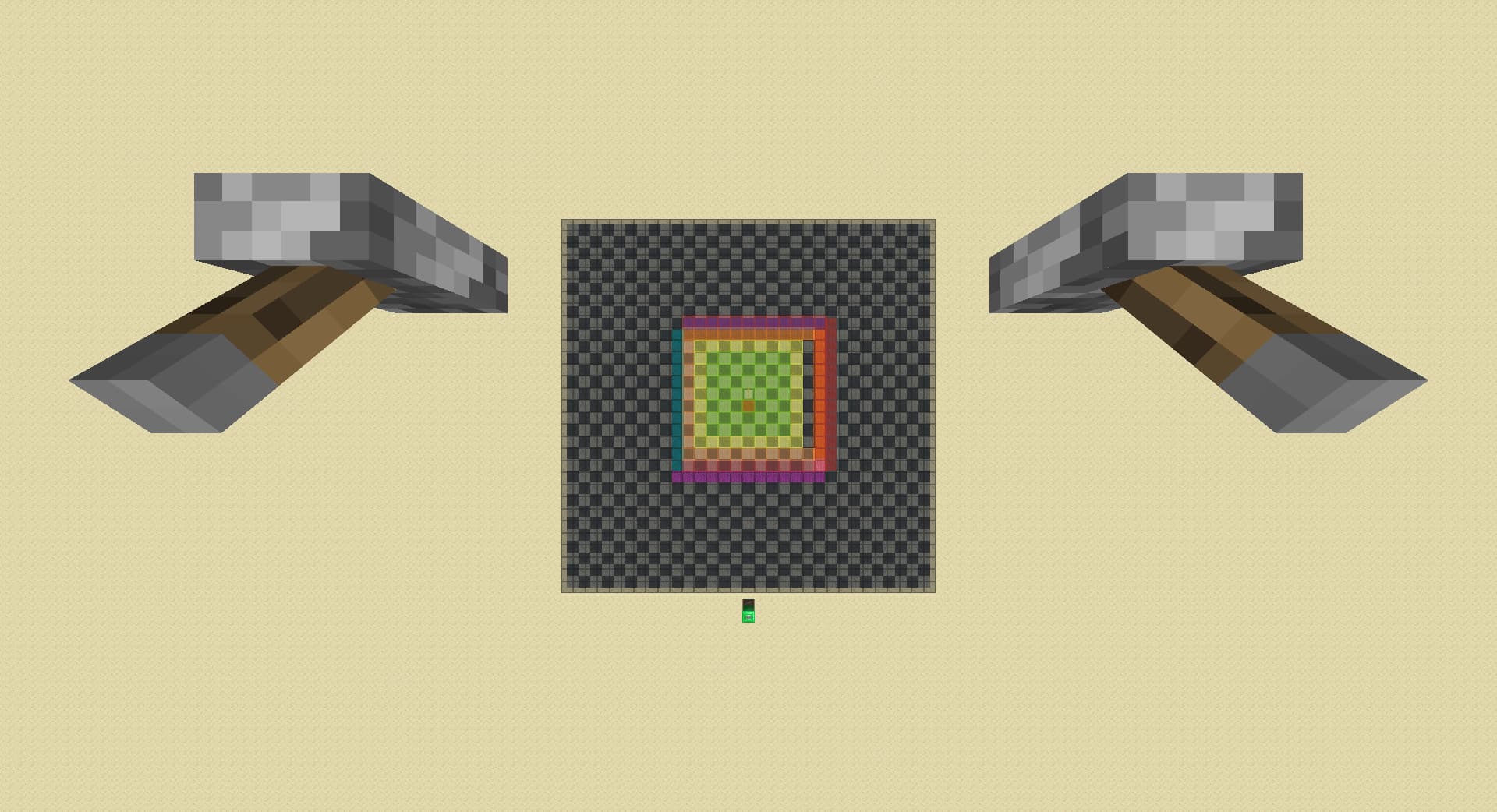
B1. in case a spawner loads in in step 5, lower rd by 3:
-
B2. move left by 1 chunk, detects spawner in red if spawner unloads:
-
B3. move back by 1 chunk, detects spawner in blue if spawner unloads, otherwise detects spawner in pink:
-
What I used to do is if I get a far spawner spike, (if it is in blue) I walk forward for 1 chunk to chunk count normally, and I notice that the spawner immediately loads back in, leading me to discover the caching machenic:
Enhanced Negative Pie-Ray
showcase video by CrispLake:
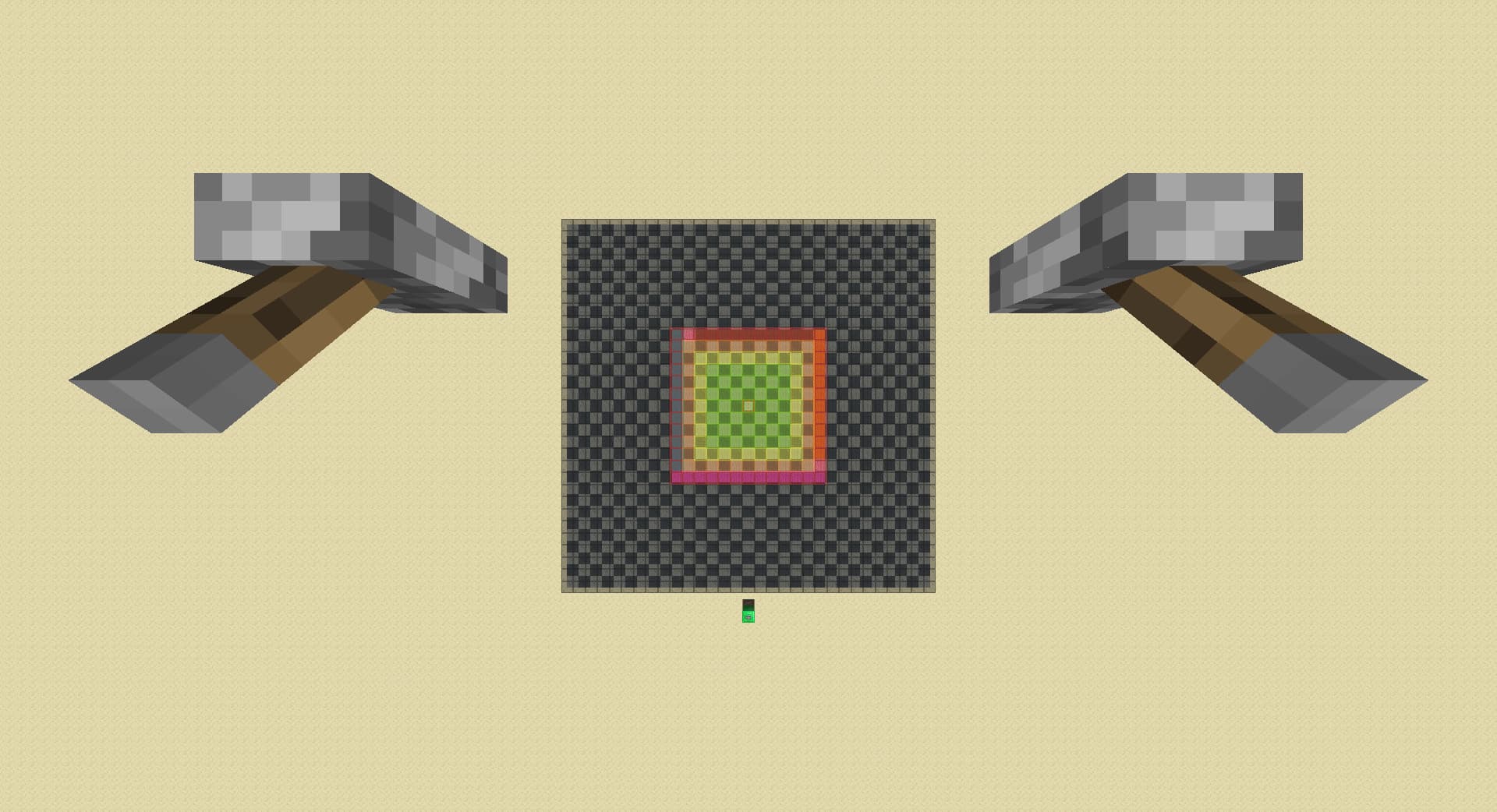
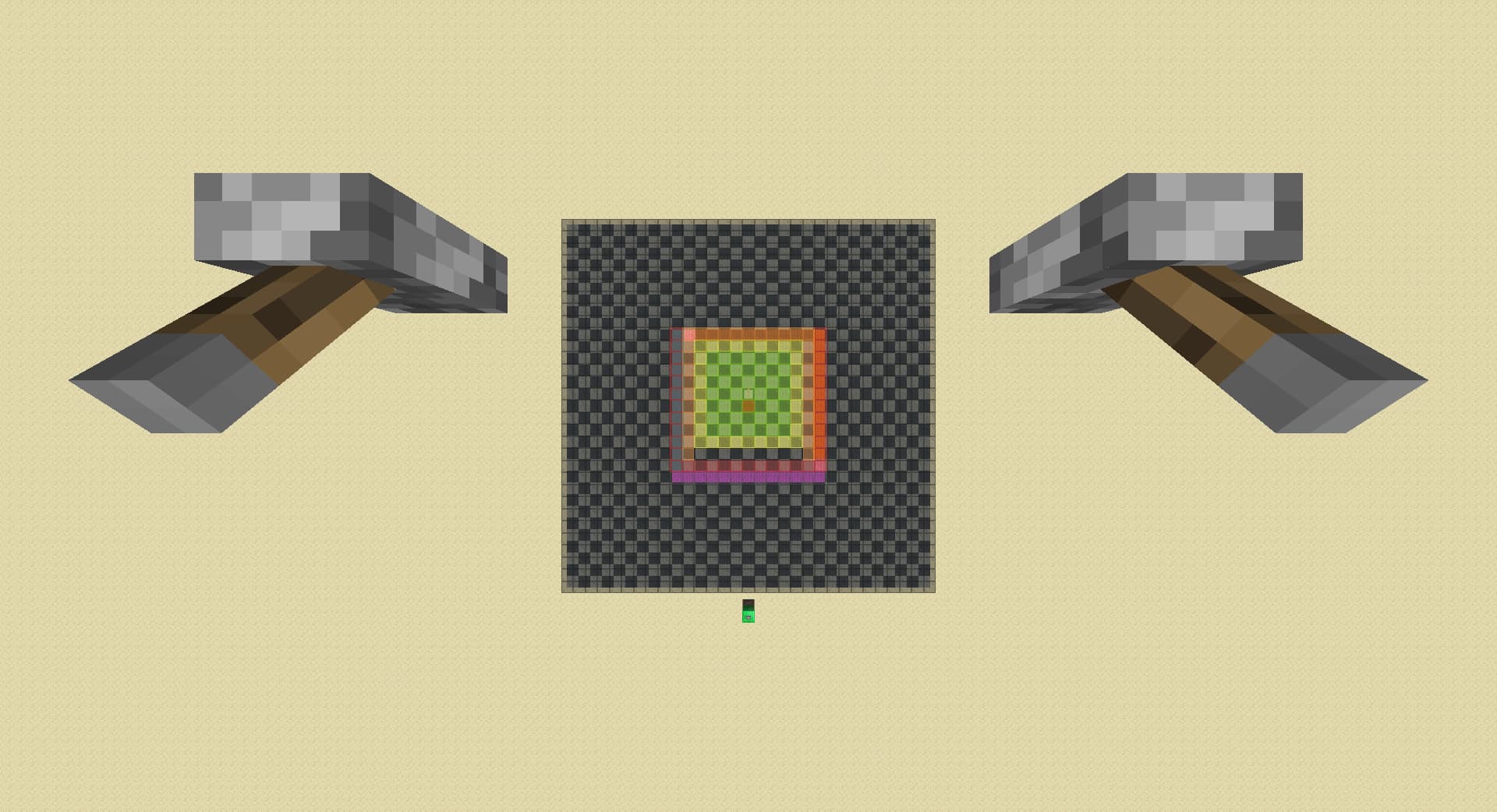
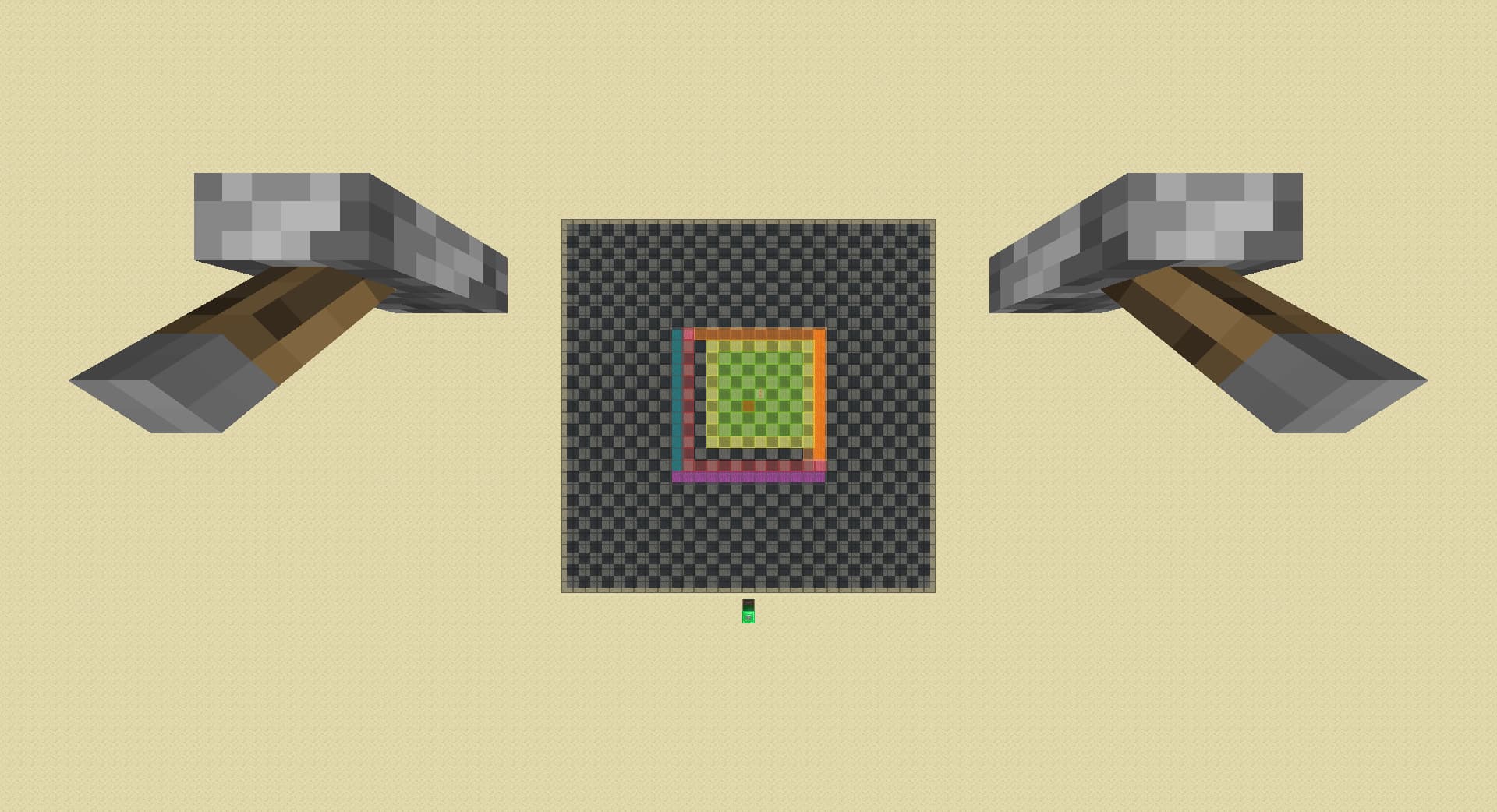
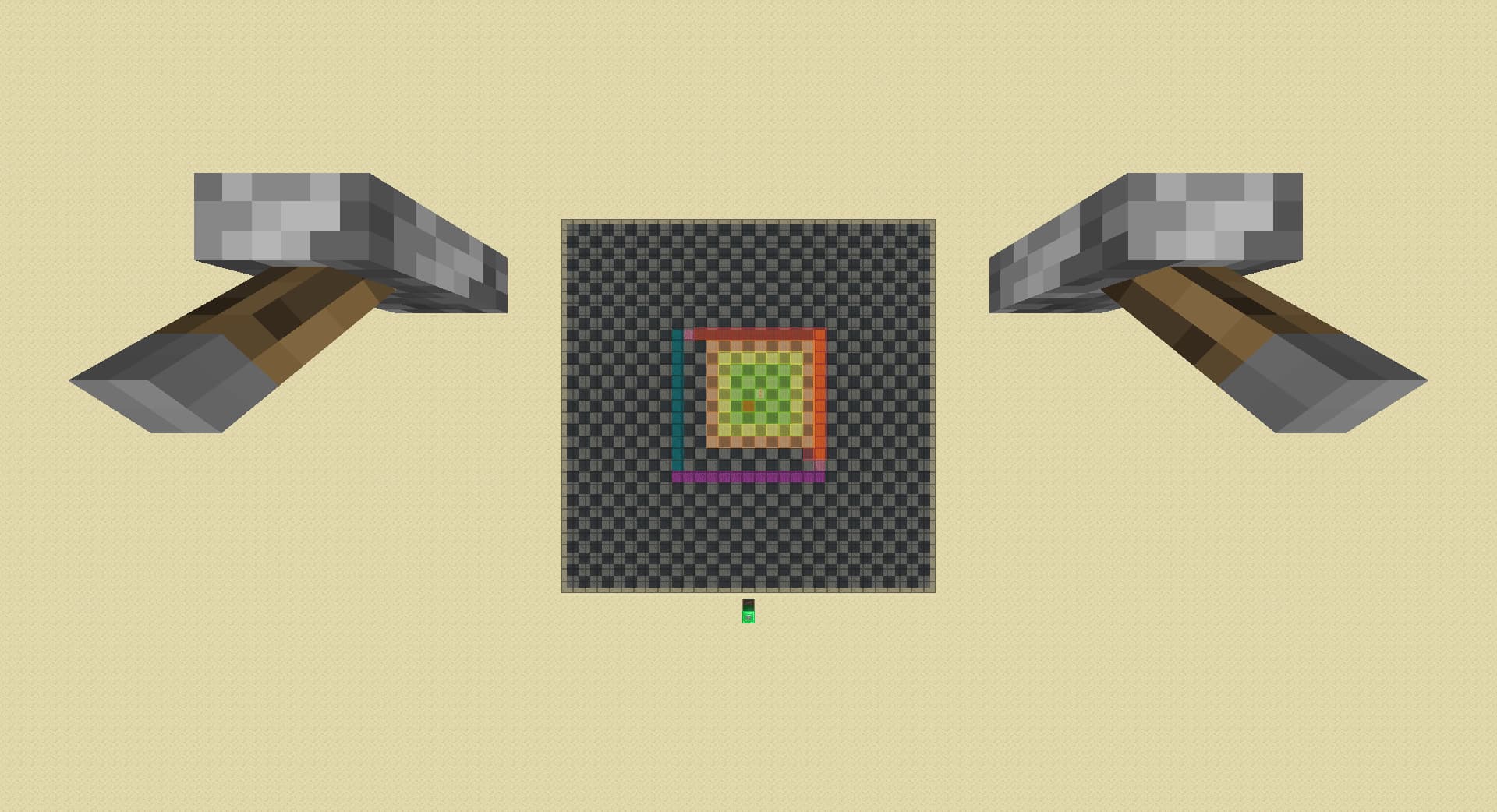
Pieray with least actions to find any spawner
-
lower rd to 2:
-
raise rd till spawner loads:
-
lower rd by 3:
-
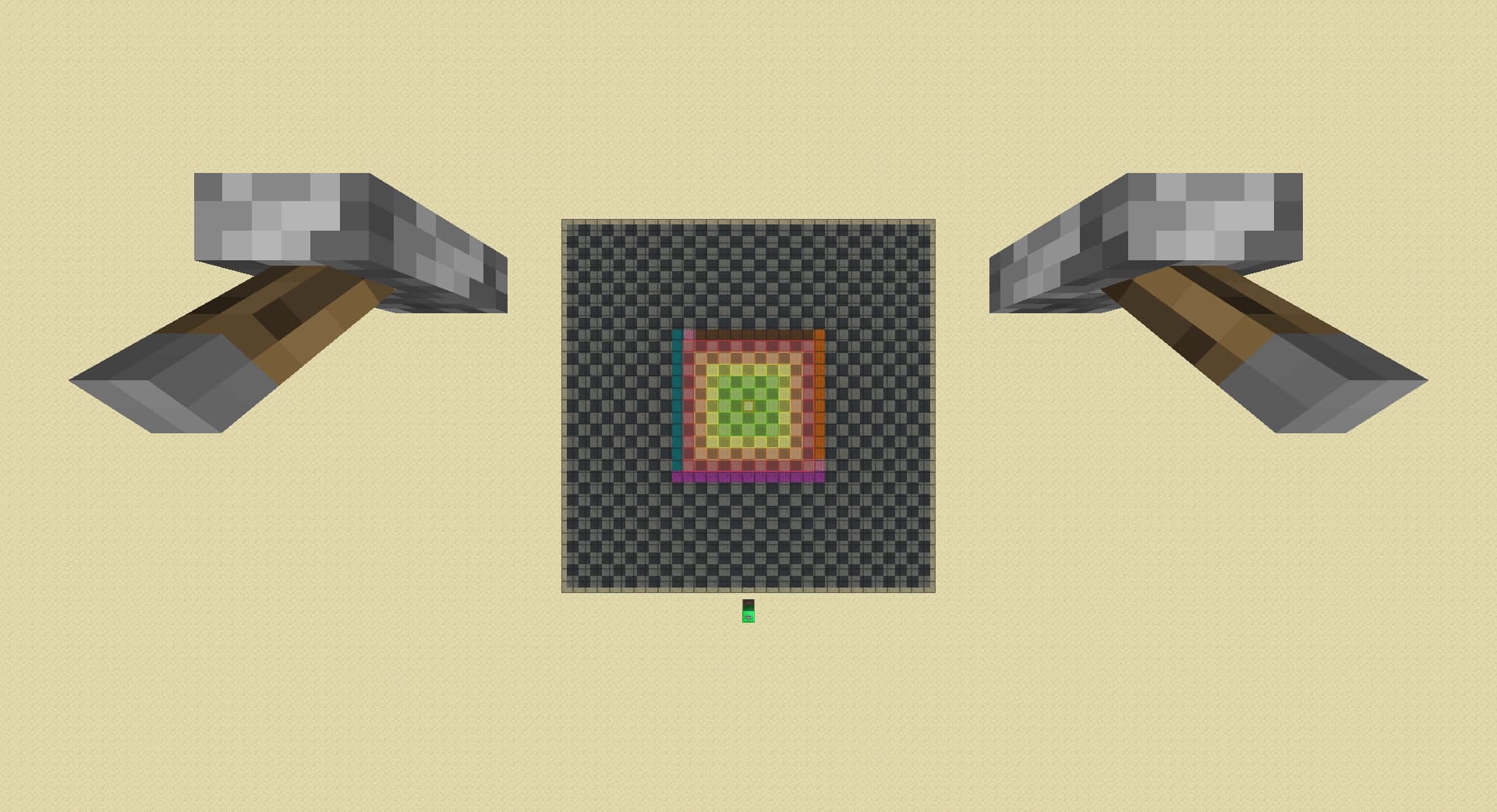
move forward by 1 chunk, detects spawner in magenta if spawner unloads:
-
move right by 1 chunk, detects spawner in cyan if spawner unloads:
-
lower rd by 1, detects spawner in pink if spawner unloads:
-
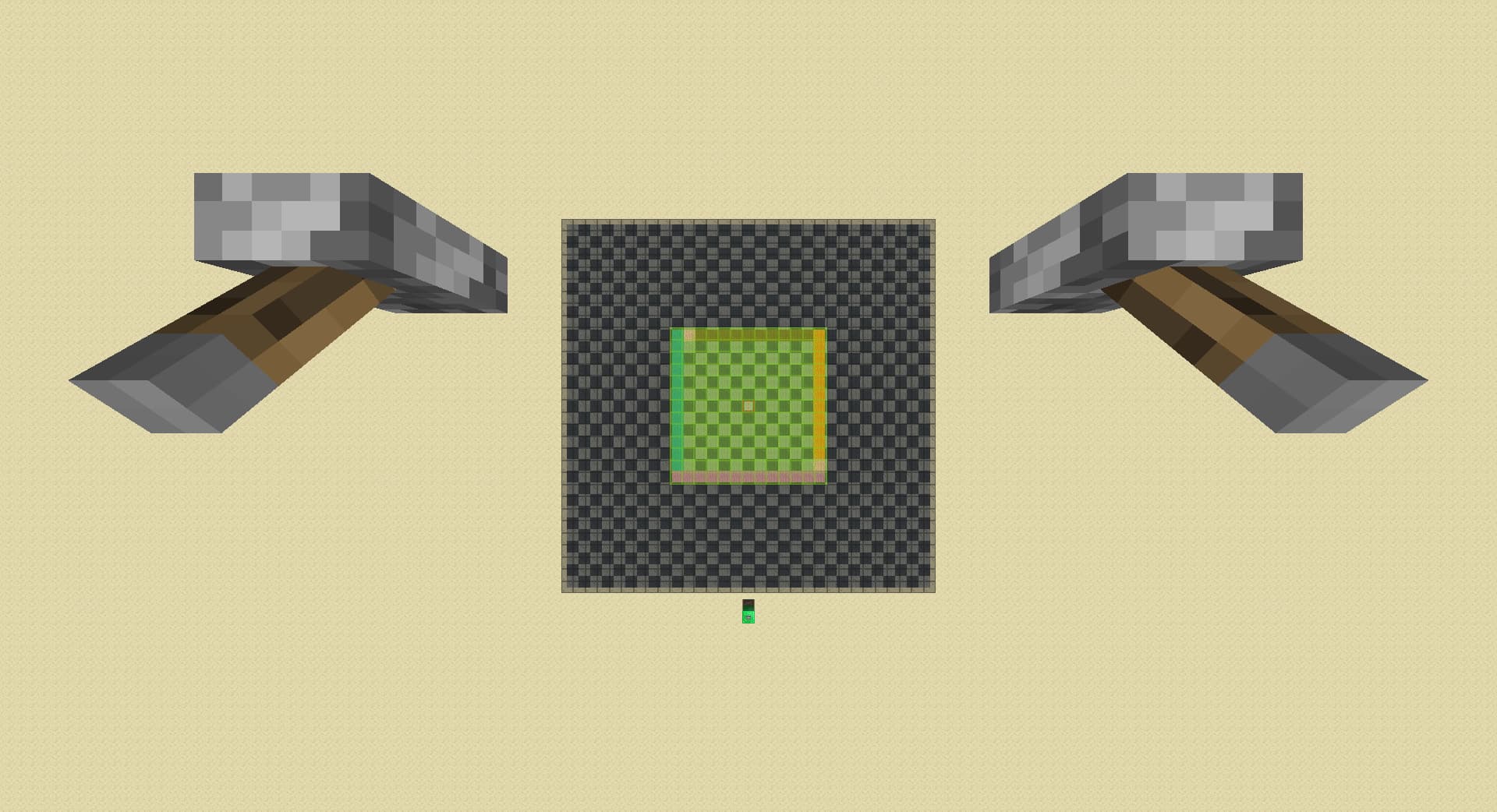
A1. in case spawner keeps loading after previous step, move left by 1 chunk, detects spawner in orange if spawner unloads:
-
A2. move back by 1 chunk, detects spawner in red if spawner unloads:
-
B1. in case of a diagonal spawner in pink, raise rd by 3:
-
B2. move left by 1 chunk, detects front left diagonal spawner if spawner loads, otherwise detects back right diagonal spawner:
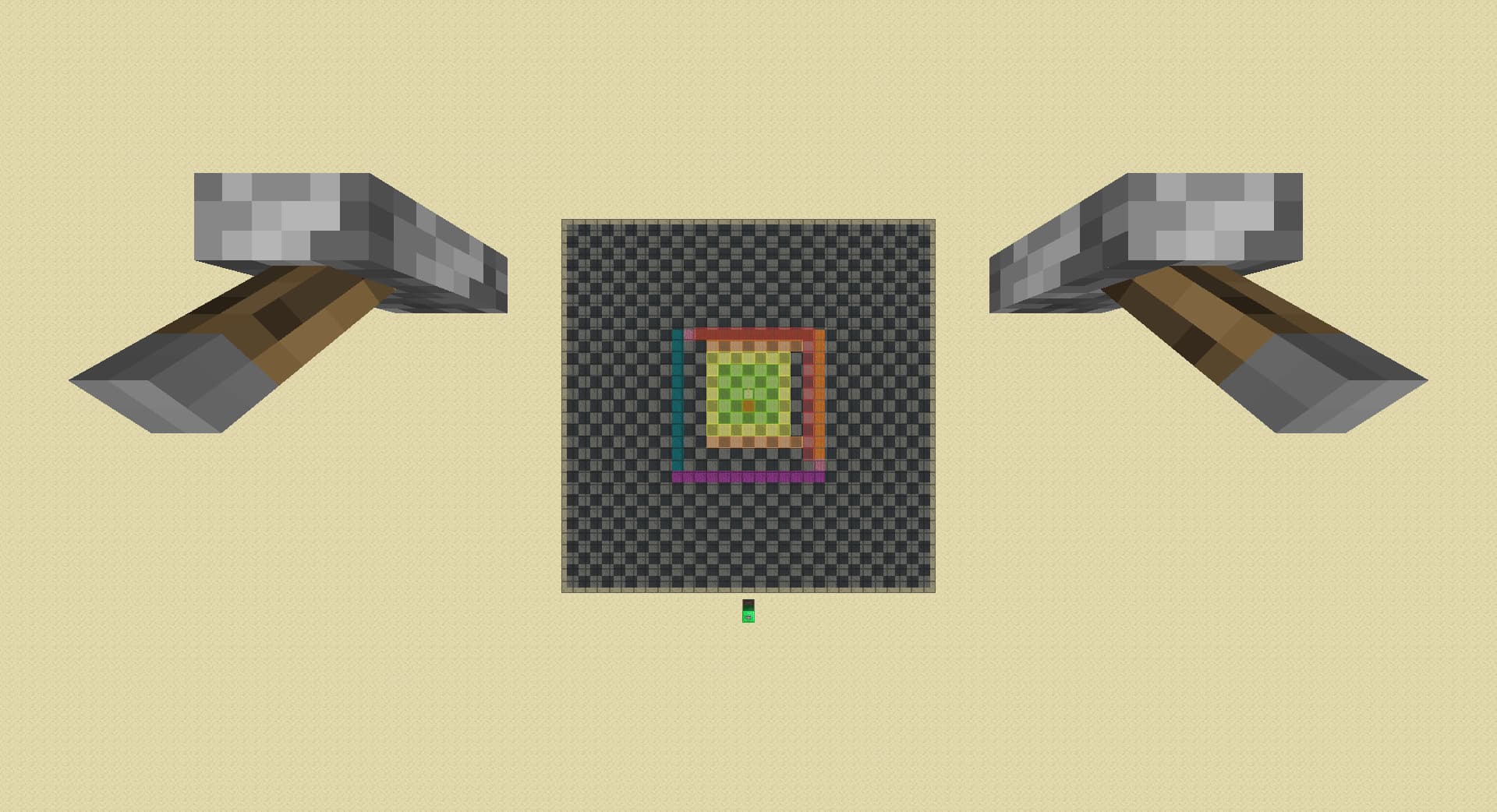
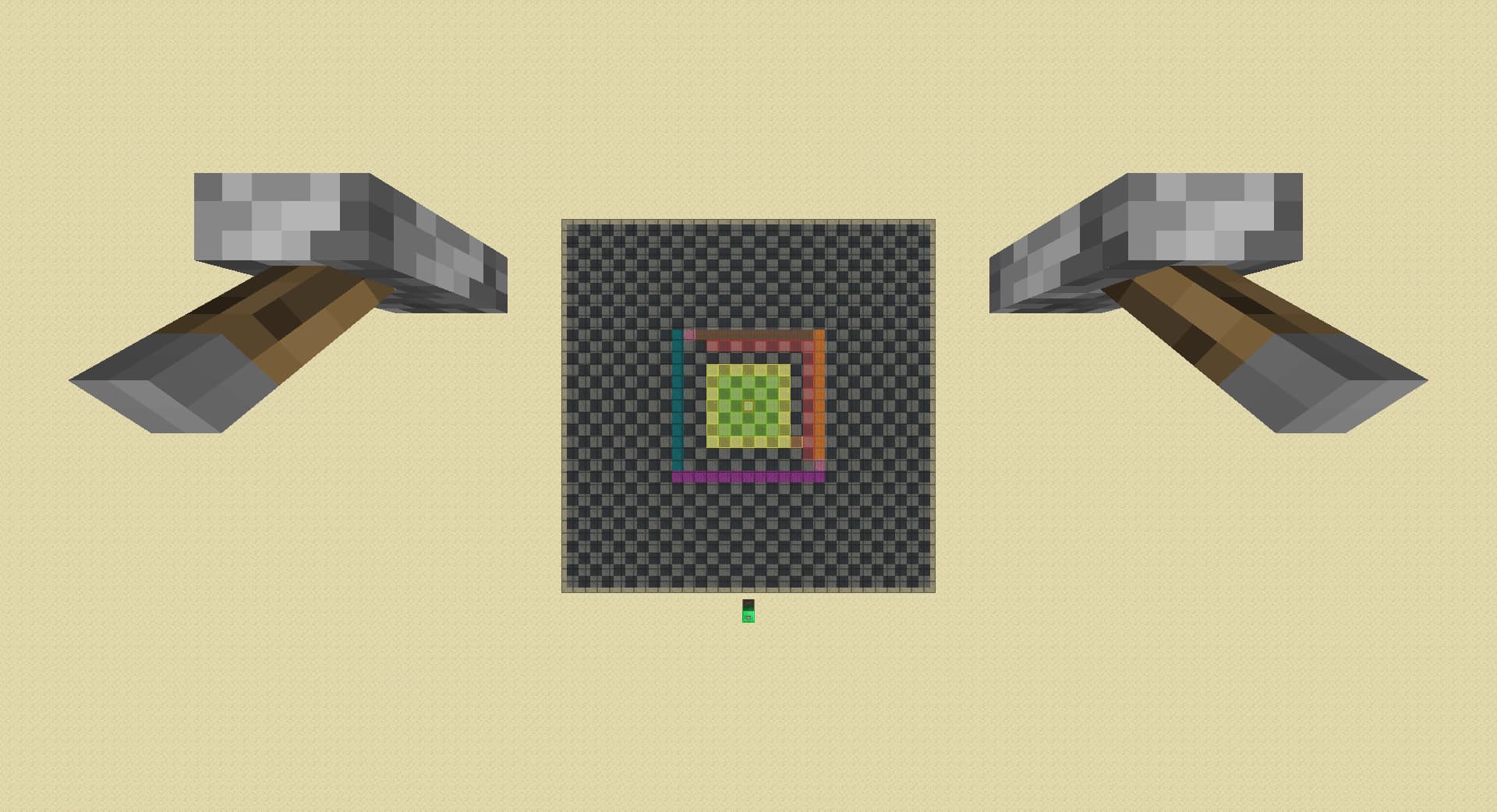
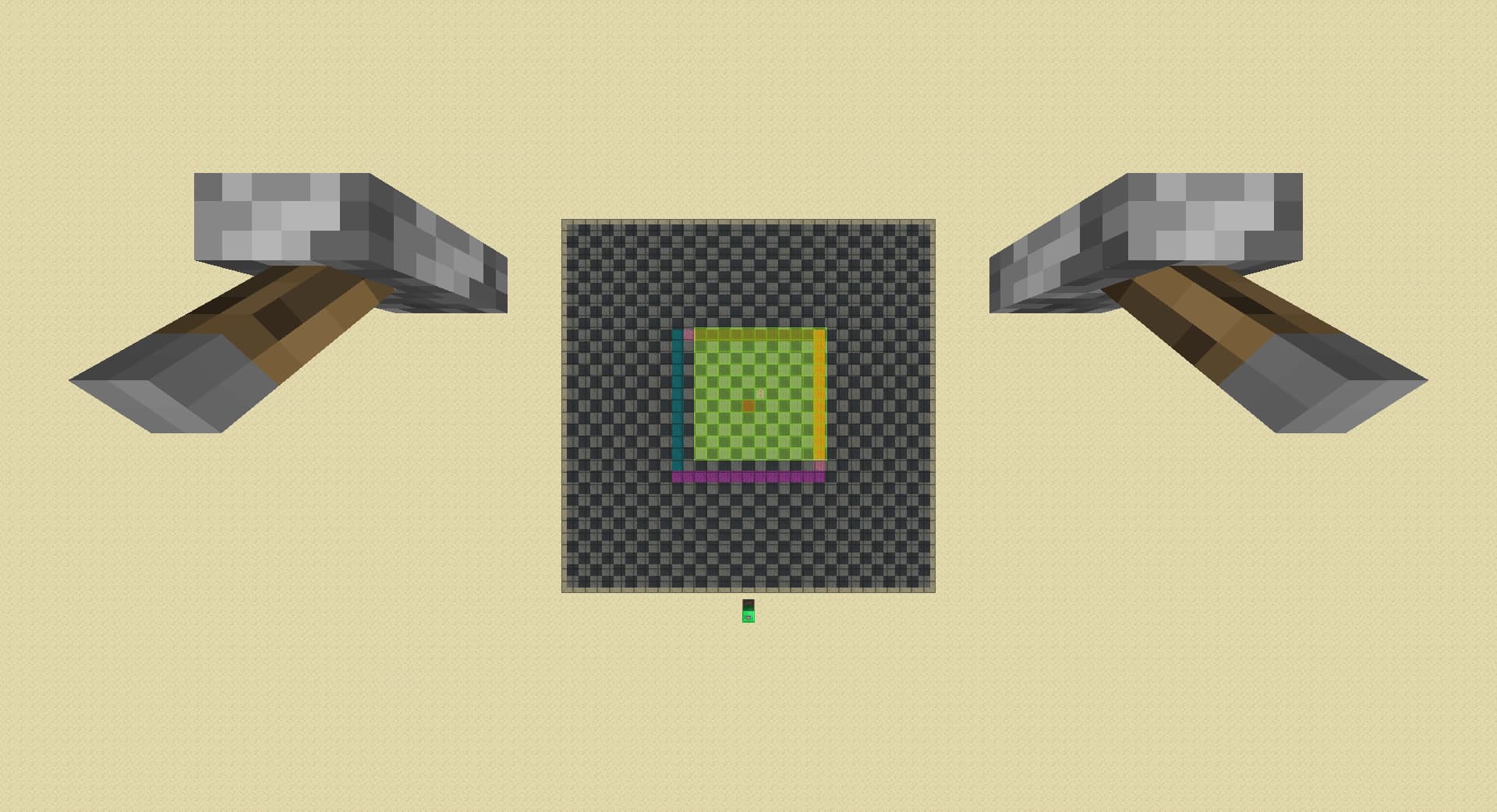
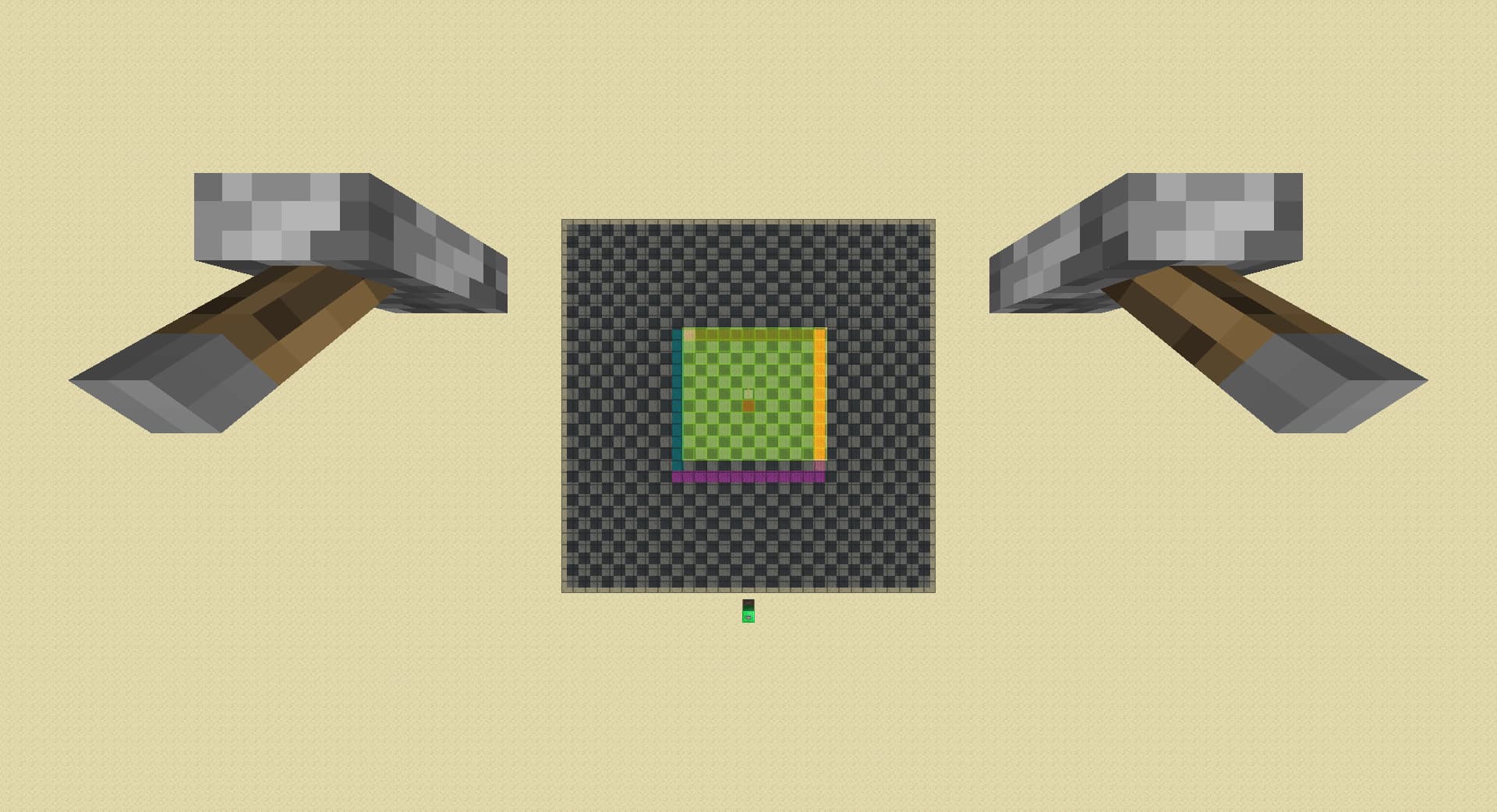
How Minecraft Block Entities Renders On Pie
tl;dr: (replaced brown with red)
down till 8 rd from 32:
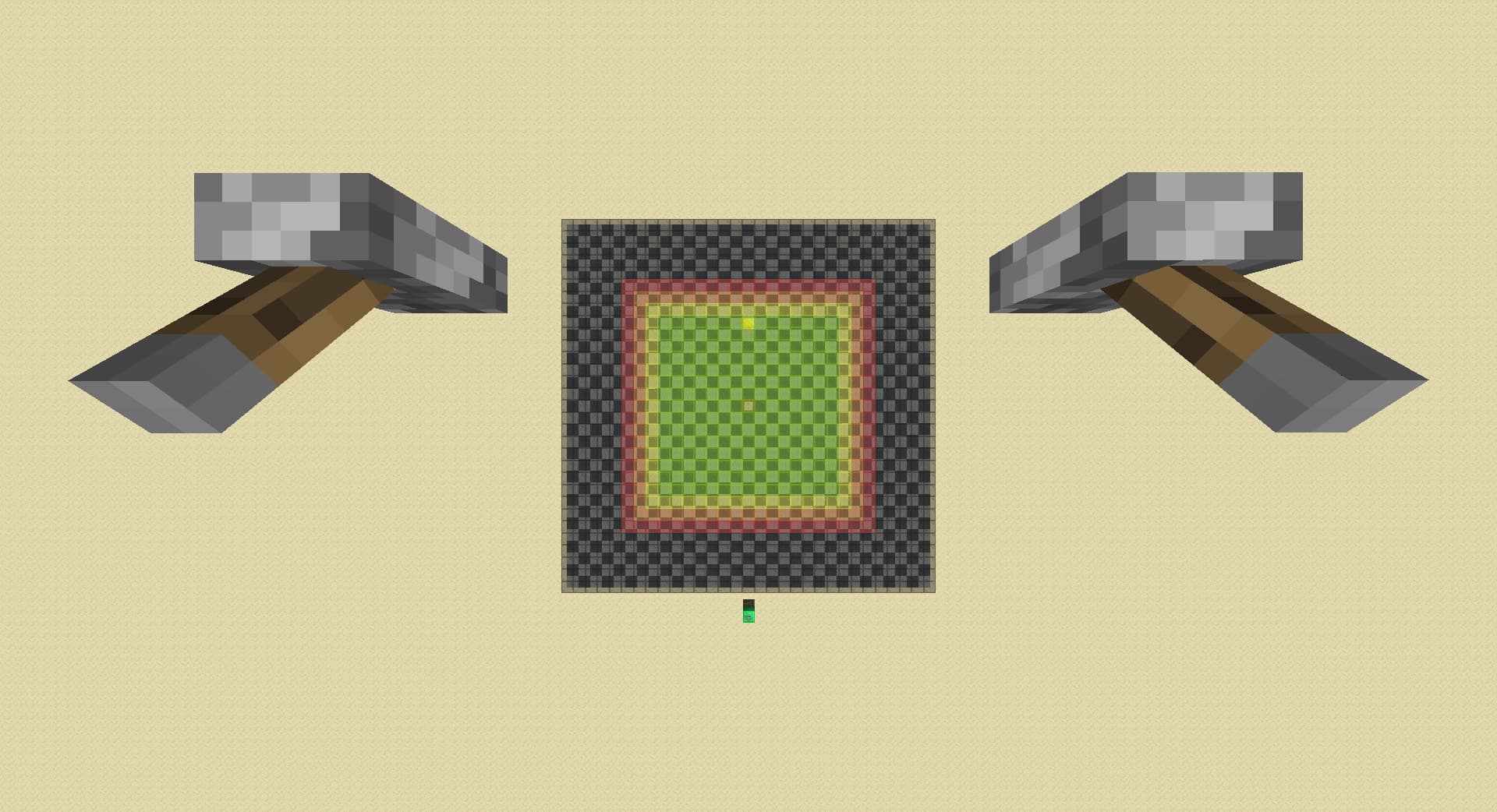
Let’s name the border of green entity ticking chunks
r0(lime), the chunk ring outside of r0 r1(possibly yellow), the chunk ring outside of r1 r2(possibly orange), the chunk ring outside of r2 r3(possibly red), and so on(possibly black). Just to clarify, ‘lazy’ chunks or ‘TICKING’ chunks are only the r1 chunks. Outside of the colors listed above, there are gray chunks which I will explain later.
Spawners within chunks in r0 or below(lime) are always loaded on pie. Spawners within chunks in r1,r2 and r3 may or may not be loaded on pie, and is loaded if colored yellow, orange or red with respect to the ring it is in in the map. If it is not loaded on pie, then it is colored black. Spawners in r4+ are never loaded on pie.
When the player moves and a chunk moves away from them(r0 -> r1, r1 -> r2, ...), the color of the chunks downgrades accordingly(lime->yellow, orange->brown), with two exceptions: when previously r1 chunks move to r2, its color changes to black(fully unloaded); when previously red r3 chunks move to r4, its color changes to gray(unloaded from pie, but cached).
When the player moves and a chunk moves towards them(r1->r0, r2->r1, ...), the color of the chunks upgrades accordingly(yellow -> lime, orange -> yellow, brown -> orange), with two exceptions: when previously r4 cached chunks(gray) moves to r3, its color changes to brown. When previously r4 unloaded chunks(black) moves to r3, it remains unloaded(black).
When the player lowers render distance, the color of the chunks downgrades accordingly(r0 lime -> r1 yellow, r1 yellow -> r2 orange, r2 orange -> r3 brown, r3 brown -> r4 black) with no exceptions. Cached(gray) chunks anywhere(even millions of blocks away) in r4+ also gets uncached and downgrades to unloaded(black).
Finally, when the player raises render distance, the color of the chunks upgrades accordingly, and the rules of upgrade follows the same rules when you move towards them.
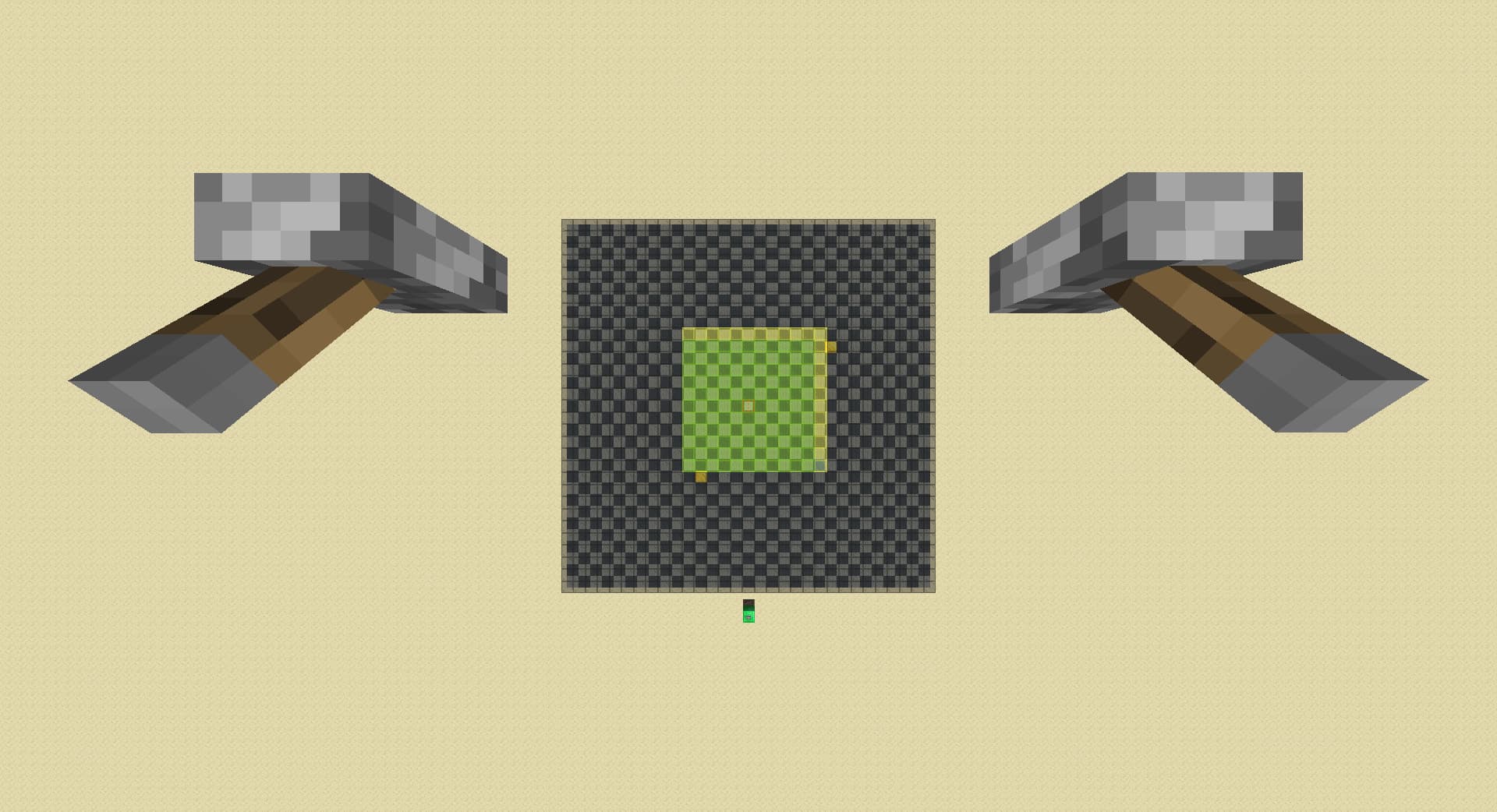
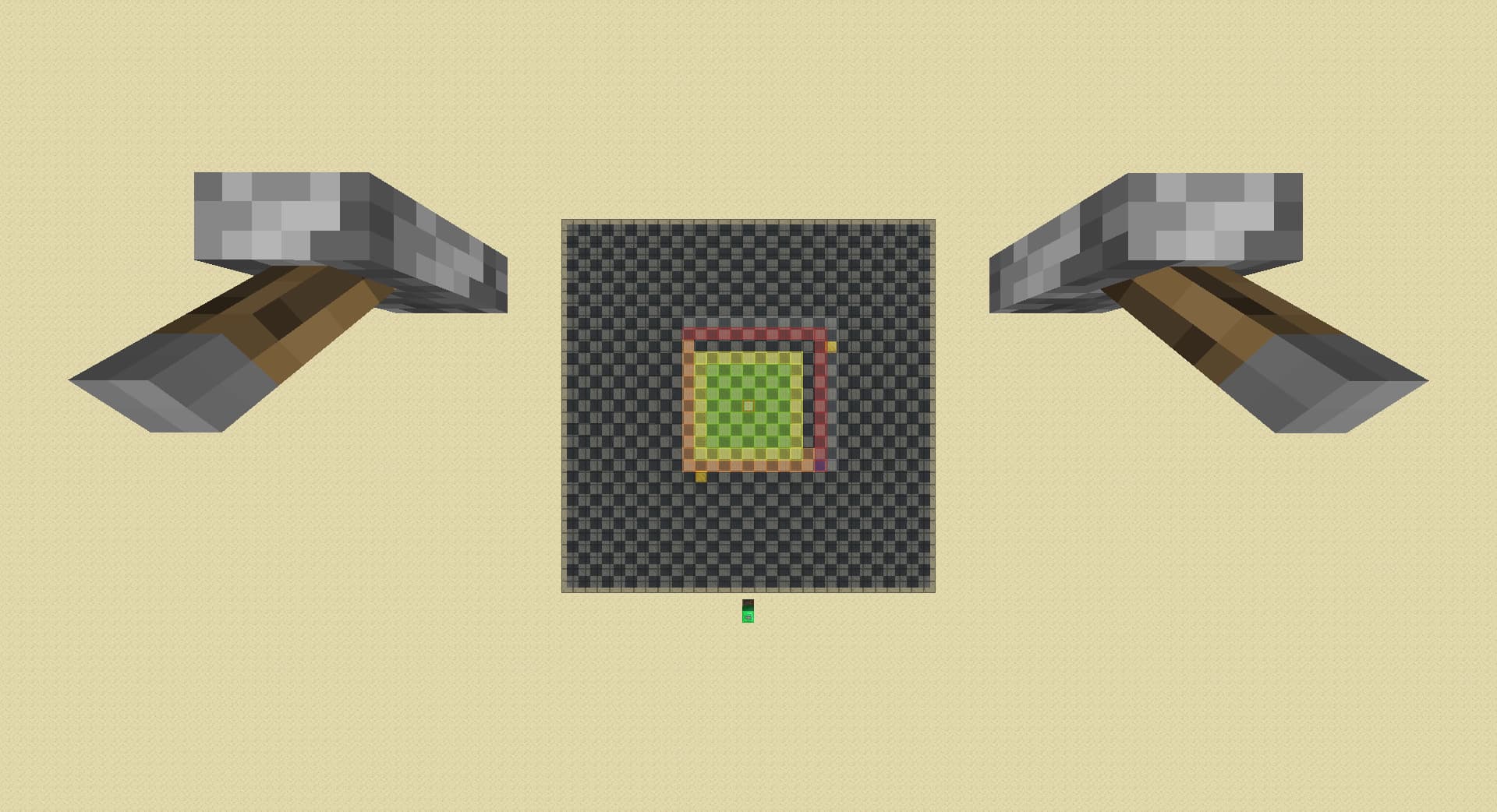
I realised that in the case of player moving away from the spawner, when previously r1 chunks move to r2, its color changes to black(fully unloaded) means that we can just drop rd by 1 instead of 3 in a diagonal spike case:
drop by 1, move left then back 1 chunk each:
drop by 3, move left then back 1 chunk each:
This is a whopping max 0.2 second time save in a diagonal spike case which happens only less than 10% of the time, multiping to give us a max 0.02 second improvement on average!
Standardized experiments that lead me to the discovery:
notations:
+x = walk x chunk(s) towards spawner, -x = walk x chunk(s) away from spawner
↑x = raise rd by x, ↓x = lower rd by x
u = unload from pie, l = load on pie, * = unpredicted behavior by traditional model, ? = behavior that made me confused (only happens after the action gets finished)
base chunk: from the spawner chunk, -7
setup: before every test, ↑ till max rd, ↓ till 8 rd (spawner is loaded atp)
↓4 [u], ↑4[l]
↓4 [u], ↑3, +1[l]
↓3, -1[u], +1[*l]
↓3, -1[u], ↑1[*l]
↓3, -1[u], -1, +1, +1[*l]
↓3, -1[u], -1, +1, ↑1[*l]
↓3, -1[u], -48, +48, +1[*l]
↓3, -1[u], ↓1, ↑1, +1[?], +3[l]

---

-2[*u], +2[l]
↓1, -1[*u], +2[l]
↓2, -1[???], -1[u], +1[*l]
The fact that both ↓1, -1 and ↓3, -1 unloads the spawner but not ↓2, -1 now makes me think that it is just a bug and when spawners load or unload is complete rng generated by mojang
↓2, -1, ↓1[u]
-1, ↓1, +1, -1[*u]
-1, ↓1, -1, ↑1, +1, -1[*u]
I think there is something with walking away as spawner go from second ring of lazy chunks to third ring that lowering rd doesn’t have which might explain why both ↓1, -1 and ↓3, -1 unloads the spawner but not ↓2, -1.
-2[*u], +2[l] (from previous post)
↓2, -2[u], +1[*l]
↓2, -1, ↓1[u], +1
-2[*u], -1, ↓1, +1
The -2 unload seems like an even stronger level unload than ↓2, -2.
My guess on why mojang make block entities in chunks to load and unload like this, I think it might be helpful to understand it:
When the player plays normally, they don’t change their render distances.
a player joins world on 8 rd:
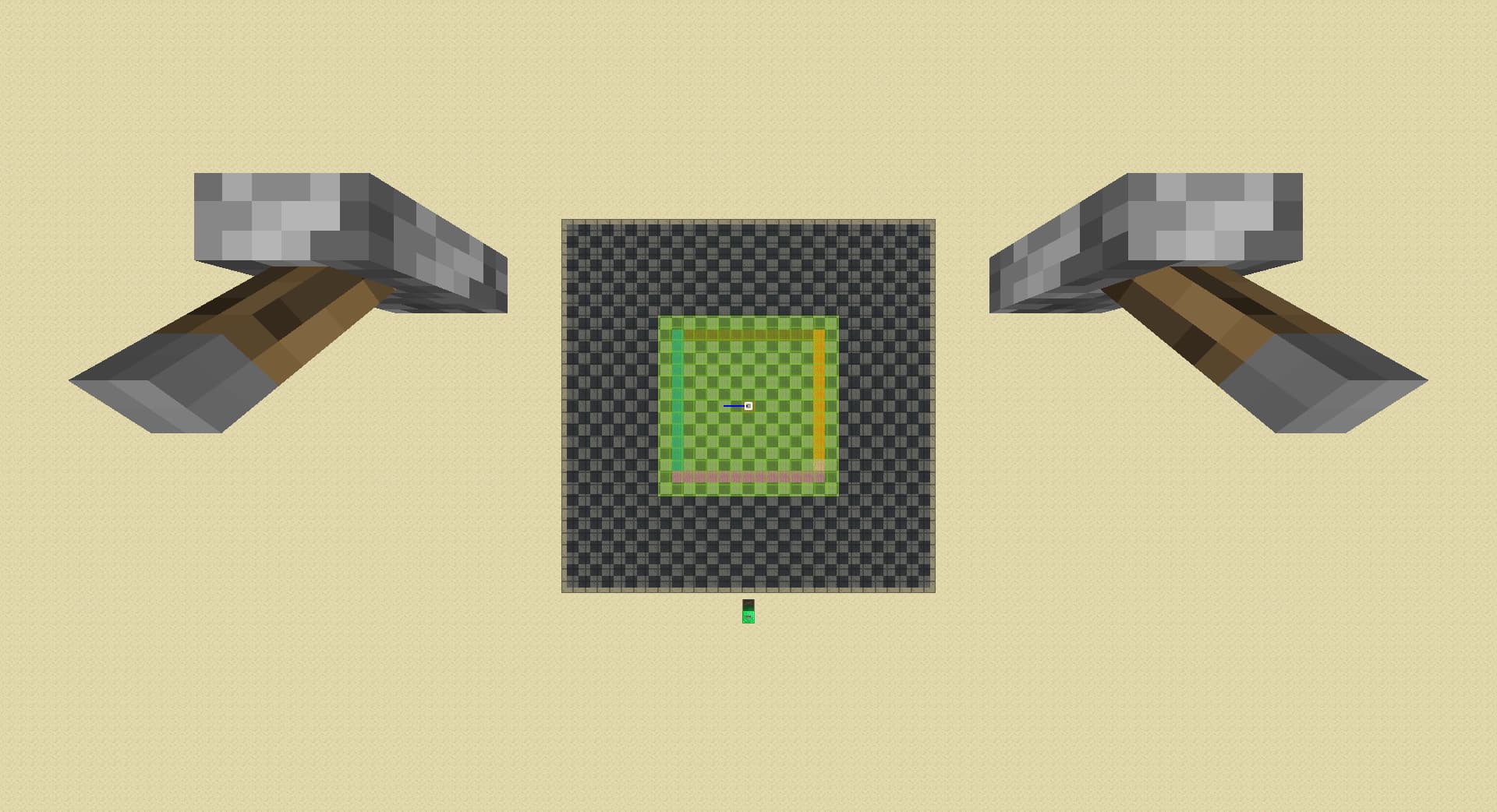
move forward 1 chunk:
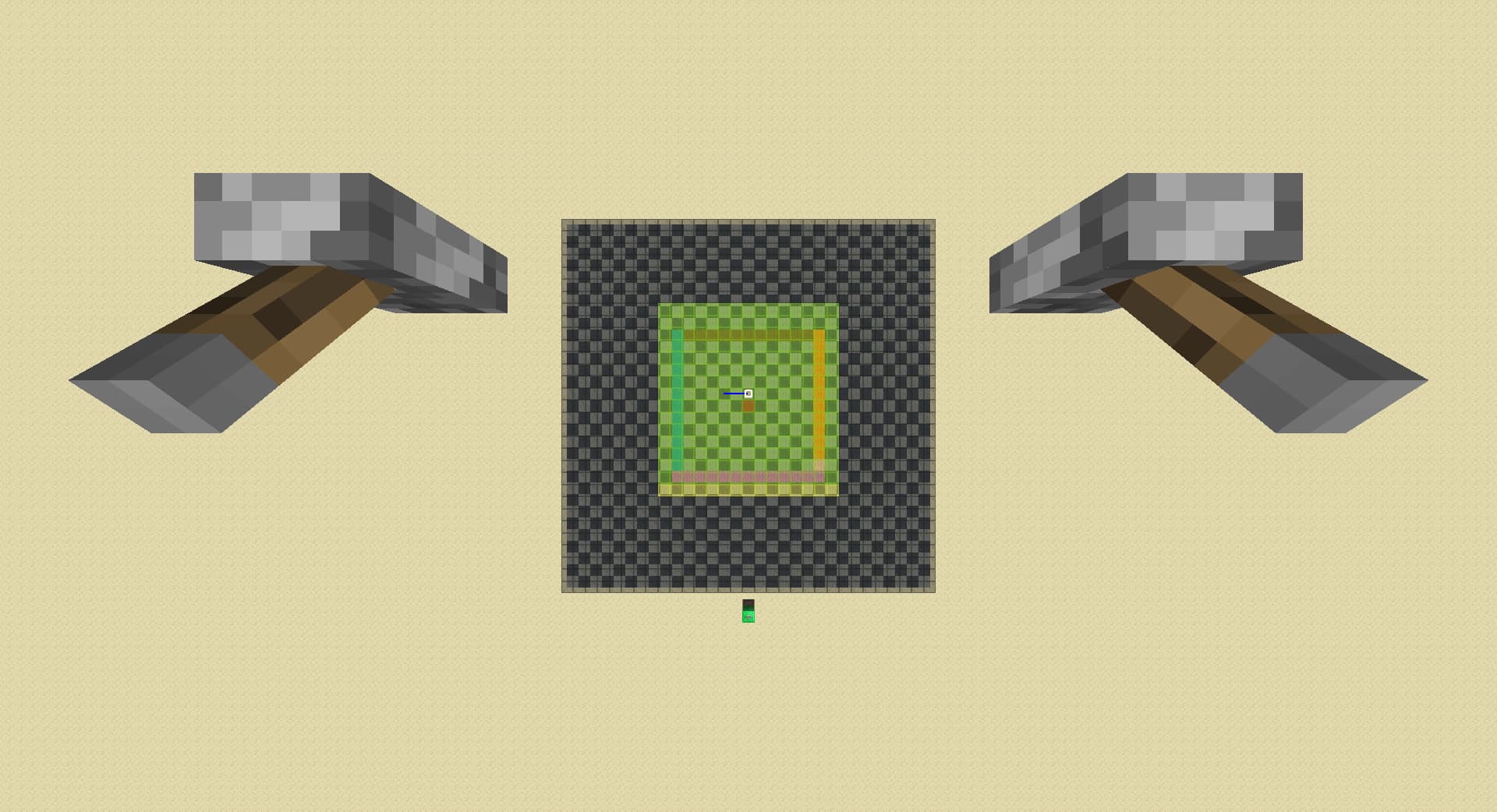
move right 1 chunk:
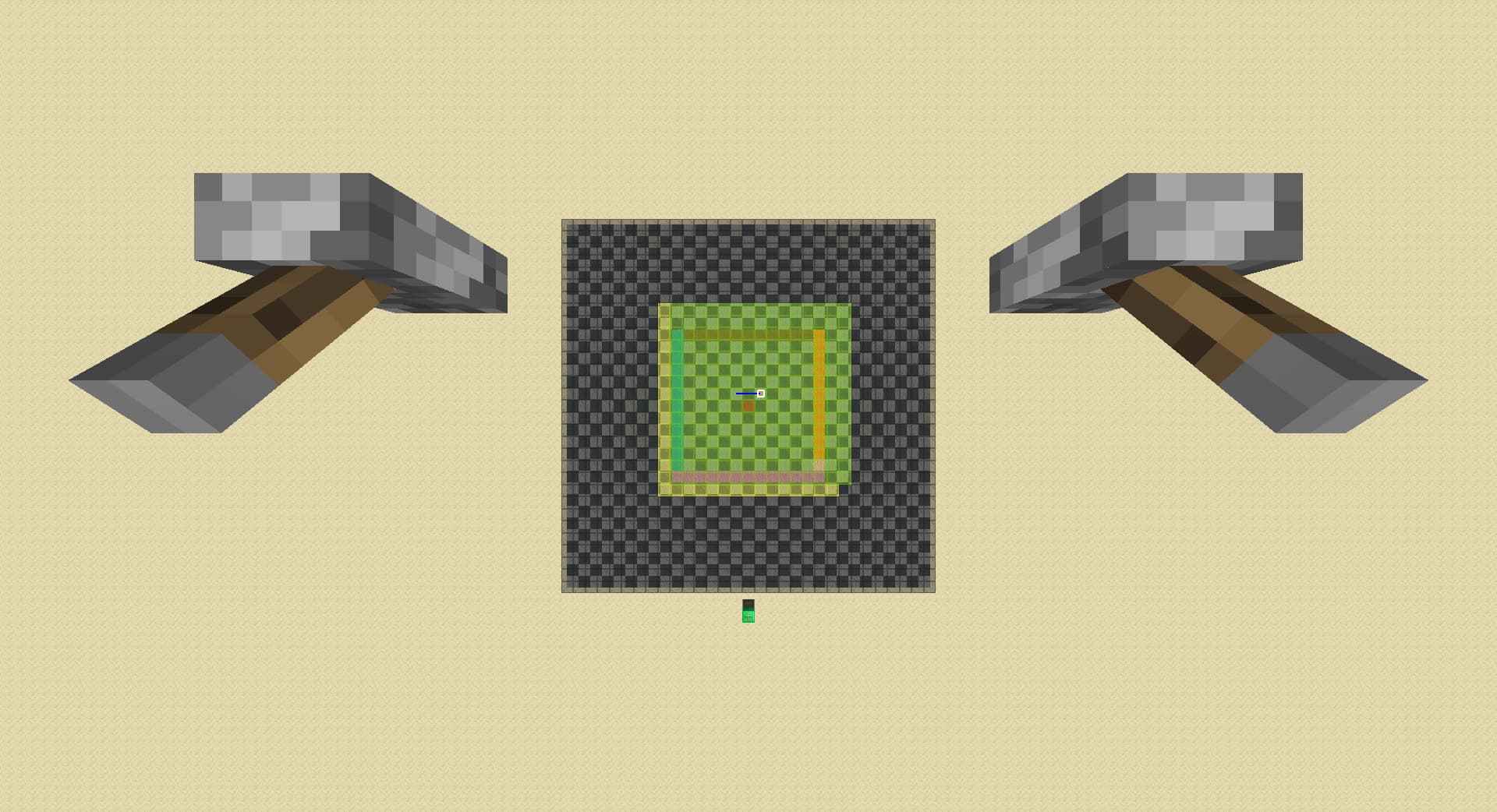
move forward 1 chunk again:
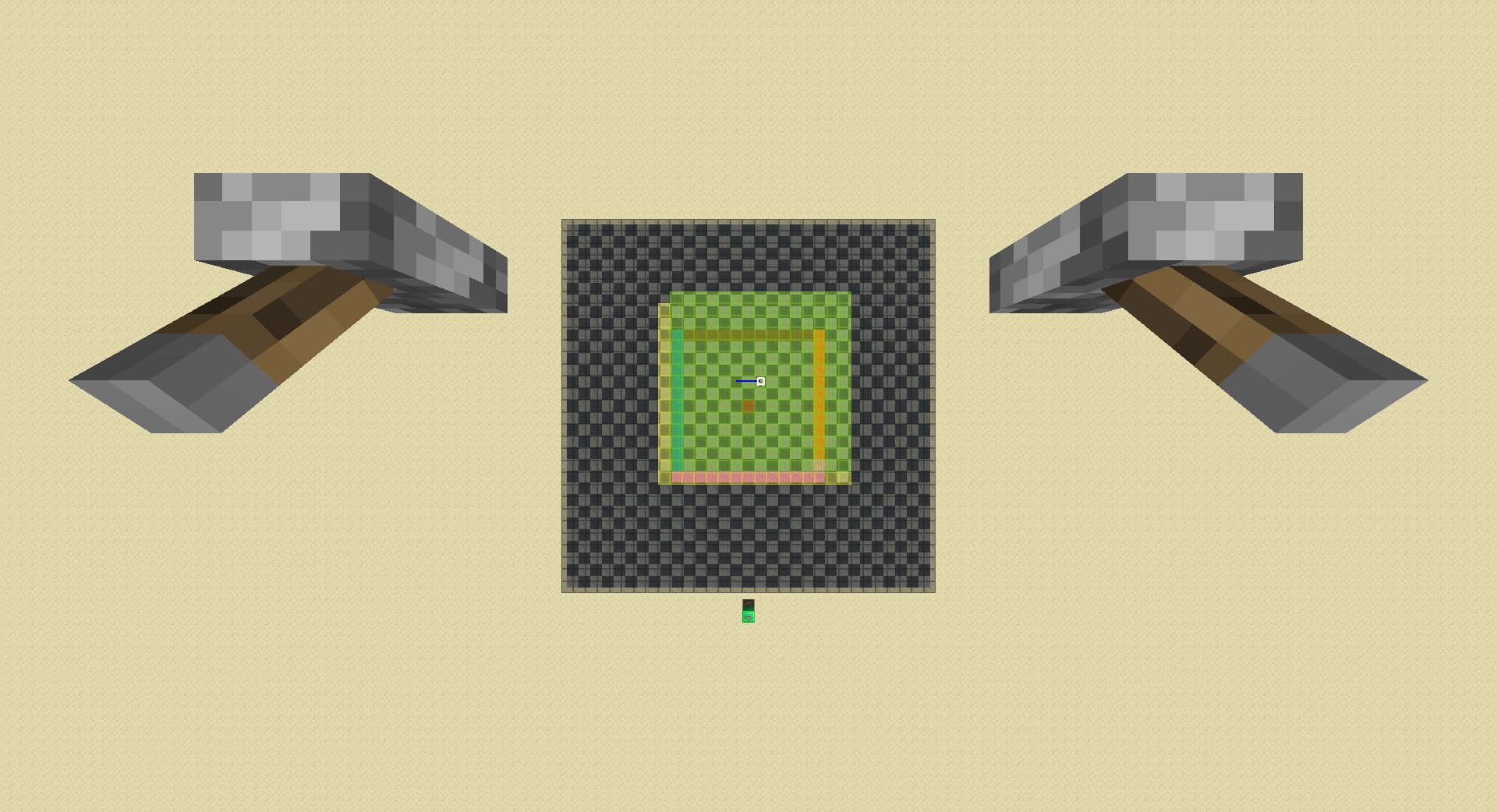
There are only 1 ring of yellow lazy chunk, in case the player walk back to the exact chunk border they just crossed immediately.
raise rd by 1:
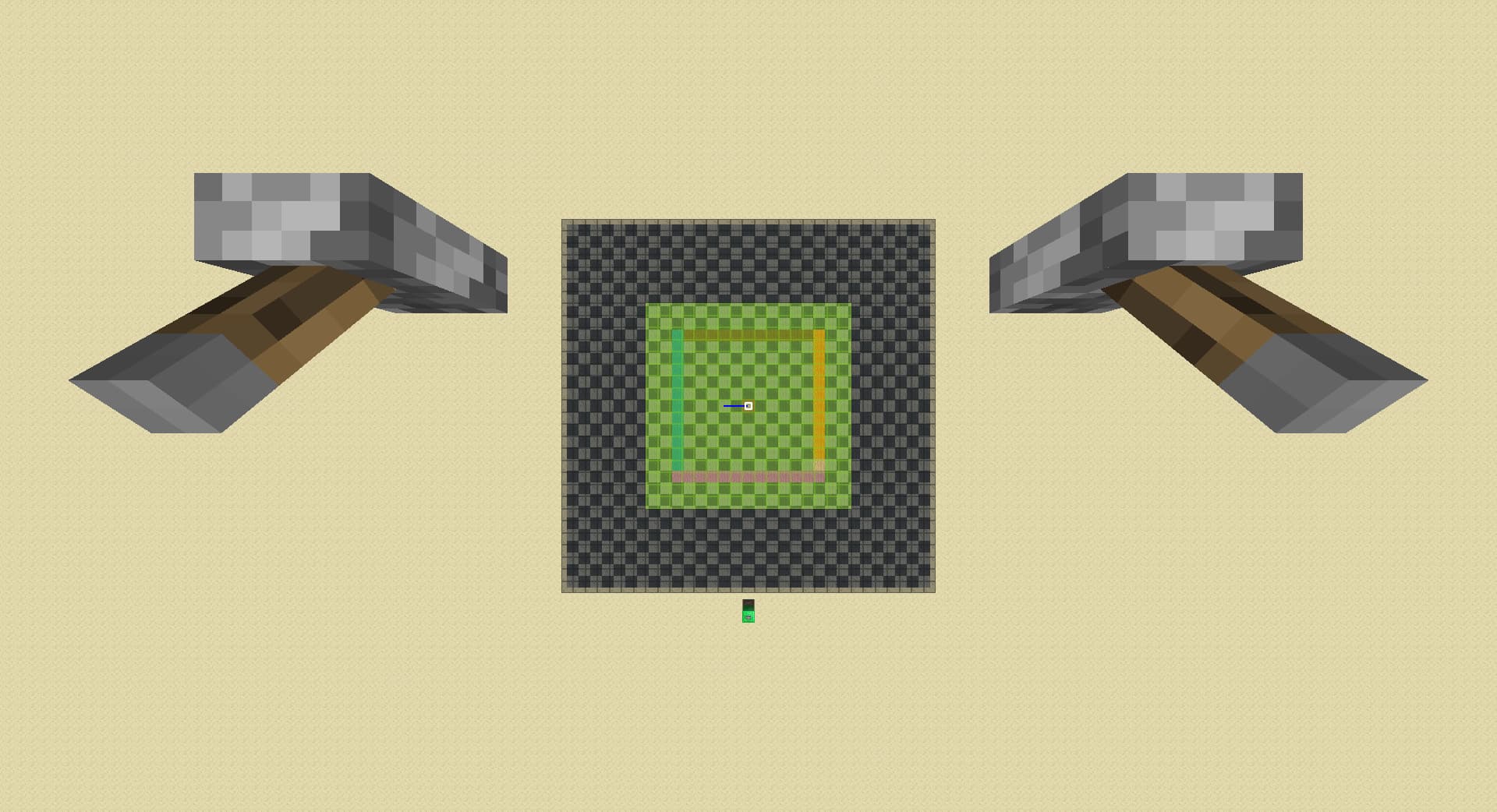
When the player raises render distance, only the chunks that will be immediately used loads in.
lower rd by 1 from 8:
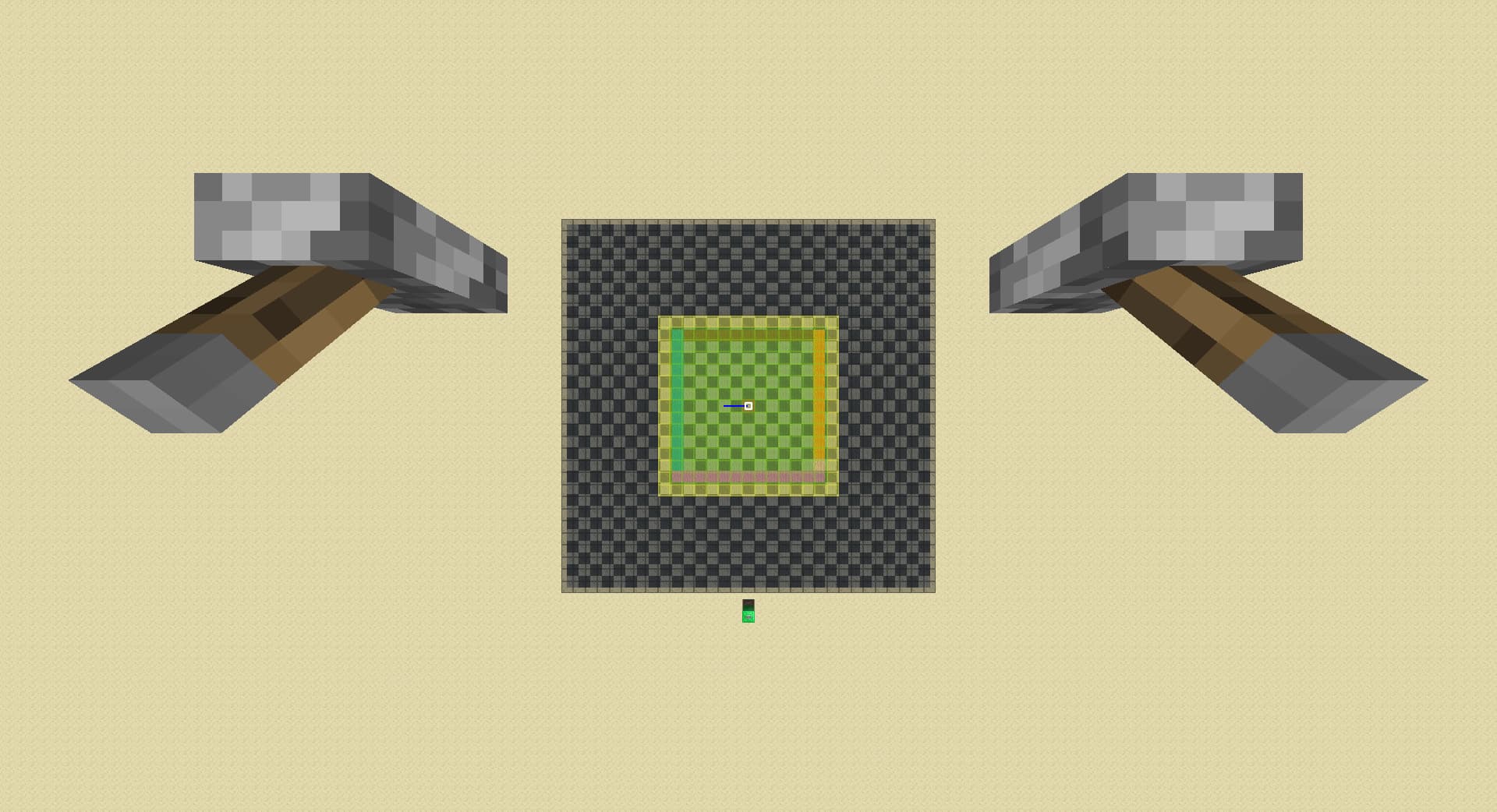
lower rd by 1 again:
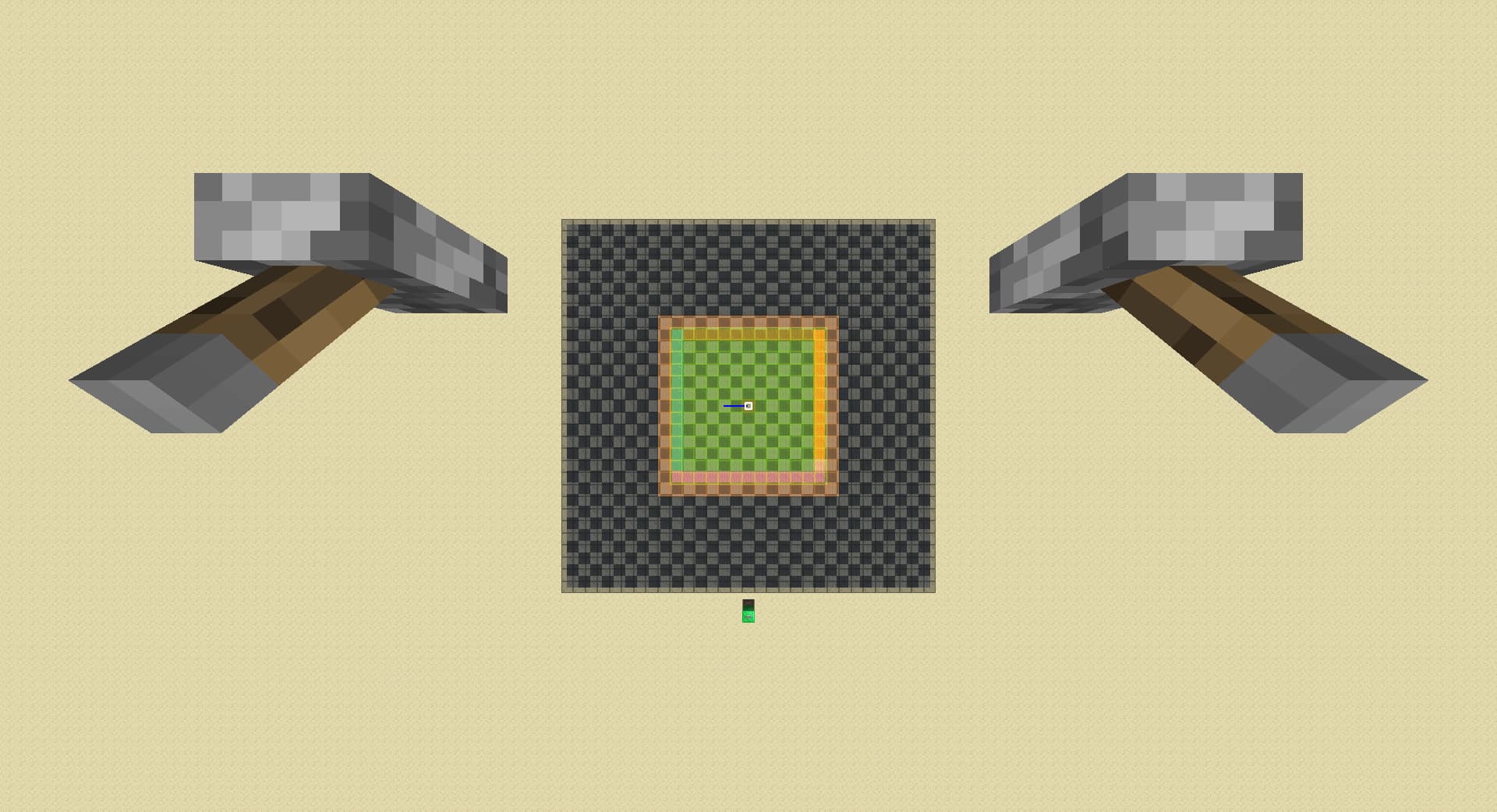
lower rd by 1 again:
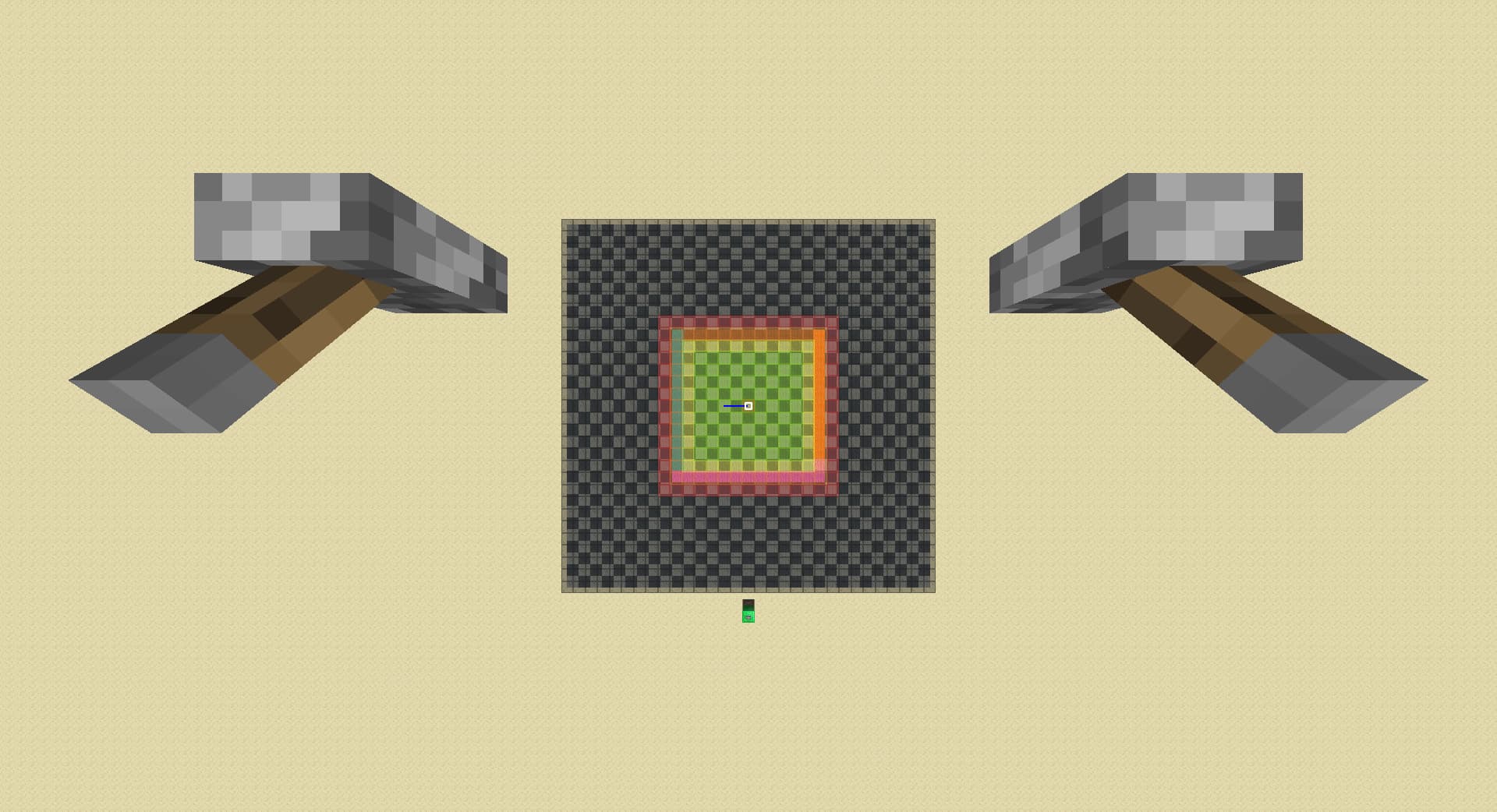
lower rd by 1 again:
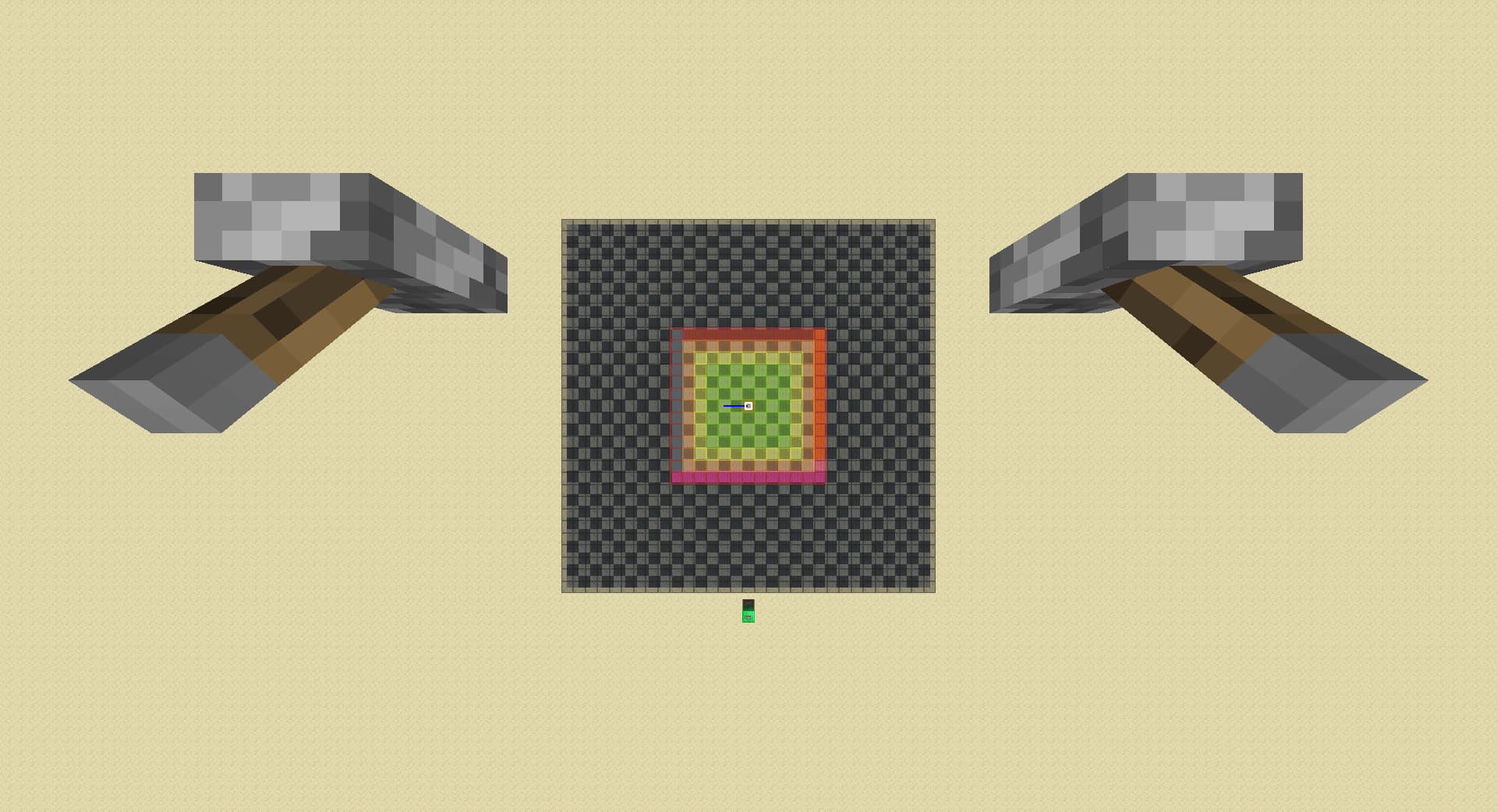
My best guess is that when the player is moving, they are very likely to keep moving in the same direction, so it is ok to just unload chunks 2 away from green; but when the player lowers render distance, the game have no idea where the player wants to go and therefore unload chunks when they are much further at 4 away from green because loading in chunks costs a lot.
move forward 1 chunk after lowering rd by 3 on 8:
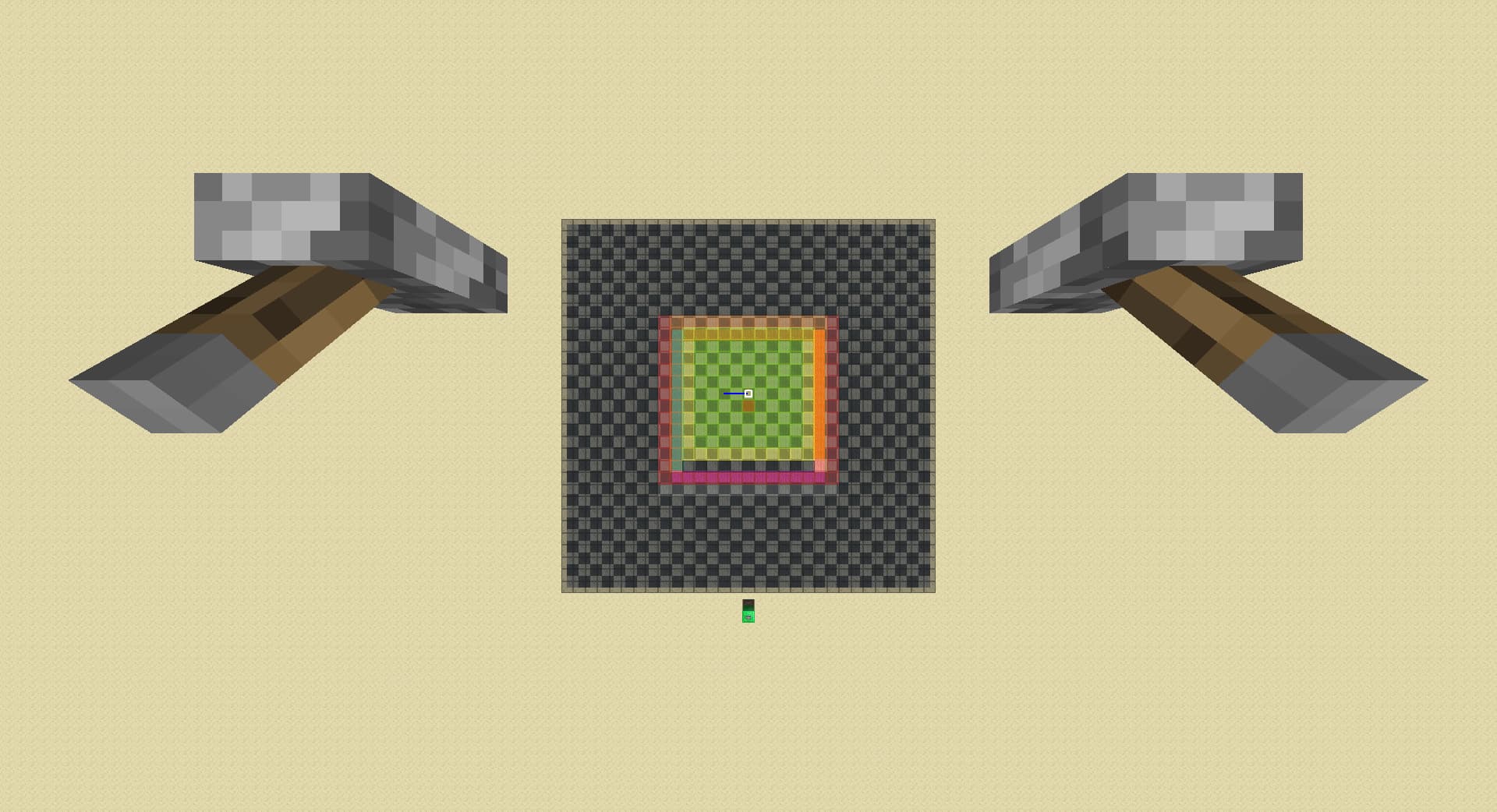
I can only assume that the game did not properly handle situations when the player move after lowering rd, it only handled the unload of the second ring(yellow -> orange), but not the rings outside. These rings’ load level then are misinterpreted by something else in the code, which I suspect is world generation thinking the player walked away in the middle of generation of something, so the game doesn’t discard it after the player leave the range, but instead puts it in cache. This cache will get reloaded immediately when the player walks back in range, and nothing including autosave clears it in the memory.
lower rd by 1:
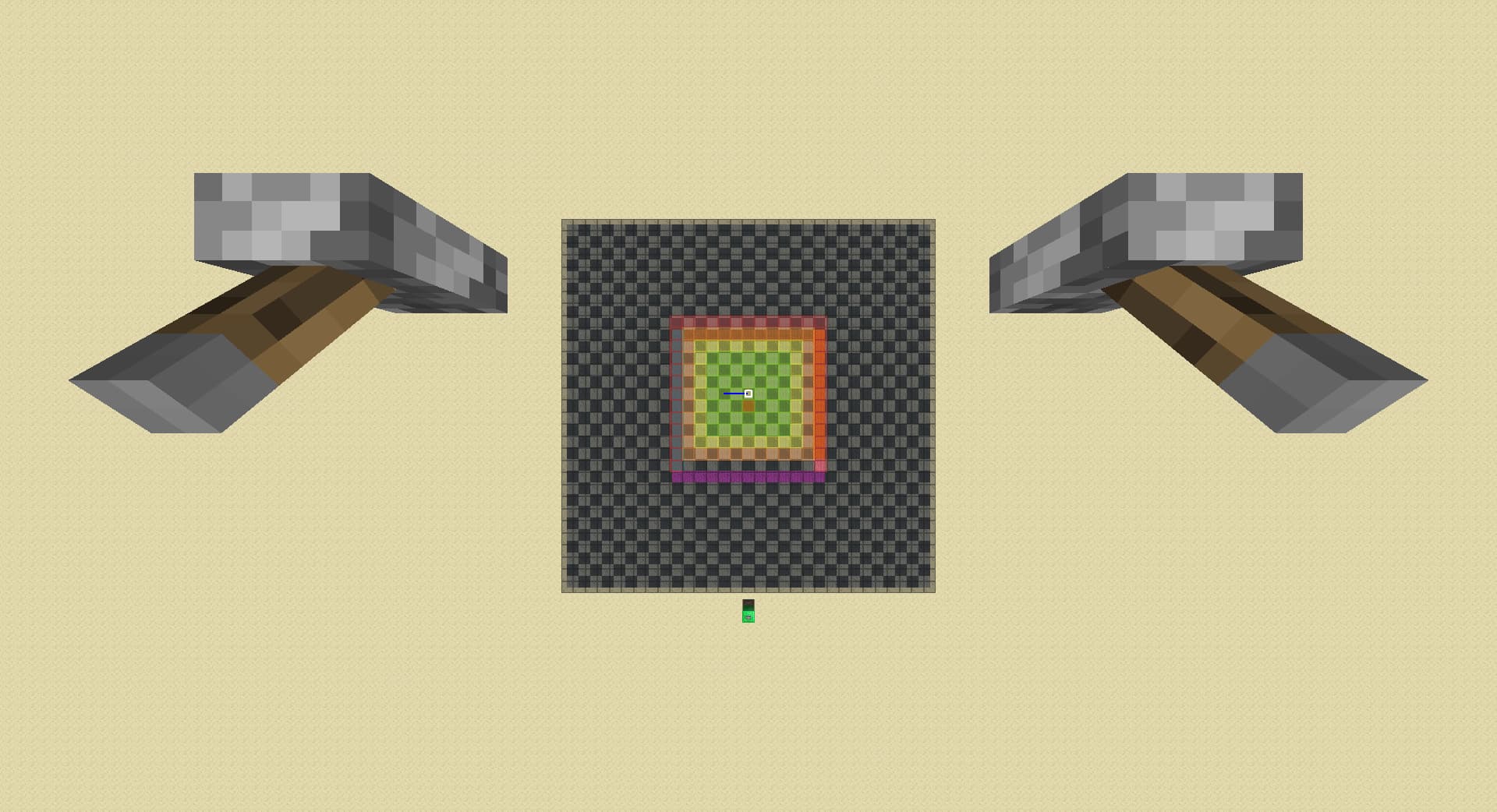
Only when the player lowers rd, the game thinks the player might be experiencing lag and clears it out from cache.